Page16
Version:1.2
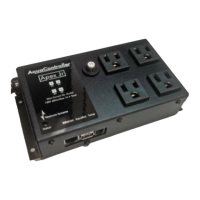
ReplacetheOLDAPEXwiththeNEWAPEX
1. DisconnecttheAquabuscable(s)fromtheoldAPEXbaseunitorAPEXJR.
2. IfusinganAPEXJR,disconnectdevicepowercordsfromtheAPEXJR’soutlets,makingnoteofwhich
powercordispluggedintowhichoutlet.
3. DisconnectanyTemp,pH,and/orORPprobesfromtheoldAPEX.Thereisnoneedtodisconnectprobes
fromanyProbeModules,leaksensorsfromanALD,powercordsfromEnergyBars,etc.
4. DismounttheoldAPEXifnecessary.
5. MountthenewAPEXasdesired.
6. ConnectanyTemp,pH,and/orORPprobestothenewAPEX.
7. ConnectthenetworkcabletothenewAPEX.
8. ConnecttheAquaBuscablesthatyoudisconnectedinStep1tothenewAPEX.DoNOTreconnectthe
displaymoduleyet.
9. IfusinganAPEXJR,plugtheAPEXJRpowercordintoanelectricaloutlet.
10. Waitatleast60seconds.
11. Ifyoupreviouslyhada12‐voltACadapterconnectedtoyouroldAPEXbaseunit,reconnectittothe
newAPEX.
12. ConnectthedisplaymoduletoanyavailableAquaBusportofthenewAPEXsystem.
13. IfusinganAPEXJR,plugdevicepowercordsintothesameoutletspreviouslyused.
DisableREPLACEMENTMODE
1. OnthedisplaymoduleconnectedtothenewAPEX,disableREPLACEMENTMODE:
a. Pressthecenterbuttononce.
b. Pressthedownarrow5timestoscrolltoSelfTest.
c. Pressthecenterbuttononce.
d. Presstheupbuttontwice.
e. Pressthedownbuttontwice.
f. Pressthecenterbuttononce.
g. PressthedownbuttononcetoscrolltoDiag.
h. Pressthecenterbuttononce.
i. PressthedownbuttontwicetoscrolltoReplacementMode.
j. IfitshowsasOn,pressthecenterbuttontoturnoff.Thedisplaywillgoblankbriefly.Whenit
returnstonormal,itshouldindicatethatReplacementModeisnowOff.
2. PresstheHomebuttontoexitthemenusystem.
AdditionalStepsontheNEWAPEX
CalibratethepHprobe(s)onthenewAPEXbaseunit(notapplicableforAPEXJR).
UsingtheClassicDashboard,gototheConfiguration‐>MiscSetuppage.
o Duetoasoftwarebuginsomefirmwareversions,thesettingforFeedIntervalDmightnothave
beentransferred.CheckandupdatetheFeedIntervalDvalueifneeded.
o EnablethePowerMonitorfeatureonlyifyouhadusedthisfeaturewiththeoldAPEX.


 To Next Page