Page14
Version:1.2
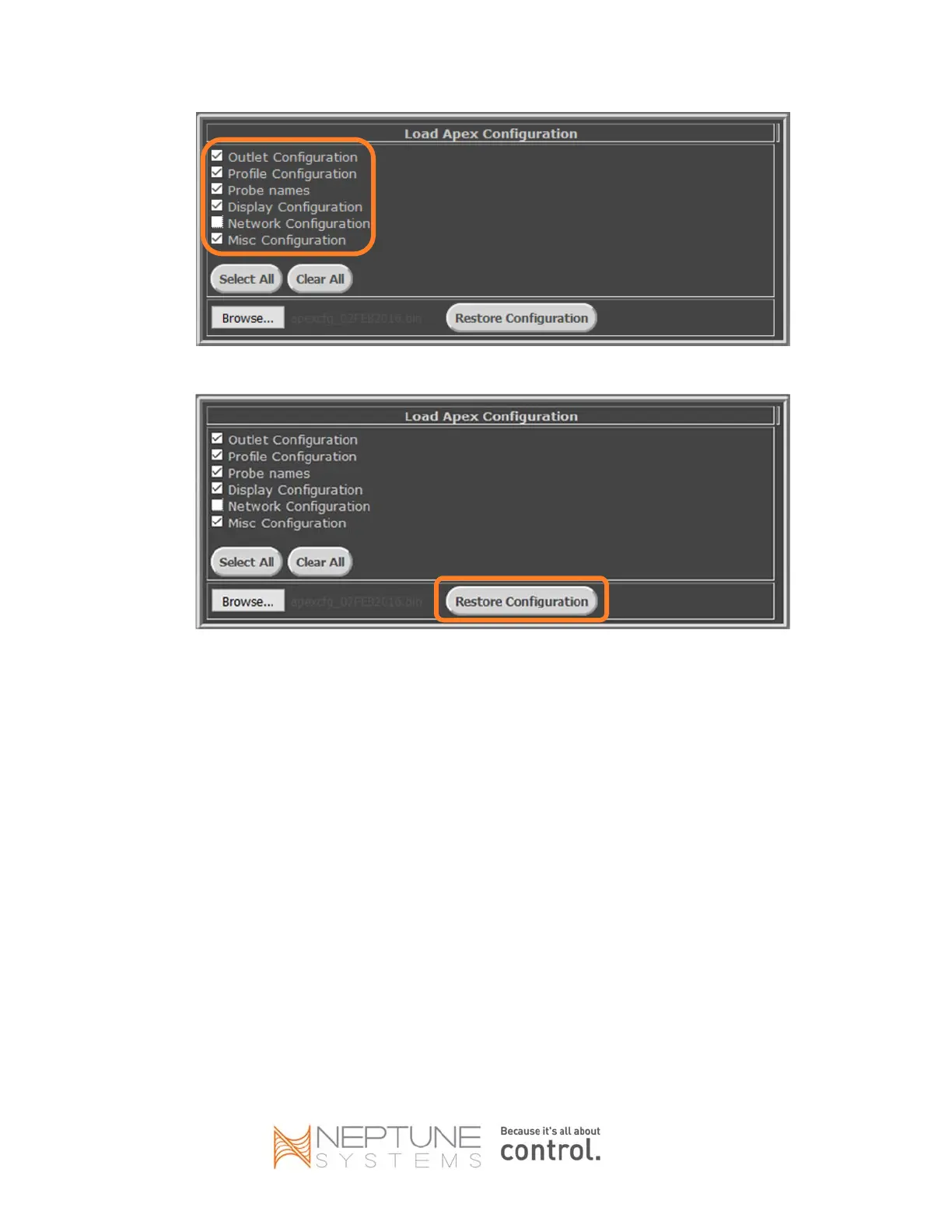
7. ClicktheRestoreConfigurationbutton.
8. WatchthestatusLEDonthefaceofthenewAPEX.Afteraminuteortwo,thestatusLEDwillgoout,
thenwillflashorangeforseveralseconds,andfinallybelitsolidgreen.
9. InthebrowsertaborwindowforthenewAPEX,clicktheDashboardmenu.
10. VerifythattilesappearontheClassicDashboardforyourprobesandoutlets,andhavethenamesthey
hadintheoldAPEX.
11. AlloutletswillbeinAUTO.IfyouhadanyoutletsintheoldAPEXsettomanualOFFormanualON
(insteadofAUTO)asthenormalstate,checktheoutletslidersusingtheDashboardpageandchange
thoseoutletstothedesiredONorOFFstate.
EnableREPLACEMENTMODEintheNEWAPEX
1. UsingtheClassicDashboard(Configuration‐>ClockSetup),orusingthedisplaymenu(System‐>Clock
Setup),updatethenewAPEXclocksettingsforthepropertimezoneandDaylightSavingTimesettings
foryourgeographiclocation.
2. UsingthedisplaymoduleconnectedtothenewAPEX,enableREPLACEMENTMODE:
a. Pressthecenterbuttononce.
b. Pressthedownarrow5timestoscrolltoSelfTest.
c. Pressthecenterbuttononce.
d. Presstheupbuttontwice.


 To Next Page