Page15
Version:1.2
e. Pressthedownbuttontwice.
f. Pressthecenterbuttononce.
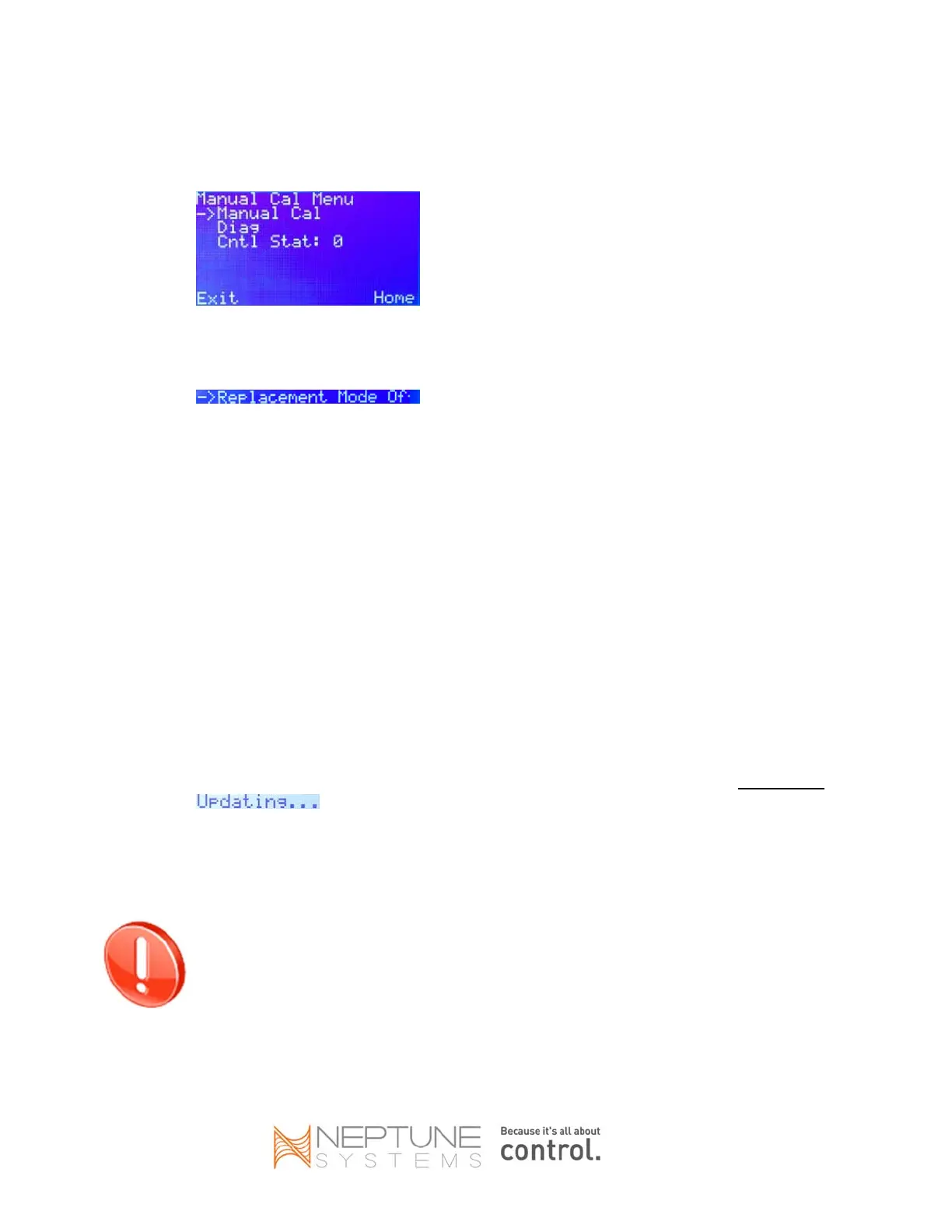
g. Thedisplayscreenshouldappearlikethis:
h. PressthedownbuttononcetoscrolltoDiag.
i. Pressthecenterbuttononce.
j. PressthedownbuttontwicetoReplacementMode,whichusuallywillbeOff.
(Theword“Off”willbetruncated”.)
k. IfyoureceivedareplacementAPEXbaseunitunderRMA,REPLACEMENTMODEmightalready
beenabled;ifso,skiptoStep3.
l. Pressthecenterbuttononce.
m. Thedisplaywillgoblankbriefly.Whenitreturnstonormal,itshouldindicatethatReplacement
ModeisnowOn.
3. UsingthedisplaymoduleconnectedtothenewAPEX,deletethedisplaymodule:
a. PresstheHomebutton.
b. PresstheCenterbuttononce.
c. Pressthedownbutton2timestoscrolltoSetup.
d. Pressthecenterbuttononce.
e. Pressthedownbutton2timestoscrolltoModuleSetup.
f. Pressthecenterbuttononce.
g. Pressthedownbutton3timestoscrolltoDeleteModule.
h. Pressthecenterbuttononce.
i. Adisplay(Disp_#)shouldbetheonlymodulelistedanditshouldalreadybeselected.
j. Pressthecenterbuttononce.
k. PresstheYesbutton,thendisconnectthedisplaymodulefromthenewAPEXimmediatelyafter
appearsonthedisplayscreen.
4. Wait5‐10secondsthen:
a. ForAPEX:disconnectthe12‐voltACadapterandnetworkcablefromthenewAPEX.
b. ForAPEXJR:unplugthenewAPEXJRpowercordanddisconnectthenetworkcable.
REPLACEMENTMODEwillbeautomaticallydisabledatmidnight(00:00)pertheApex’sclock.
ThenexttaskmustbecompletedbeforemidnightofthedayyouenableREPLACEMENT
MODE.


 To Next Page