Saturn B/M Enhanced Functions – Chapter 2. Standard2.6
Traffic Logging Cont’d
Traffic Log Output
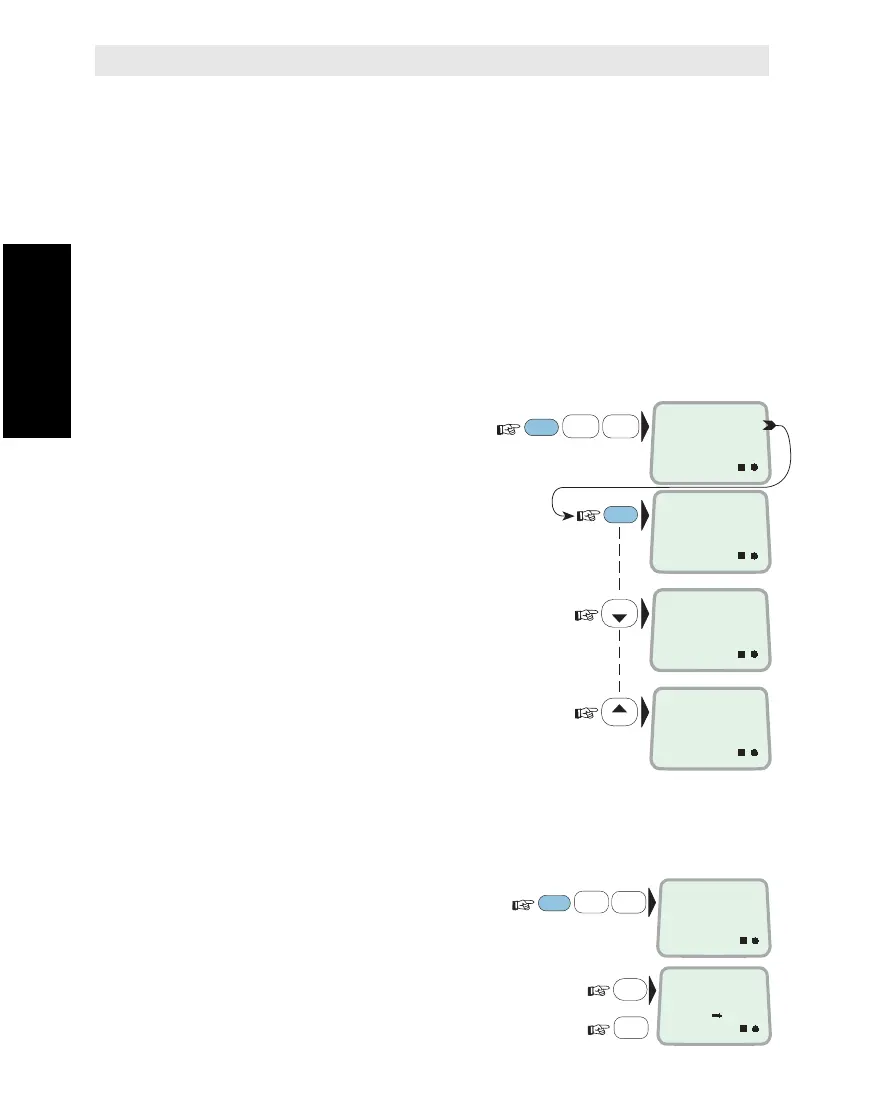
The "Traffic Log" function no.81 provides three types of call logs:
• TIME LOG – which sorts all calls by date/time
• USER LOG – which sorts calls by selected user ID
• PORT LOG – which sorts calls from selected port
Each log can be output in three ways:
• VIEW – scrolling through list
• PRINT –
printout of list (without deleting printed records)
• FLUSH – print/deletion of logged data
•
VIEW HISTORY LOG
– which lists the 100 last calls (also the data
that have been FLUSHED).
Selection of logs is made as follows:
1 Select TRAFFIC
LOG function (81):
2
Select TIME LOG (A):
(sorted by date/time)
See "TIME Log Output" for
further information.
3
Select USER LOG (B):
(sorted by User ID)
See "USER Log Output" for
further information.
4
Select PORT LOG (C):
(sorted within selected end terminal)
See "PORT Log Output" for
further information.
Deleting Traffic Log Data
Deletion of all traffic log data can only be achieved when in OWNER level:
1 Select TRAFFIC LOG function (81):
2
Press and hold the DEL key:
and
press the Y-key to delete traffic logs:
FUNC
ON
8
VWX
TAX
LIST
LIST
1
ABC
TRAFFIC LOG
81
ON
TIME LOG
A
ENTER
ON
USER LOG
B
ON
PORT LOG
C
FUNC
ON
8
VWX
TAX
1
ABC
9
LIGHT
YZÆ
DEL
TRAFFIC LOG
81
ON
DELETE ?
Y= YES
81
ALPHA
Traffic Logging Cont’d



 To Next Page