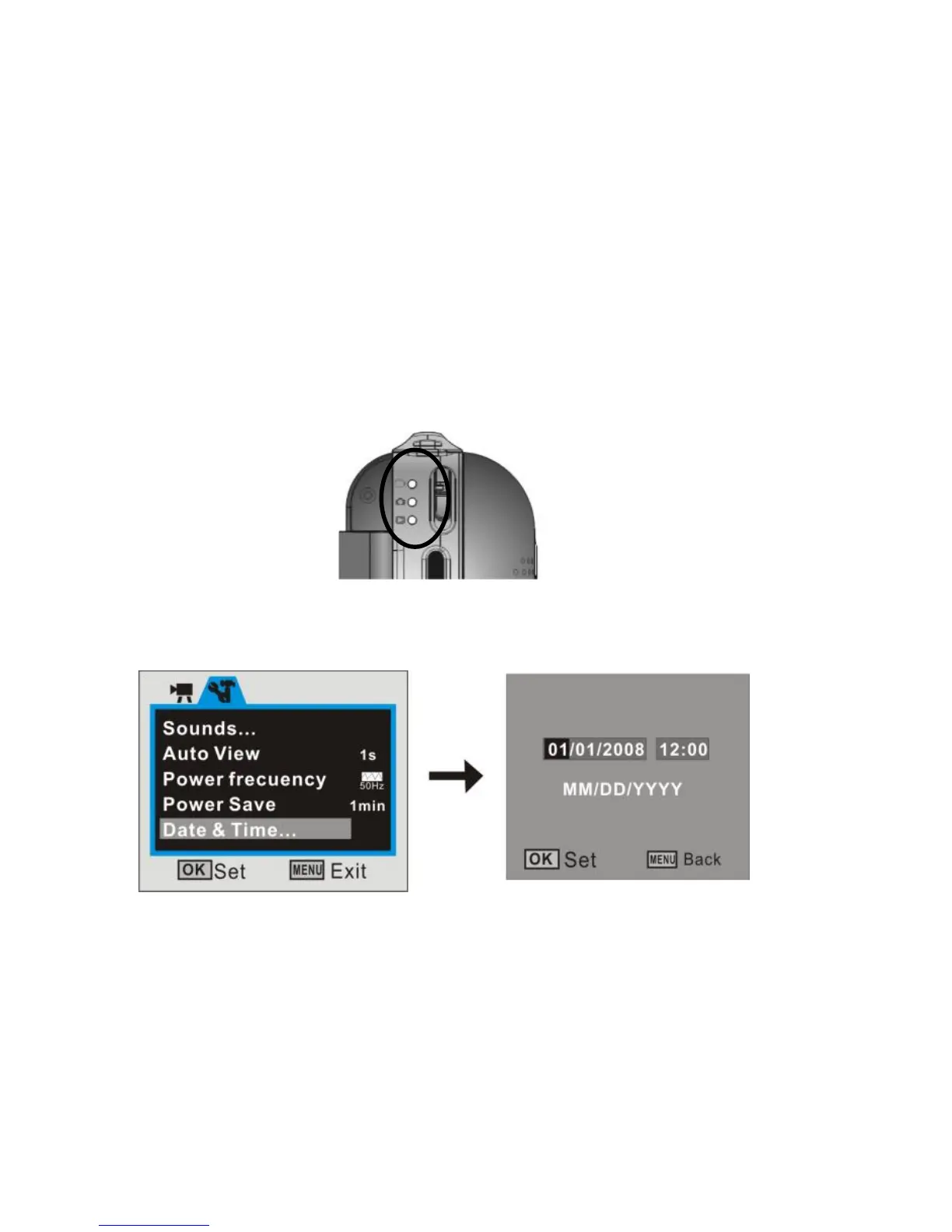
5. Function mode change over
There are 3 mode settings, Video, Still Photo and playback. Move the switch to desired
position for do operation of take video, take photo or playback them.
6. Date and Time Settings:
You can enter Setup menu mode to set the system date and time:


 To Next Page