In the setting window, adjust the date or time by direction key: Up or Down for adjust,
Right or Left key for move the cursor, OK key for confirm, MENU key for back or exit
setup mode.
7. Indicator Light:
Busy light:
The light will be illumed while the camera is busy (e.g. Recording movie, capturing
photo, connecting to computer or TV etc).
LED light: to reinforce light intensity for recording.
Self timer light: to remind user the camera is doing the operation of self timer.
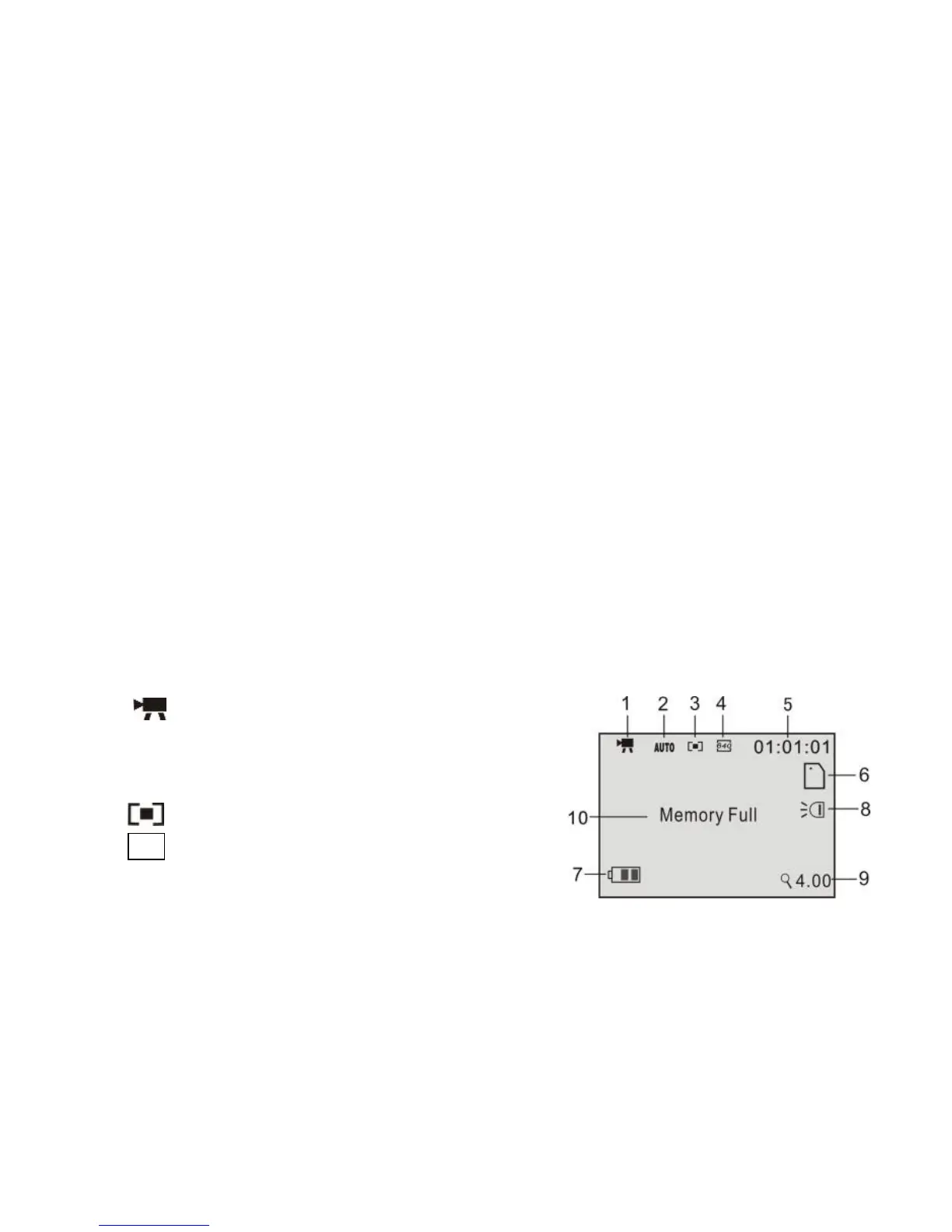
8 Video mode:
Preview mode
1 : Mode symbol, Indicates video mode.
2 Auto: Indicates the White balance is auto mode.
Can set it is Auto/Daylight/Cloudy/
Fluorescent/Tungsten.
3 :Indicates focusing mode.
4 640 : Indicates video resolution,
it can be set is 640x480/320x240.


 To Next Page