Press Menu key to go back or exit the menu mode.
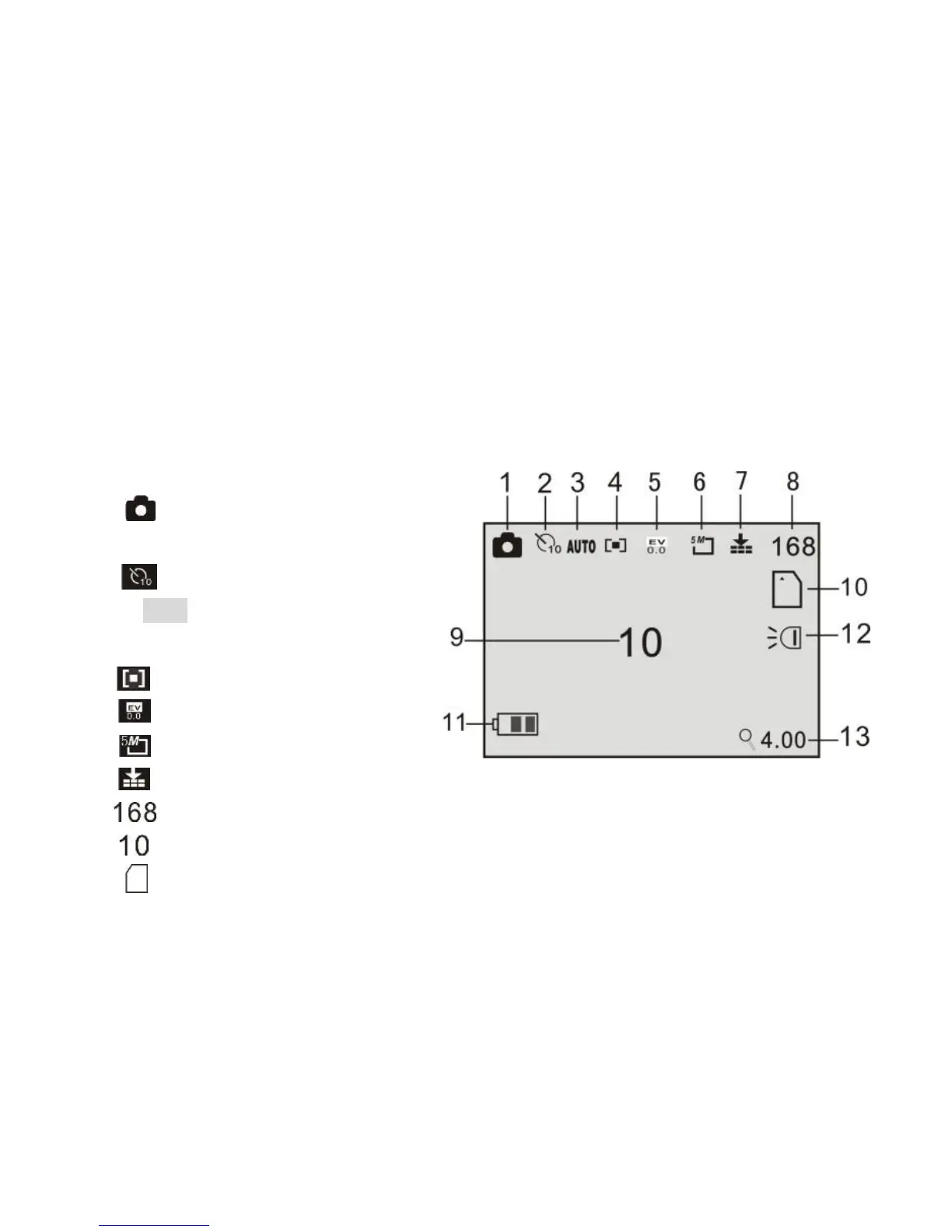
9 Camera mode:
Preview mode
1 :Mode symbol,
Indicates photo mode.
2 :Self timer mode symbol.
3 Auto: Indicates the
White balance is auto mode.
4 : Metering mode.
5 : Exposure mode.
6 : Image resolution.
7 : Image quality mode.
8 : Image counter (remaining images).
9 : Self timer Indicate snap photo automatically after 10s.
10 : Indicates a memory card is in use.


 To Next Page