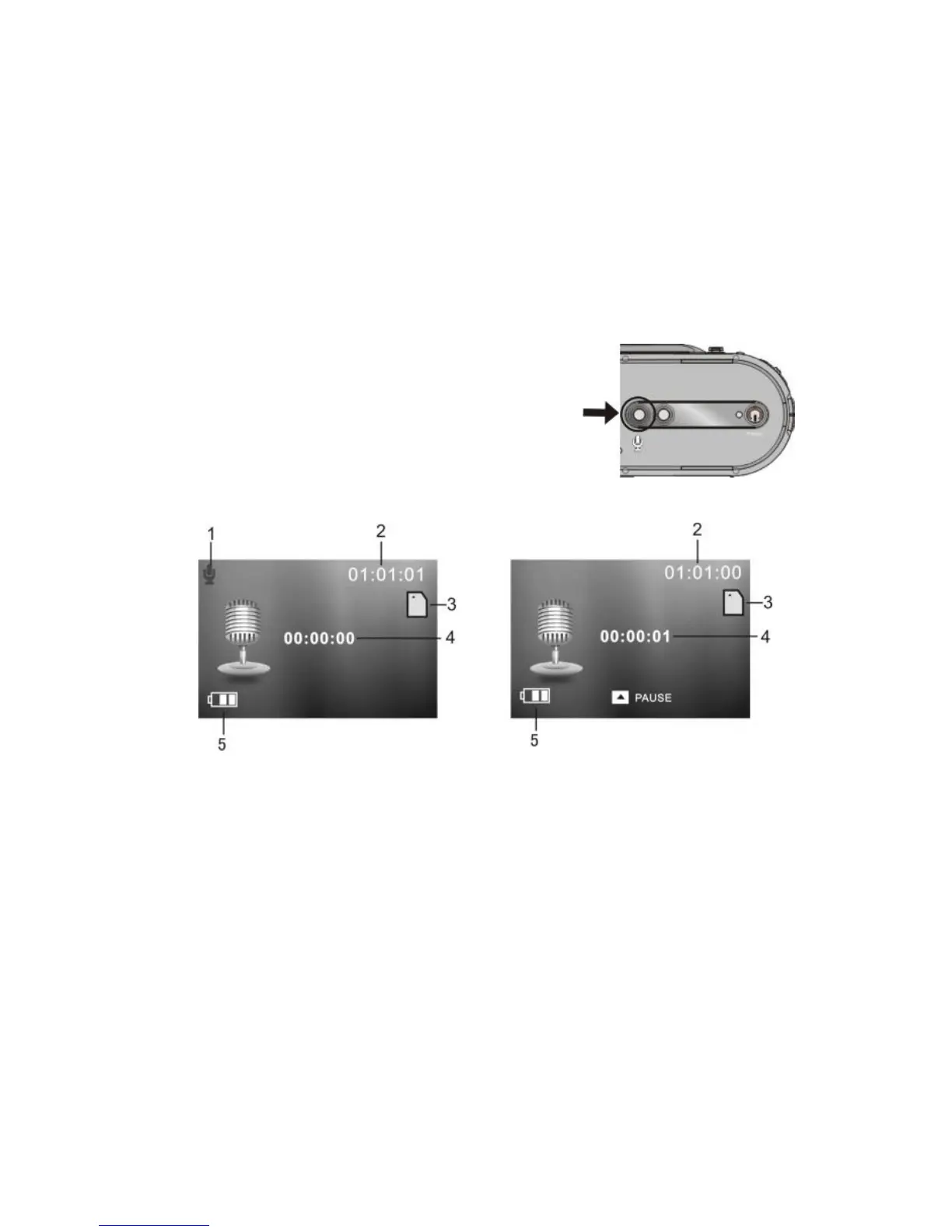
10 Voice Recording mode:
1 Press Voice record button to enter
voice record mode.
2 Press Shutter button once start recording.
3 Press Up key pause recording, press
again to resume.
4 Press Shutter button again to stop recording.
1 Indicates voice record mode 2 Indicates remaining time 3 Indicates Memory card
in use 4 Indicates recording timer 5 Battery icon


 To Next Page