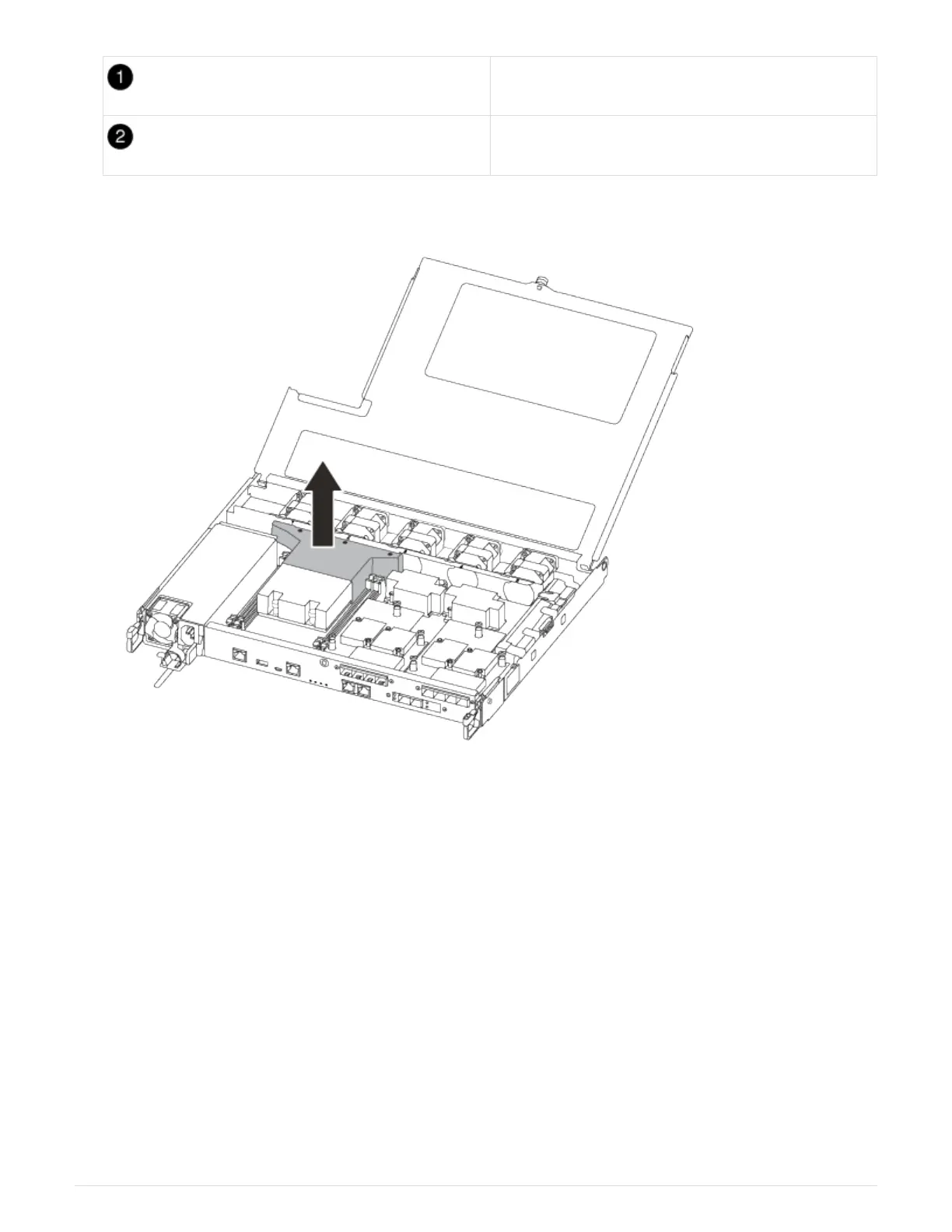
Thumbscrew
Controller module cover.
7. Lift out the air duct cover.
Step 2: Replace the boot media
You locate the failed boot media in the controller module by removing the air duct on the
controller module before you can replace the boot media.
You need a #1 magnetic Phillips head screw driver to remove the screw that holds the boot media in-place.
Due to the space constraints within the controller module, you should also have a magnet to transfer the screw
on to so that you do not loose it.
You can use the following video or the tabulated steps to replace the boot media:
Replacing the boot media
1. Locate and replace the impaired boot media from the controller module.
19












 To Next Page