Thumbscrew
Controller module cover.
Step 3: Replace the NV battery
To replace the NV battery, you must remove the failed battery from the controller module
and install the replacement battery into the controller module.
Use the following video or the tabulated steps to replace the NVMEM battery:
Replacing the NVMEM battery
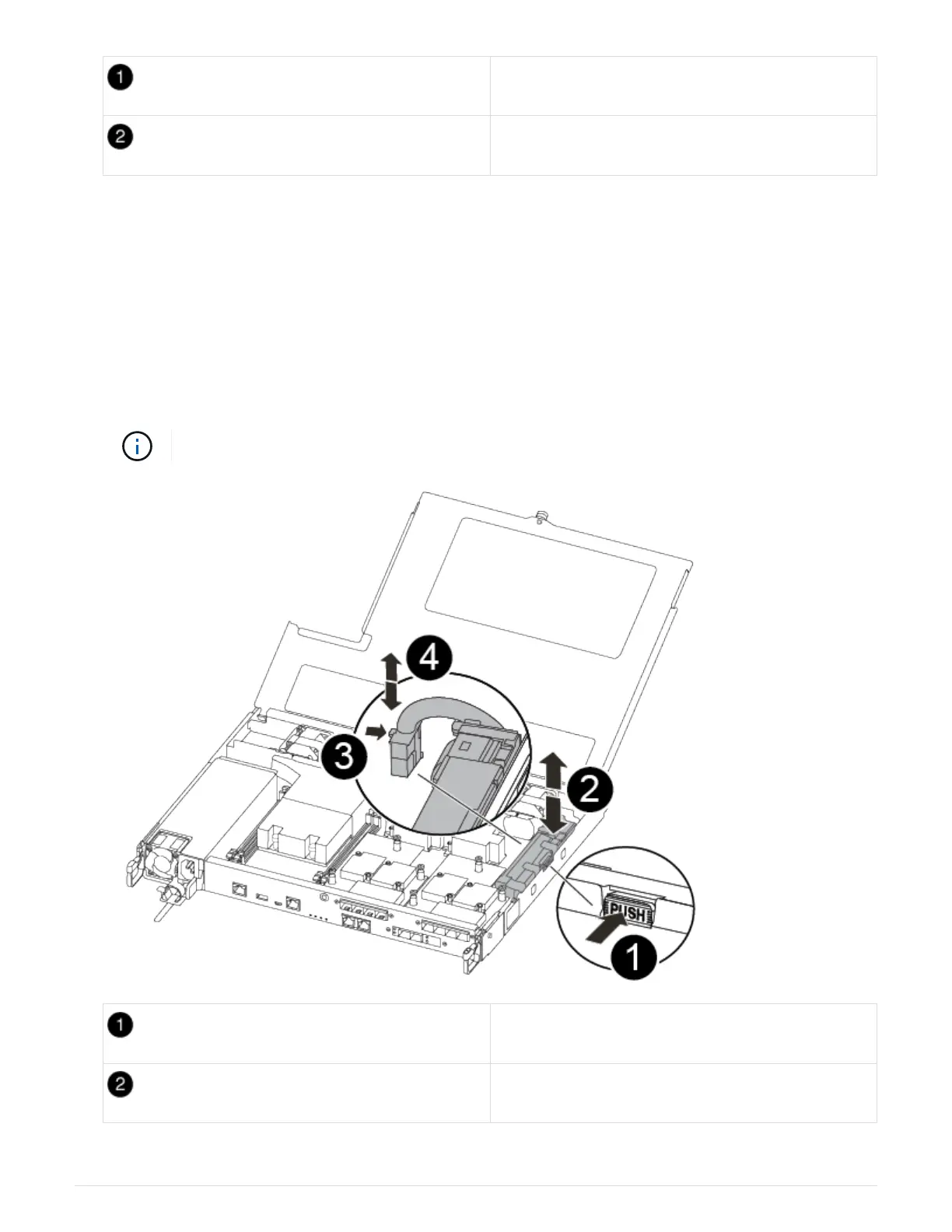
1. Locate and replace the impaired NVMEM battery on your controller module.
It is recommended that you follow the illustrated instructions in the order listed.
Squeeze the clip on the face of the battery plug.
Unplug the battery cable from the socket.
80












 To Next Page