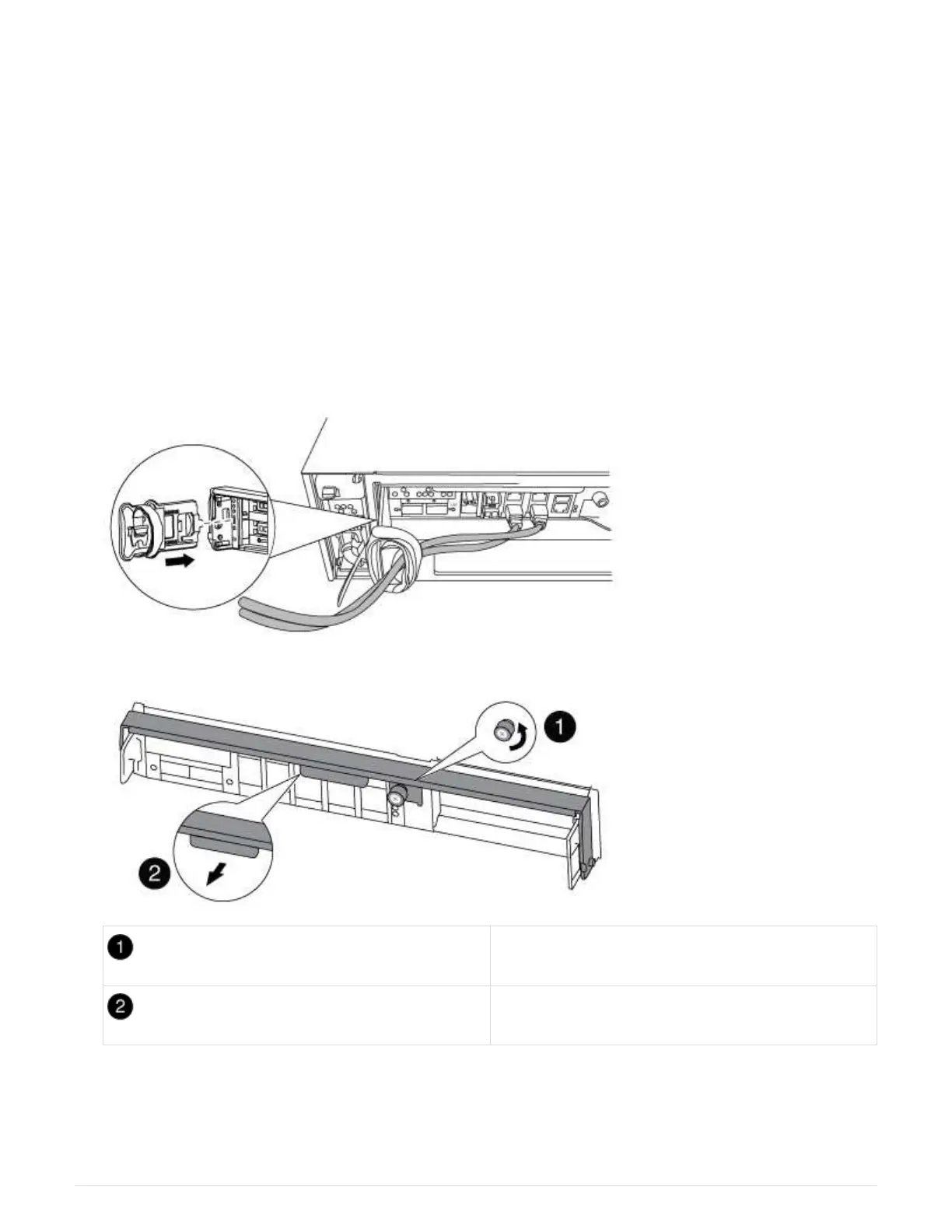
8. On the impaired controller module, disconnect the power supplies.
Step 2: Open the controller module
To access components inside the controller, you must first remove the controller module
from the system and then remove the cover on the controller module.
1. If you are not already grounded, properly ground yourself.
2. Loosen the hook and loop strap binding the cables to the cable management device, and then unplug the
system cables and SFPs (if needed) from the controller module, keeping track of where the cables were
connected.
Leave the cables in the cable management device so that when you reinstall the cable management
device, the cables are organized.
3. Remove and set aside the cable management devices from the left and right sides of the controller module.
4. Loosen the thumbscrew on the cam handle on the controller module.
Thumbscrew
Cam handle
5. Pull the cam handle downward and begin to slide the controller module out of the chassis.
Make sure that you support the bottom of the controller module as you slide it out of the chassis.
71



 To Next Page