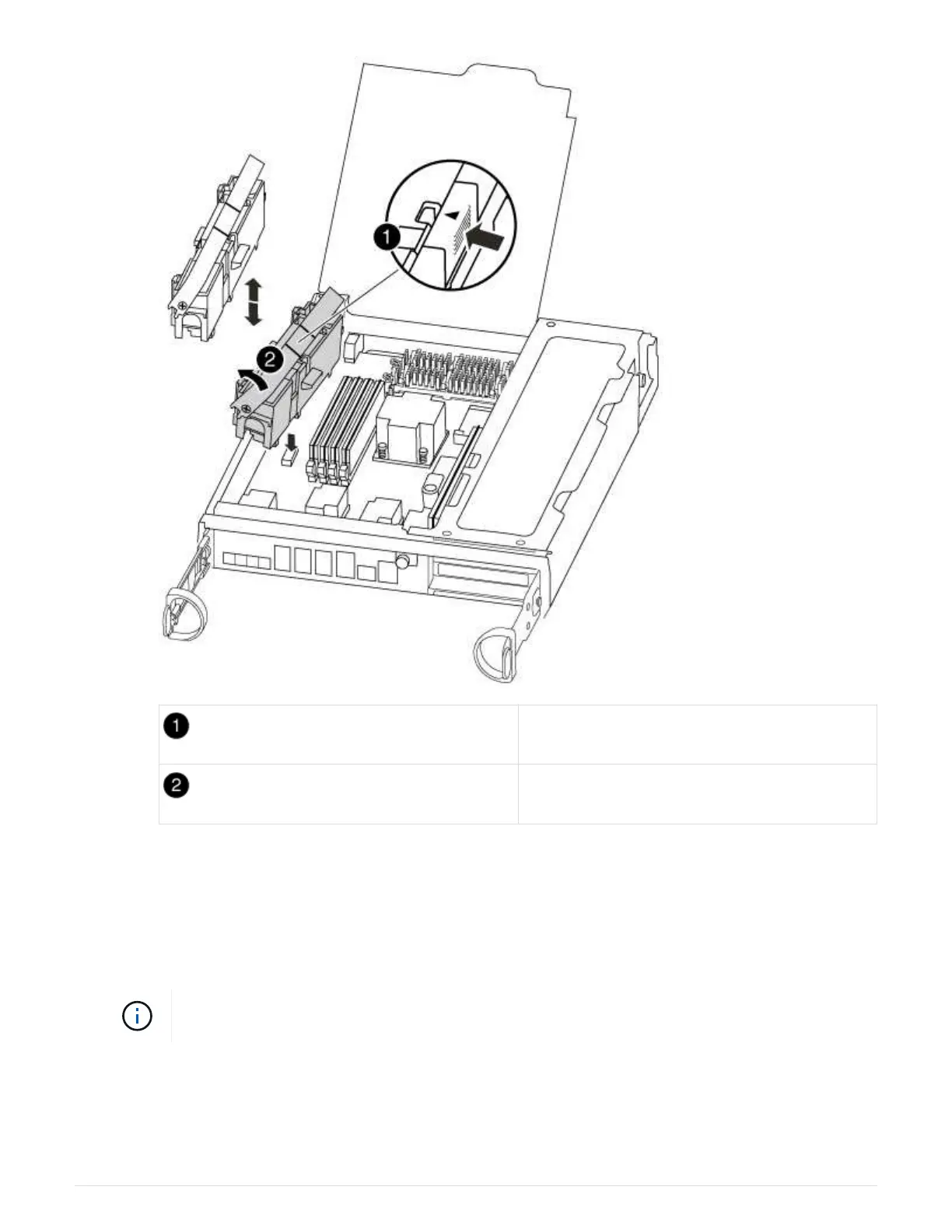
NVMEM battery lock tab
NVMEM battery
b. Locate the battery plug and squeeze the clip on the face of the battery plug to release the plug from
the socket, and then unplug the battery cable from the socket.
c. Wait a few seconds, and then plug the battery back into the socket.
5. Return to step 2 of this procedure to recheck the NVMEM LED.
6. Locate the DIMMs on your controller module.
Each system memory DIMM has an LED located on the board next to each DIMM slot. The
LED for the faulty blinks every two seconds.
7. Note the orientation of the DIMM in the socket so that you can insert the replacement DIMM in the proper
orientation.
8. Eject the DIMM from its slot by slowly pushing apart the two DIMM ejector tabs on either side of the DIMM,
and then slide the DIMM out of the slot.
73



 To Next Page