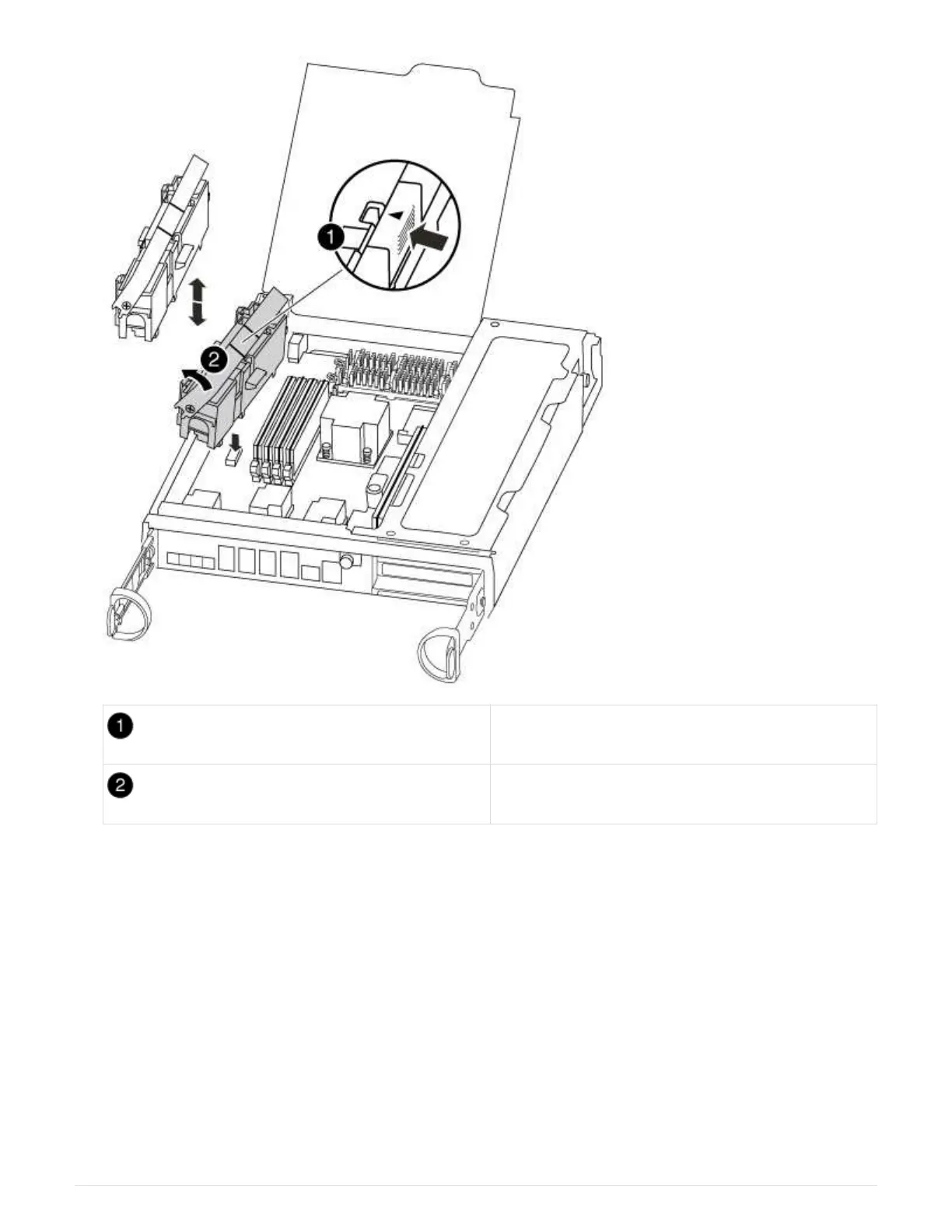
Battery lock tab
NVMEM battery pack
4. Grasp the battery and press the blue locking tab marked PUSH, and then lift the battery out of the holder
and controller module.
5. Remove the replacement battery from its package.
6. Align the tab or tabs on the battery holder with the notches in the controller module side, and then gently
push down on the battery housing until the battery housing clicks into place.
7. Close the CPU air duct.
Make sure that the plug locks down to the socket.
Step 4: Reinstall the controller
After you replace a component within the controller module, you must reinstall the
controller module in the system chassis and boot it to a state where you can run
87



 To Next Page