Step 8: Return the failed part to NetApp
After you replace the part, you can return the failed part to NetApp, as described in the
RMA instructions shipped with the kit. Contact technical support at
NetApp Support, 888-
463-8277 (North America), 00-800-44-638277 (Europe), or +800-800-80-800
(Asia/Pacific) if you need the RMA number or additional help with the replacement
procedure.
Replacing a power supply - AFF A400
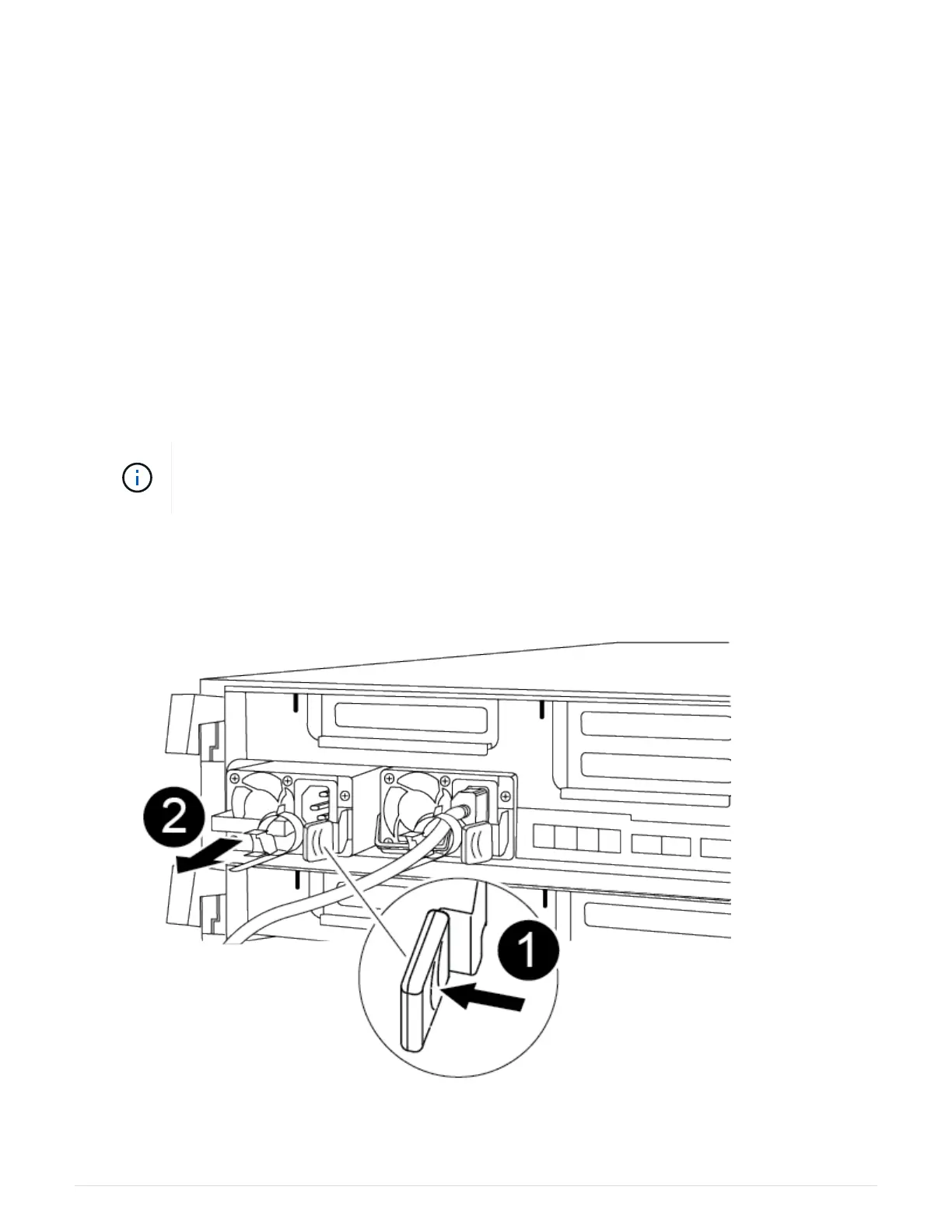
Replacing a power supply (PSU) involves disconnecting the target PSU from the power
source, unplugging the power cable, removing the old PSU and installing the replacement
PSU, and then reconnecting the replacement PSU to the power source.
• The power supplies are redundant and hot-swappable.
• This procedure is written for replacing one power supply at a time.
It is a best practice to replace the power supply within two minutes of removing it from the
chassis. The system continues to function, but ONTAP sends messages to the console
about the degraded power supply until the power supply is replaced.
You can use the following animation, illustration, or the written steps to replace the power supply.
Replacing a power supply
1. If you are not already grounded, properly ground yourself.
107












 To Next Page