Site.
You must log into the NetApp Support Site to display the Statement of Volatility for your
system.
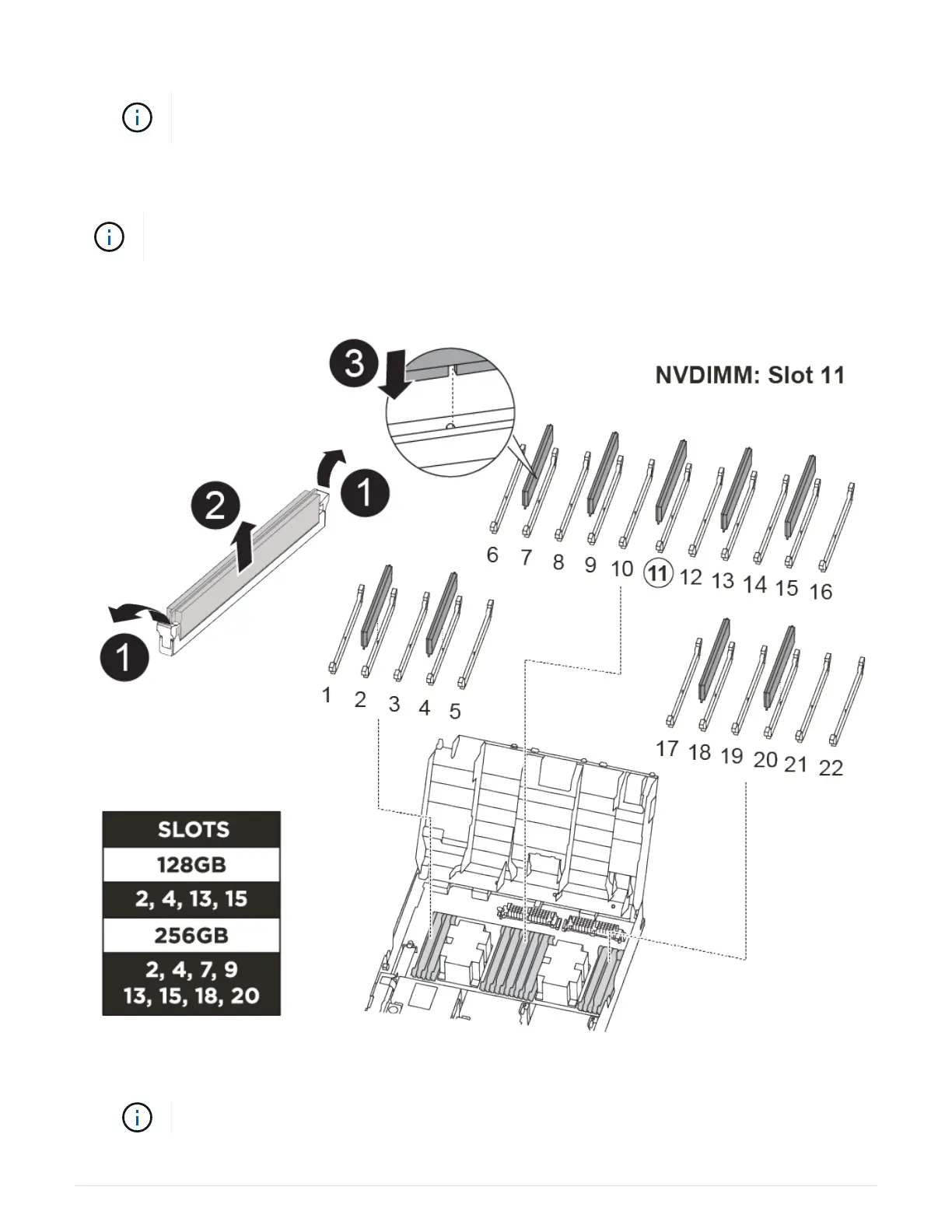
You can use the following animation, illustration, or the written steps to replace the NVDIMM.
The animation shows empty slots for sockets without DIMMs. These empty sockets are
populated with blanks.
Replacing the NVDIMM
1. Open the air duct and then locate the NVDIMM in slot 11 on your controller module.
The NVDIMM looks significantly different than system DIMMs.
91












 To Next Page