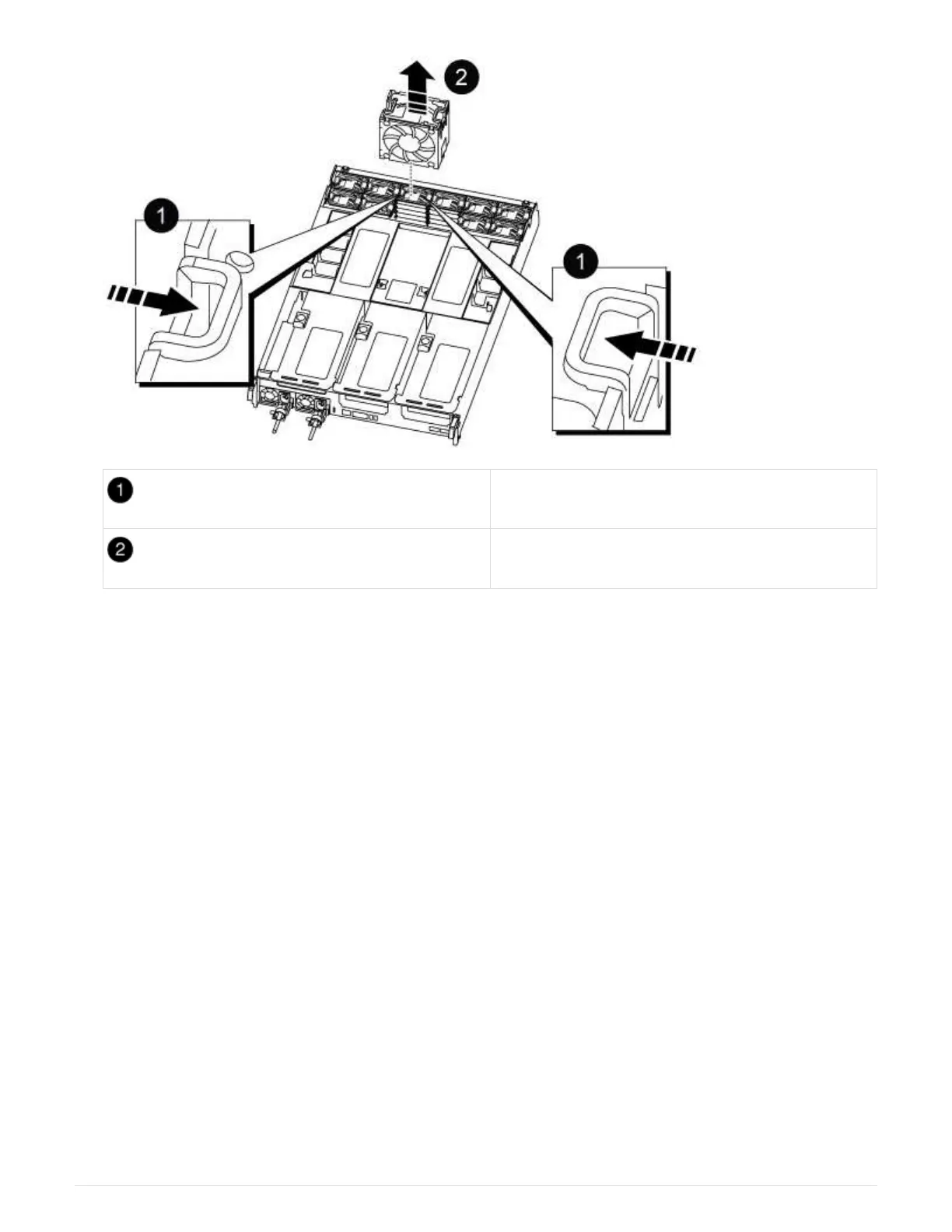
Fan locking tabs
Fan module
2. Move the fan module to the replacement controller module, and then install the fan module by aligning its
edges with the opening in the controller module, and then sliding the fan module into the controller module
until the locking latches click into place.
3. Repeat these steps for the remaining fan modules.
Step 4: Move the NVDIMM battery
When replacing the controller module, you must move the NVRAM battery from the
impaired controller module to the replacement controller module
1. Open the air duct cover and locate the NVDIMM battery in the riser.
51











 To Next Page