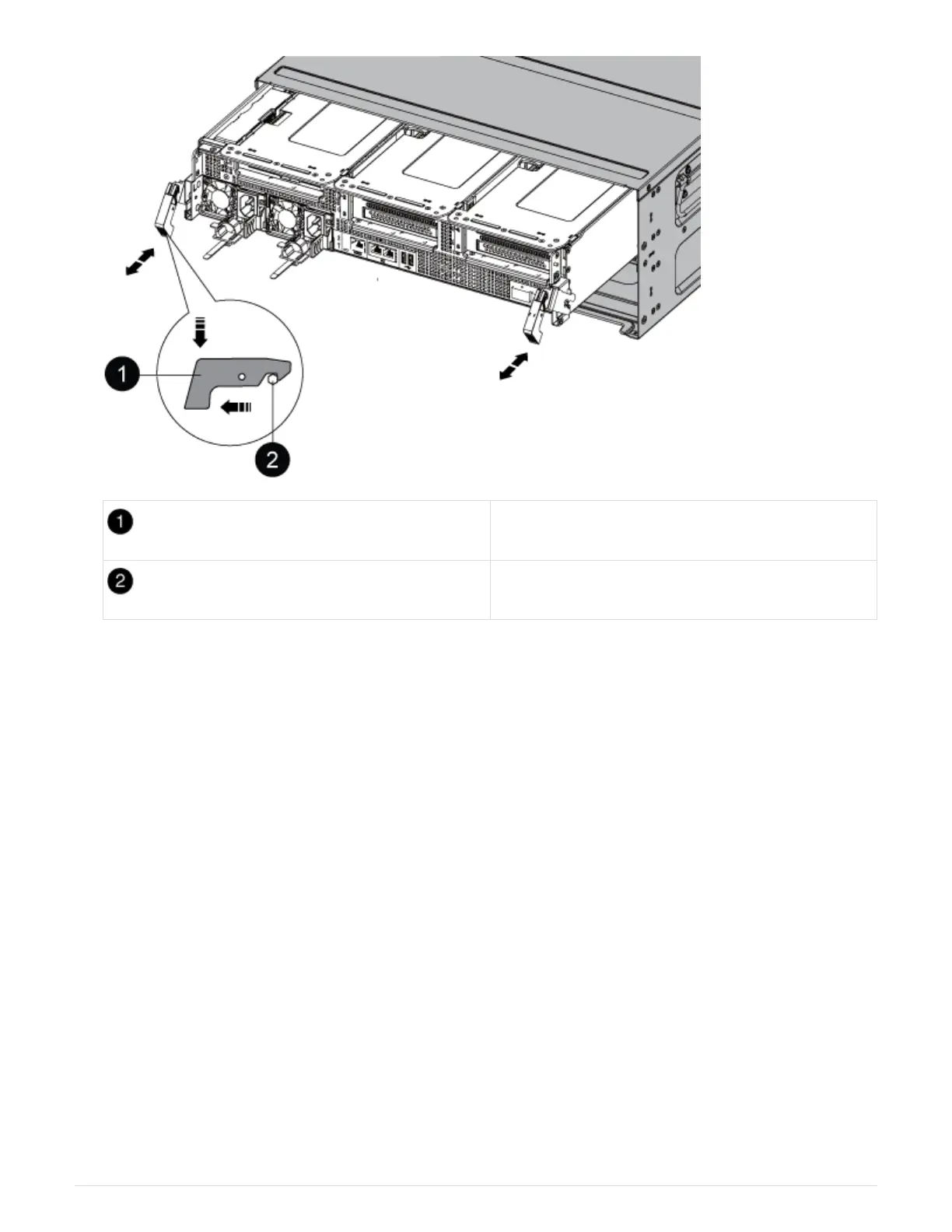
Locking latch
Locking pin
7. Slide the controller module out of the chassis.
Make sure that you support the bottom of the controller module as you slide it out of the chassis.
8. Set the controller module aside in a safe place.
Step 3: Replace a fan
To replace a fan, remove the failed fan module and replace it with a new fan module.
1. Identify the fan module that you must replace by checking the console error messages or by locating the lit
LED for the fan module on the motherboard.
2. Remove the fan module by pinching the locking tabs on the side of the fan module, and then lifting the fan
module straight out of the controller module.
75











 To Next Page