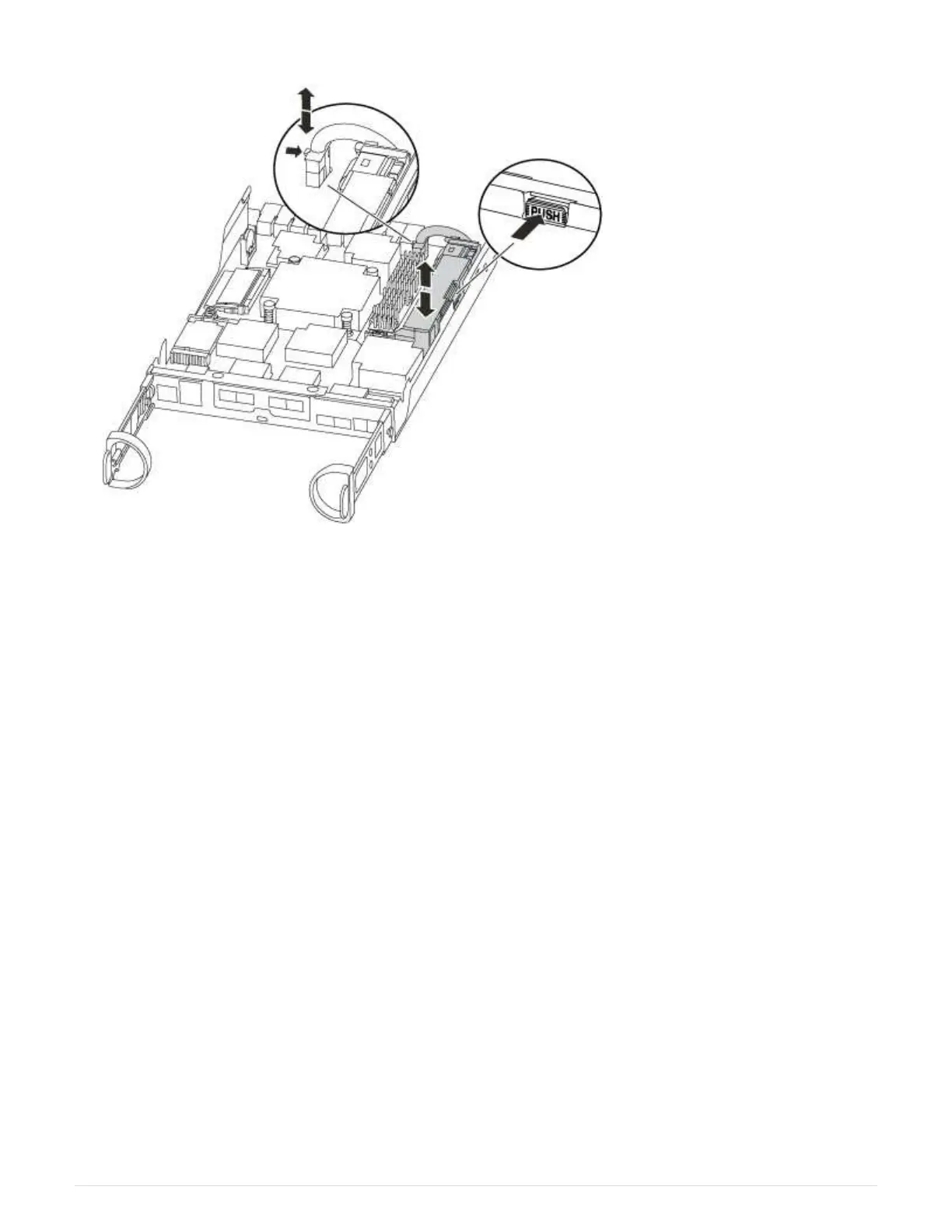
3. Locate the battery plug and squeeze the clip on the face of the battery plug to release the plug from the
socket, and then unplug the battery cable from the socket.
4. Grasp the battery and press the blue locking tab marked PUSH, and then lift the battery out of the holder
and controller module.
5. Move the battery to the replacement controller module.
6. Loop the battery cable around the cable channel on the side of the battery holder.
7. Position the battery pack by aligning the battery holder key ribs to the “V” notches on the sheet metal side
wall.
8. Slide the battery pack down along the sheet metal side wall until the support tabs on the side wall hook into
the slots on the battery pack, and the battery pack latch engages and clicks into the opening on the side
wall.
Step 3: Move the boot media
You must locate the boot media and follow the directions to remove it from the old controller module and insert
it in the new controller module.
1. Locate the boot media using the following illustration or the FRU map on the controller module:
41



 To Next Page