Port Forwarding Configuration Guide – Vodafone MachineLink 6 of 12
November 2019 v. 2.1 vodafone.netcommwireless.com
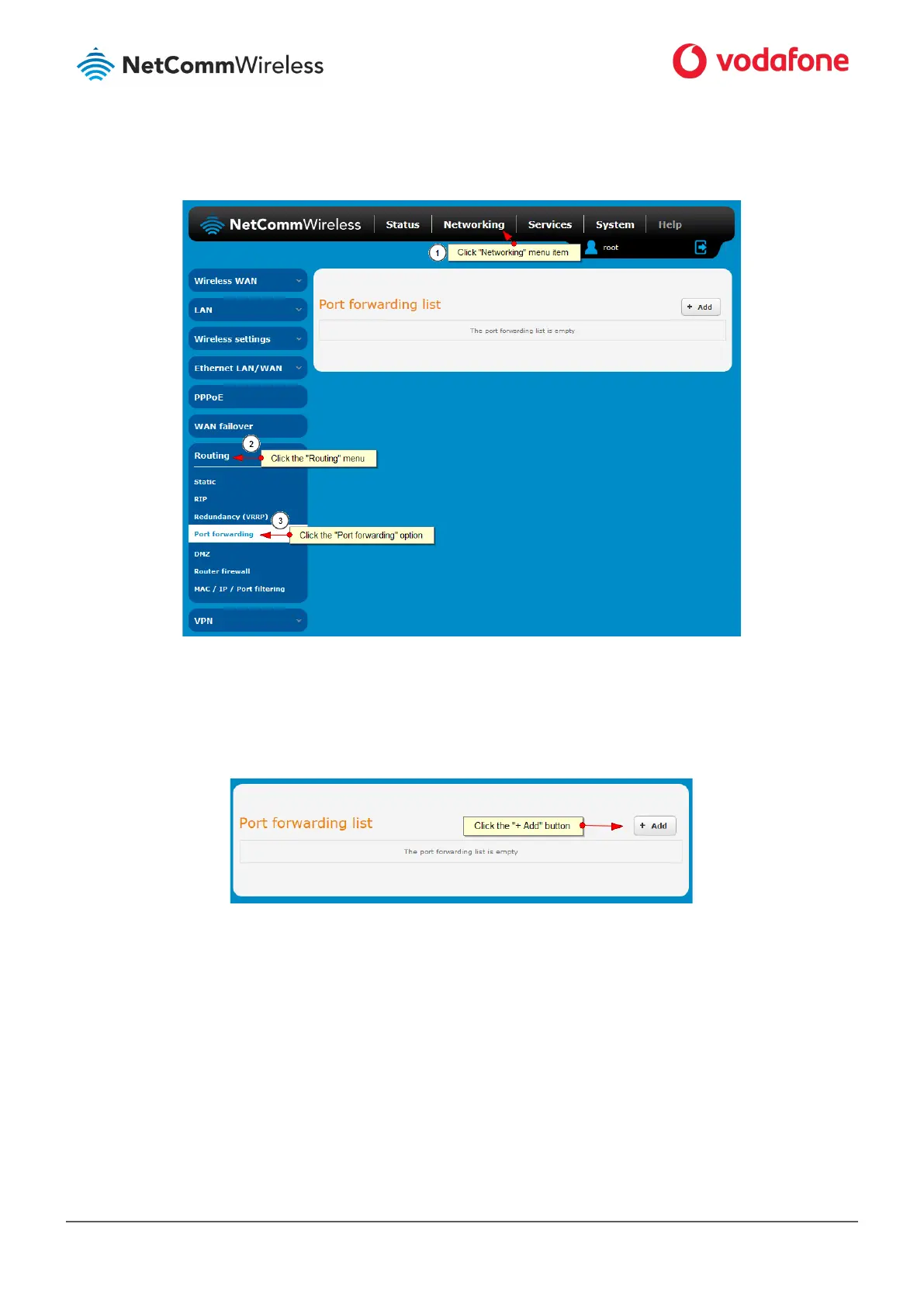
Figure 2: Navigating to the Port forwarding page
4 Click the + Add button to add a new rule.
Figure 3: Adding a new rule
5 Using the Protocol drop down list, select the protocol type to use for the rule. You can select TCP, UDP or All.



 To Next Page