2
SELF-INSTALLATION GUIDE
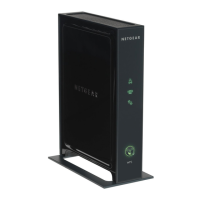
WIFI ADAPTER
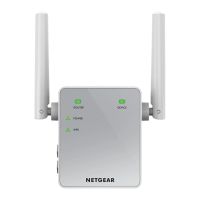
Router Link LED
Indicates the connections between the WiFi adapter and the router or access point.
Solid green Best connection Solid amber Good connection
Solid red Poor connection O No connection
Device Link LED
Indicates the connection between the WiFi adapter and a computer or mobile device.
Solid green Best connection Solid amber Good connection
Solid red Poor connection O No connection
Power LED
Solid amber WiFi adapter is
booting
Solid green WiFi adapter is on
O WiFi adapter is o
WPS LED
Solid green WiFi security is
enabled
Blinking green WPS connection is
being (WPA or
WPA2) established
O WiFi security is not
enabled
LED descriptions
LED descriptions
Router Link LED
This LED indicates the connections between the WiFi adapter and the router or access point.
Solid green – best connection Solid amber – good connection
Solid red – poor connection Off – no connection
Device Link LED
This LED indicates the connection between the WiFi adapter and a computer or mobile device.
Solid green – best connection Solid amber – good connection
Solid red – poor connection Off – no connection
Power LED
Solid amber – WiFi adapter is booting Solid green – WiFi adapter is on
Off – WiFi adapter is off
WPS LED
Solid green – WiFi security is enabled
(WPA or WPA2)
Blinking green – WPS connection is being
established
Off – WiFi security is not enabled
3WIFI ADAPTER
|
INSTALLATION GUIDE WINDSTREAM
|




 To Next Page