Optimize Extender Performance
22
AC1200 WiFi Range Extender
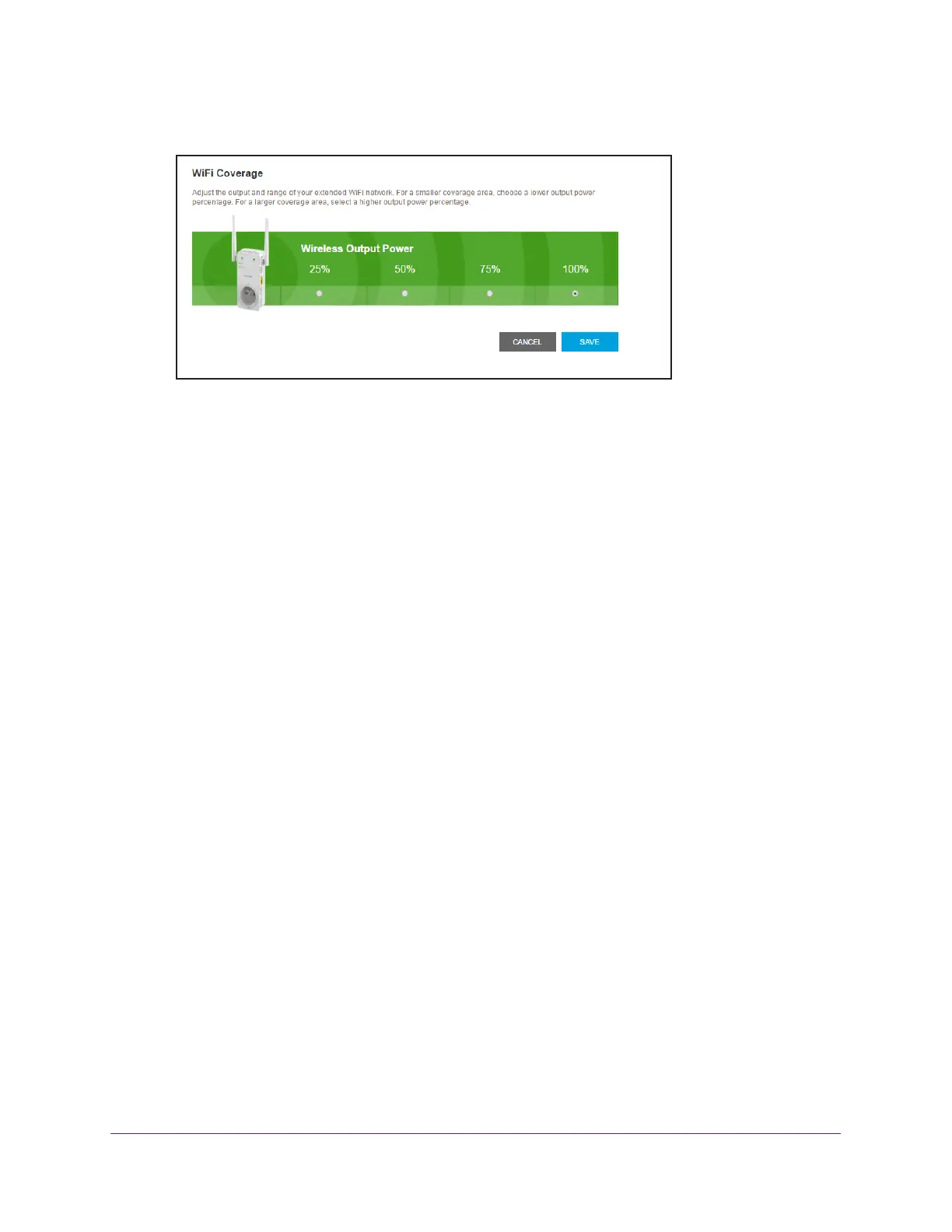
5. Select Do More > WiFi Coverage.
6. Select a Wireless Output Power radio button.
If your extender is covering a small area, select a lower-output power percentage. If your
extender is covering a large area, select a higher-output power percentage.
7. Click the SA
VE button.
Your settings are saved.


 To Next Page