Maintain and Monitor the Extender
43
AC1200 WiFi Range Extender
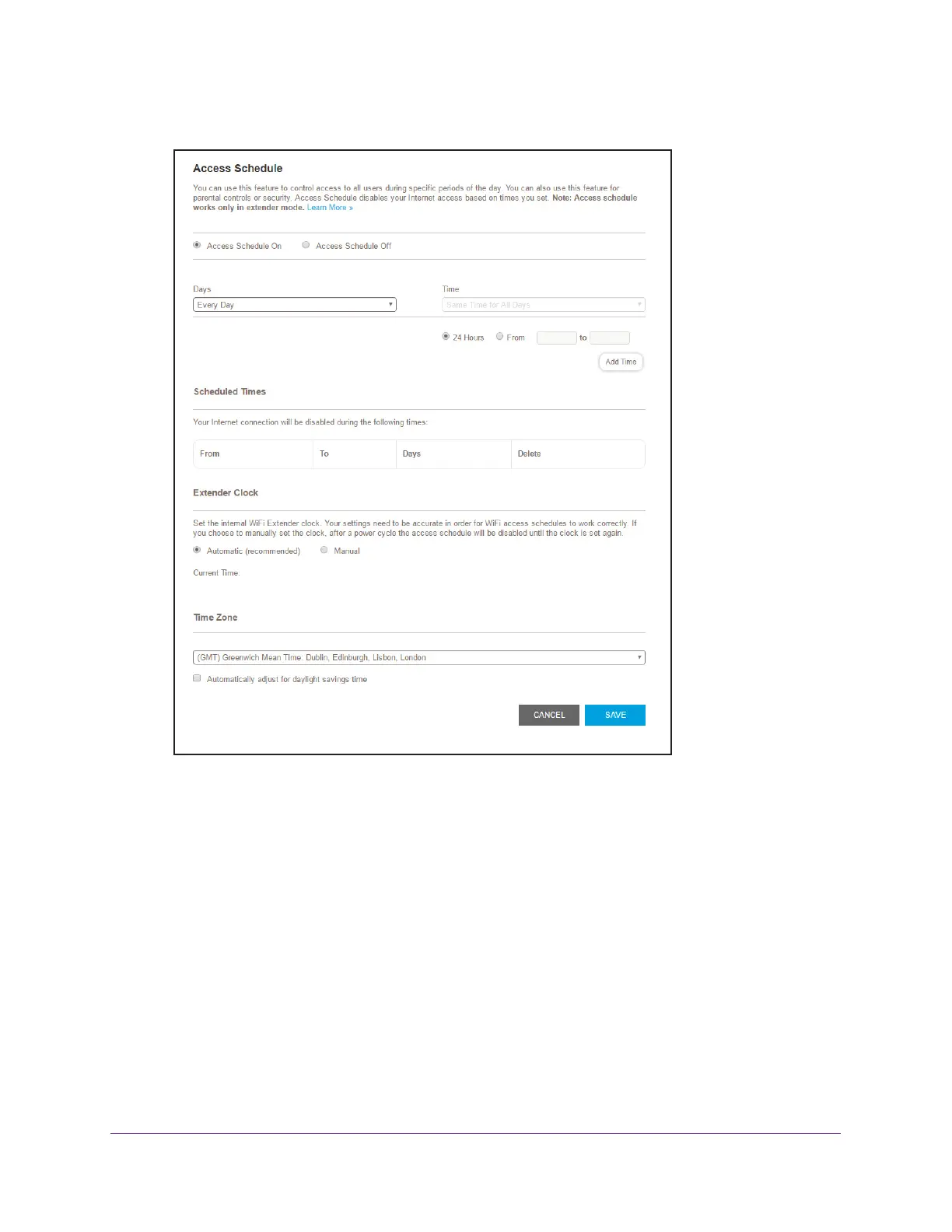
5. Select Do More > Access Schedule.
6. In the Extender Clock section, select the Manual radio button.
7. T
o specify the time, complete the fields or click the Sync Clock button to synchronize the
extender time to the time on the computer or WiFi device that you are using.
8. Click the SA
VE button.
Your settings are saved.
Change the Extender’s Time Zone
To change the extender’s time zone:
1. On a computer or WiFi device that is connected to the extender network, launch a web
browser
.
2. In the address field of your browser
, enter www.mywifiext.net.
A login window opens.


 To Next Page