Overview
6
AC1200 WiFi Range Extender
Meet Your Extender
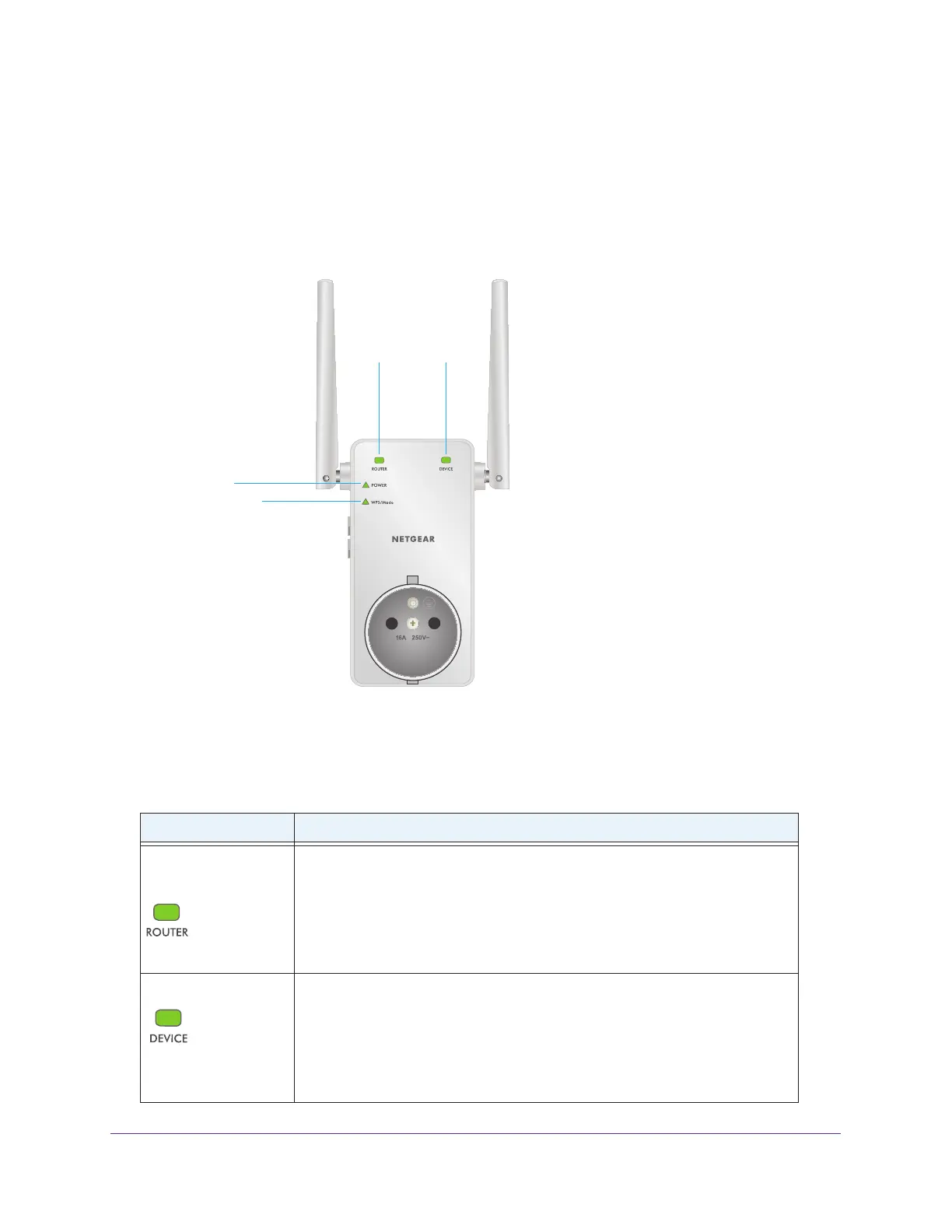
Before you install your extender, familiarize yourself with its LEDs, buttons, and port.
Front Panel
Power LED
WPS/Mode LED
Router
Link LED
Device
Link LED
Figure 1. Front panel LEDs
The following table describes the LEDs.
Table 1. Front panel LEDs
LED Description
Router Link LED
This LED indicates the connection between the extender and the router or
access point:
• Solid green. Best connection.
• Solid amber. Good connection.
• Solid red. Poor connection.
• Off. No connection.
Device Link LED
This LED indicates the connection between the extender and a computer or WiFi
device:
• Solid green. Best connection.
• Solid amber. Good connection.
• Solid red. Poor connection.
• Off. No connection.


 To Next Page