Installation Guide
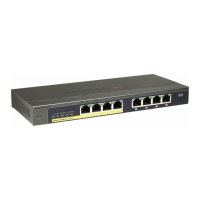
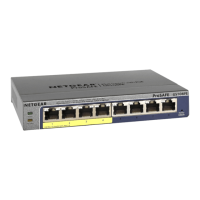
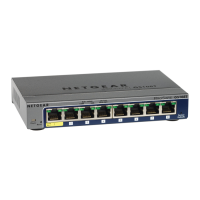
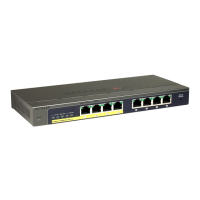
ProSafe Plus 8-Port Gigabit Switch with 4 port PoE GS108PE
Package Contents
In addition to this guide, the package includes:
• ProSafe Plus 8-Port Gigabit Switch with 4 port PoE GS108PE
• AC power adapter and power cord
• Wall-mounting screws
• Resource CD (contains switch configuration software)
If you don't have everything listed above, get contact information at
www.NETGEAR.com in the Support area.
What You Need Before You Begin
Decide where you want to place the switch. Find a flat horizontal surface — such as
a table, desk or shelf. The switch comes with screws that you can use for wall-
mounting.
Make sure the selected location is:
• Not in direct sunlight or near a heater or heating vent.
• Not cluttered or crowded. There should be at least 2 inches (5 cm) of clear space
on all sides of the switch.
• Well ventilated (especially if it is in a closet).
Depending on the speed of your network devices, you need a Category 3 (10 Mbps),
Category 5 (100 Mbps) or Category 5e (1000 Mbps) Unshielded twisted pair
Ethernet cable with RJ-45 connectors for each device you want to connect to the
switch. Each Ethernet cable must be less than 328 feet (100 meters).
Installing the Switch and Connecting the Other Devices
1. Place the switch on a flat surface or hook onto the screws.
2. For each device, insert one end of an Ethernet cable into the port in the device
and insert the other end into one of the Ethernet ports on the switch.
Note: If you have more than 8 devices to connect to this switch, you must connect
them to a hub or other switch and then connect that hub or switch to this switch.
WARNING!! Use only the power adapter that came with the switch. Failure to
use the power adapter included with your product can damage the device and
void your warranty.
3. Connect the power adapter’s cord into the back of the switch and then plug
the adapter into a power source (such as a wall socket or power strip).The
Power light should light up. Each RJ-45 jack has 2 LEDs. For each jack that is
connected to a powered device, the Link LED is lit, and it flashes when activity
occurs. If the connection is 10 Mbps or 100 Mbps, one LED lights up. If the
connection is 1000 Mbps, both LEDs light up. If any light doesn't operate as
indicated, go to the Trouble shooting section.
4. The Power light should light up.
.
5. Check the LEDs to confirm that all connections are correct.
DC Power Jack: Power is supplied through an external DC power adapter. Check
the technical specification section for information about the DC power input voltage.
Be sure to connect the 48V/1.25A power adapter DC plug to the DC jack of the
GS108PE before plugging the power cord to AC power outlet.
Grounding Connection: A grounding strap located on the rear panel is provided to
enable you to ground the case to Earth.
6. Connect Power Devices (PDs) to Port 1 - Port 4 of GS108PE. These PoE
ports will automatically activate when a compatible device is connected. The
GS108PE will not provide power to PD devices that are not compatible with
the PoE Standard IEEE 802.3af. This feature allows users to freely and safely
mix legacy and standards-based PoE devices on their network without
concern for damaging equipment. (Refer to “PoE Examples”.)
7. Port 1 has the highest priority and port 4 has the lowest priority for PoE power.
When an over power budget situation happens, the GS108PE will always try
to deliver power to port 1 and 2 even if they were the last connected to a PD.
If any light doesn’t operate as indicated, see the Troubleshooting section.
LED Status Description
Power (Green LED) On The GS108PE is powered on.
Off Power is not being supplied to the unit.
PoE Status (Green LED
Ports 1-4)
On The PoE powered device (PD) is connected and
the port is supplying power successfully.
Blink slow (1.5Hz) The port doesn't supply power because
GS108PE available power is less than 7W.
Blink fast (10Hz) Indicates one of the following failures resulted in
stopping power to that port:
· Short circuit on PoE power circuit
· PoE power demand exceeds power available
· PoE current exceeds PD's classification
· Thermal protection
Off No PoE powered device (PD) connected.
PoE MAX (Amber LED) On Less than 7W of PoE power is available.
Blinking The PoE MAX LED was active in the previous
two minutes.
Off There is at least 7W of PoE power available.
Ethernet Port Status
(Green LED Ports 1-8)
On A link has been successfully established on the
port.
Blinking Port is transmitting or receiving data.
Off There is no link.
GS108PE_IG_2Aug10.fm Page 1 Tuesday, August 10, 2010 3:58 PM

 Need help?
 General




 To Next Page