Set up your router and satellite using one of
the following options:
• NETGEAR Orbi app. Follow these steps:
a. Scan a QR code or search for
NETGEAR Orbi in the Apple App
Store or Google Play Store.
b. Download and launch the NETGEAR
Orbi app on your mobile device and
follow the prompts.
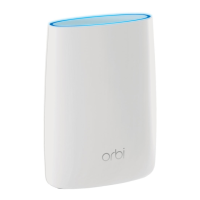
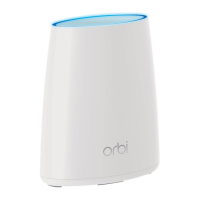
Aer the satellite is powered on, the
satellite’s ring LED lights white while the
satellite attempts to sync with the router.
Then the ring LED lights one of the following
colors for about three minutes and then
turns o:
Quick Start Guide
Blue
The connection between the
satellite and router is good.
Amber
The connection between the
satellite and router is fair. Consider
moving the satellite closer to the
router.
Magenta
The satellite was unable to connect
to the router. Move the satellite
closer to the router.
Note: If the ring LED lights
magenta aer about one minute,
press the Sync button on the
router and satellite. If the satellite
successfully syncs with the router,
the satellite’s ring LED lights white.
Then the ring LED lights blue to
indicate a good connection and then
turns o.
Satellite Sync LED Colors
NETGEAR INTL LTD
Building 3, University Technology Centre
Curraheen Road, Cork, Ireland
NETGEAR, Inc.
350 East Plumeria Drive
San Jose, CA 95134, USA
© NETGEAR, Inc., NETGEAR and the NETGEAR Logo
are trademarks of NETGEAR, Inc. Any non‑NETGEAR
trademarks are used for reference purposes only.
March 2017
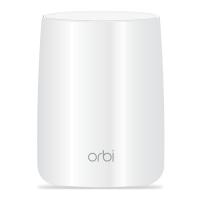
Set Up Your Orbi Router
and Satellite
• Web browser. Follow these steps:
a. Unplug your modem and remove
and reinsert the backup battery if it
uses one.
b. Plug the modem back in.
c. Use the included Ethernet cable to
connect your modem to the yellow
Internet port on your router.
Note: If you want to connect your
router to an existing gateway, we
recommend that you turn o your
existing gateway’s WiFi.
d. Plug in your router.
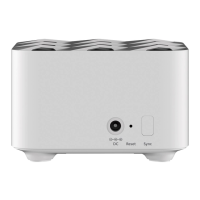
The Power LED on the back of the
router lights green. If the Power
LED does not light, press the
Power On/O button.
e. Wait for the router’s ring LED to
light white.
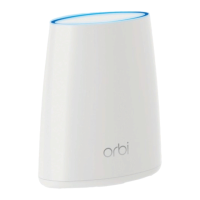
f. Place your satellite, plug it in, and
wait for the satellite’s ring LED to
light blue or amber.
If the satellite’s ring LED lights
magenta, move the satellite closer
to the router.
For more information, see Satellite
Sync LED Colors.
g. Connect your computer or mobile
device to the router or satellite with
an Ethernet or WiFi connection:
• Ethernet. Use an Ethernet cable
to connect your computer to
the router or satellite.
• WiFi. Use the preset WiFi
network name (SSID) and
password on the label of the
router or satellite to connect to
the Orbi WiFi network.
h. Launch a web browser, visit
orbilogin.com, and follow the
prompts.
If a login window opens, enter the
user name and password. The user
name is admin and the default
password is password.
Downloaded from www.vandenborre.be

 Need help?
 General



 To Next Page