EasyManua.ls Logo

NETGEAR Orbi RBS40 - User Manual

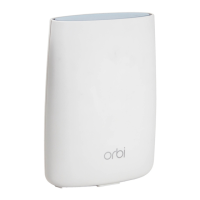
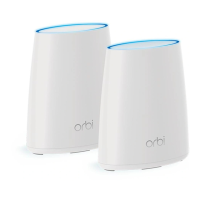
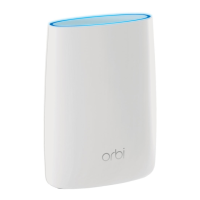
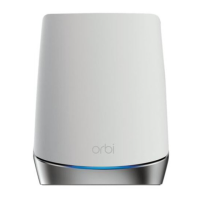
NETGEAR Orbi RBS40
164 pages
Print Icon
To Next Page IconTo Next Page
Loading...
User Manual
Orbi WiFi System
Models:
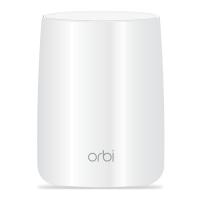
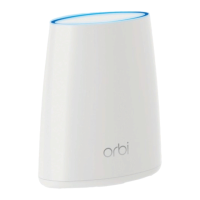
Orbi Router Model RBR50
Orbi Satellite Model RBS50
Orbi Router Model RBR40
Orbi Satellite Model RBS40
Orbi Router Model RBR20
Orbi Satellite Model RBS20
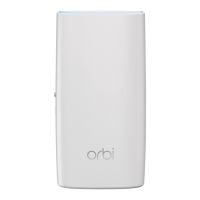
Orbi Wall-Plug Satellite Model RBW30
NETGEAR, Inc.
350 E. Plumeria DriveJanuary 2021
San Jose, CA 95134, USA202-11675-14

Table of Contents

Other manuals for NETGEAR Orbi RBS40

Questions and Answers

  • S
    Sheryl HillAug 22, 2025
    How to test the LAN path to my NETGEAR Orbi RBS40 Wireless Router?
    • J
      Joshua LamAug 22, 2025
      To test the LAN path to your router, check the physical connections. For a wired connection, ensure that the numbered LAN port LED is lit for the port to which you are connected. Additionally, verify that the Ethernet card driver software and TCP/IP software are both installed and configured on your computer to ensure correct network configuration.
  • C
    christophermaddoxNov 6, 2025
    What to do if my NETGEAR Orbi RBS40 Wireless Router cannot access the internet?
    • M
      marknelsonNov 7, 2025
      First, check your network and Internet connections to ensure they are working. If you are connected to the router but still cannot access the Internet, it's possible that your router did not obtain an IP address from your Internet service provider (ISP). If '0.0.0.0' is displayed, this confirms the issue. Restarting your network can sometimes force your cable or DSL modem to recognize the router. Also, your ISP might require a login program, such as PPP over Ethernet (PPPoE). Contact your ISP to verify if they require a login. If a login is required, ensure the login name and password are set correctly. Your ISP might also check for your computer’s host name or MAC address. Assign the computer host name of your ISP account as the account name on the Internet Setup page or inform your ISP t...

Summary

Orbi WiFi System Overview

Connecting and Syncing Orbi Devices

Step-by-step guide to connect the router, place and sync satellites, and use the Orbi app for setup.

Orbi Network Connection and Router Access

Connecting to the Orbi Network

Methods for connecting devices to the Orbi network via wired Ethernet or WiFi.

Accessing the Orbi Router Web Interface

Logging into the router, using the web interface, and changing system language settings.

Orbi Internet Settings Configuration

Internet Setup Wizard and Manual Configuration

Using the setup wizard or manually configuring Internet connection types and specific settings.

Controlling Internet Access with Orbi

Orbi Network Settings Configuration

WAN and LAN Network Settings Management

Configuring WAN and LAN settings, including IP addresses, subnet masks, and routing protocols.

Managing Your Orbi Network

Orbi Firmware Update Procedures

Instructions for checking and performing online or manual firmware updates for routers and satellites.

Using VPN to Access Your Orbi Network

VPN Connection and OpenVPN Setup

Establishing VPN connections, installing OpenVPN software on devices, and configuring remote access.

Orbi Troubleshooting Guide

Sync and Connectivity Troubleshooting

Resolving issues with device syncing, login, internet access, browsing, PPPoE, WiFi, and ping tests.

NETGEAR Orbi RBS40 Specifications

General IconGeneral
Wireless Standard802.11ac
Maximum Wireless Speed1.2 Gbps
Maximum Data Rate1200 Mbps
Number of Ethernet Ports2
SecurityWPA2-PSK
Frequency BandDual-band
Ports2 x 10/100/1000 Mbps Ethernet ports
Antenna TypeInternal

Related product manuals