6
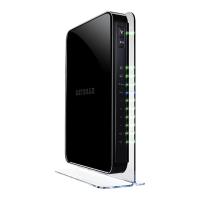
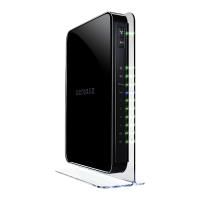
N900 WiFi Router
View and Manage Logs of Router Activity . . . . . . . . . . . . . . . . . . . . . . . . . . . . . 125
Monitor Internet Traffic . . . . . . . . . . . . . . . . . . . . . . . . . . . . . . . . . . . . . . . . . . . . . 126
Custom Static Routes . . . . . . . . . . . . . . . . . . . . . . . . . . . . . . . . . . . . . . . . . . . . . . . 127
Set Up a Static Route . . . . . . . . . . . . . . . . . . . . . . . . . . . . . . . . . . . . . . . . . . . . . 128
Edit a Static Route. . . . . . . . . . . . . . . . . . . . . . . . . . . . . . . . . . . . . . . . . . . . . . . . 129
Delete a Static Route . . . . . . . . . . . . . . . . . . . . . . . . . . . . . . . . . . . . . . . . . . . . . 129
View Devices Currently on the Network . . . . . . . . . . . . . . . . . . . . . . . . . . . . . . . 130
Manage the Router Configuration File . . . . . . . . . . . . . . . . . . . . . . . . . . . . . . . . . 131
Back Up Settings . . . . . . . . . . . . . . . . . . . . . . . . . . . . . . . . . . . . . . . . . . . . . . . . . 131
Restore Configuration Settings. . . . . . . . . . . . . . . . . . . . . . . . . . . . . . . . . . . . . 131
Erase the Current Configuration Settings . . . . . . . . . . . . . . . . . . . . . . . . . . . . 132
Remote Management . . . . . . . . . . . . . . . . . . . . . . . . . . . . . . . . . . . . . . . . . . . . . . . 133
Chapter 11 Specify Internet Port Settings
Set Up Port Forwarding to a Local Server . . . . . . . . . . . . . . . . . . . . . . . . . . . . . . 136
Add a Custom Port Forwarding Service . . . . . . . . . . . . . . . . . . . . . . . . . . . . . 137
Edit a Port Forwarding Service . . . . . . . . . . . . . . . . . . . . . . . . . . . . . . . . . . . . . 138
Delete a Port Forwarding Entry . . . . . . . . . . . . . . . . . . . . . . . . . . . . . . . . . . . . 138
Application Example: Make a Local Web Server Public . . . . . . . . . . . . . . . . . 139
How the Router Implements the Port Forwarding Rule . . . . . . . . . . . . . . . . 139
Set Up Port Triggering . . . . . . . . . . . . . . . . . . . . . . . . . . . . . . . . . . . . . . . . . . . . . . 140
Add a Port Triggering Service . . . . . . . . . . . . . . . . . . . . . . . . . . . . . . . . . . . . . . 140
Disable Port Triggering. . . . . . . . . . . . . . . . . . . . . . . . . . . . . . . . . . . . . . . . . . . . 141
Application Example: Port Triggering for Internet Relay Chat . . . . . . . . . . . 142
Chapter 12 Troubleshooting
Quick Tips . . . . . . . . . . . . . . . . . . . . . . . . . . . . . . . . . . . . . . . . . . . . . . . . . . . . . . . . . 145
Sequence to Restart Your Network . . . . . . . . . . . . . . . . . . . . . . . . . . . . . . . . . 145
Check Ethernet Cable Connections . . . . . . . . . . . . . . . . . . . . . . . . . . . . . . . . . 145
Wireless Settings. . . . . . . . . . . . . . . . . . . . . . . . . . . . . . . . . . . . . . . . . . . . . . . . . 145
Network Settings . . . . . . . . . . . . . . . . . . . . . . . . . . . . . . . . . . . . . . . . . . . . . . . . 145
Troubleshoot with the LEDs . . . . . . . . . . . . . . . . . . . . . . . . . . . . . . . . . . . . . . . . . . 146
Standard LED Behavior When the Router Is Powered On . . . . . . . . . . . . . . . 146
Power LED Is Off or Blinking . . . . . . . . . . . . . . . . . . . . . . . . . . . . . . . . . . . . . . . 146
Power LED Stays Amber . . . . . . . . . . . . . . . . . . . . . . . . . . . . . . . . . . . . . . . . . . 146
LEDs Never Turn Off . . . . . . . . . . . . . . . . . . . . . . . . . . . . . . . . . . . . . . . . . . . . . 147
Internet or Ethernet Port LEDs Are Off. . . . . . . . . . . . . . . . . . . . . . . . . . . . . . 147
WiFi LED Is Off . . . . . . . . . . . . . . . . . . . . . . . . . . . . . . . . . . . . . . . . . . . . . . . . . . 147
Cannot Log In to the Router . . . . . . . . . . . . . . . . . . . . . . . . . . . . . . . . . . . . . . . . . 147
Cannot Access the Internet . . . . . . . . . . . . . . . . . . . . . . . . . . . . . . . . . . . . . . . . . . 148
Troubleshoot PPPoE . . . . . . . . . . . . . . . . . . . . . . . . . . . . . . . . . . . . . . . . . . . . . . 149
Troubleshoot Internet Browsing . . . . . . . . . . . . . . . . . . . . . . . . . . . . . . . . . . . . 150
Changes Not Saved . . . . . . . . . . . . . . . . . . . . . . . . . . . . . . . . . . . . . . . . . . . . . . . . . 151
Wireless Connectivity . . . . . . . . . . . . . . . . . . . . . . . . . . . . . . . . . . . . . . . . . . . . . . . 151
Troubleshoot Your Network Using the Ping Utility . . . . . . . . . . . . . . . . . . . . . . . 151
Test the LAN Path to Your Router. . . . . . . . . . . . . . . . . . . . . . . . . . . . . . . . . . . 151


 To Next Page
 Loading...