
 To Next Page
D
Dylan Cantrell Jr.Aug 11, 2025
What to do if Powerline LED is amber or red on NETGEAR XAV1301v1?
- AAaron SimmonsAug 12, 2025
If the Powerline LED on your NETGEAR adapter is amber or red, move the Powerline device to a closer location.

What to do if Powerline LED is amber or red on NETGEAR XAV1301v1?
If the Powerline LED on your NETGEAR adapter is amber or red, move the Powerline device to a closer location.
Why is the power LED amber on my NETGEAR Adapter?
The power LED on your NETGEAR Adapter might be amber because the Ethernet cable is unplugged, or the device connected through the Ethernet cable is turned off. Also, the adapter can be idle for 10 minutes. It returns to normal mode within 2 seconds once the Ethernet link is up.
How to fix NETGEAR XAV1301v1 Adapter when the Powerline LED is off?
If the Powerline LED is off on your NETGEAR Adapter, and you have set network security, ensure that all Powerline devices are using the same encryption key. You can press the Reset button on each device for 1 second to return the Powerline adapter to its factory default settings.
What to do if the Ethernet LED is off on my NETGEAR XAV1301v1?
If the Ethernet LED is off on your NETGEAR Adapter, ensure that the Ethernet cables are working correctly and securely plugged into the devices. If the problem persists, press the Reset button on each device for 1 second to return the Powerline adapter to its factory default settings.
How to fix NETGEAR XAV1301v1 Adapter when the power LED is off?
If the power LED is off on your NETGEAR Adapter, ensure that the electrical outlet is supplying power. Also, verify that the Powerline devices are not plugged into an extension cord, power strip, or surge protector.
This document describes the NETGEAR Powerline AV 200 Mini Set, model XAVB1301, which allows users to extend their network using existing electrical wiring.
The NETGEAR Powerline AV 200 Mini Set enables network connectivity by transforming your home's electrical outlets into network ports. This is achieved through Powerline AV 200 Mini Adapters that plug directly into wall sockets. These adapters communicate with each other over the electrical wiring, creating a stable and secure network connection without the need for new Ethernet cables to be run throughout your home. The set is designed to provide a reliable internet connection for devices like computers, gaming consoles, and other network-enabled equipment in different rooms, especially where Wi-Fi signals might be weak or inconsistent. It is compatible with other HomePlug AV certified devices, including various NETGEAR XAV models, ensuring interoperability within an existing Powerline network.
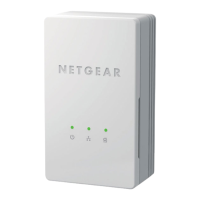
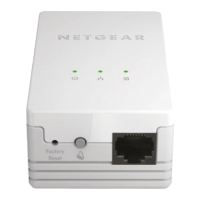
The adapters feature several LED indicators to provide status information:
The adapters include two important buttons for configuration and maintenance:
The installation process involves plugging the adapters into electrical outlets and connecting them to network devices using the provided Ethernet cables. For optimal performance, it is recommended to plug the Powerline devices directly into wall outlets, avoiding extension cords, power strips, or surge protectors.
The manual provides a comprehensive troubleshooting guide for common issues:
The Security button allows users to create a private and secure Powerline network, preventing unauthorized access to their network data. This is a crucial maintenance feature for data privacy.
The Factory Reset button serves as a vital maintenance tool, allowing users to revert the adapter to its original settings. This can resolve various configuration issues and is often a first step in advanced troubleshooting.
Users are advised not to press the Security button on the Powerline adapter until installation is complete and the adapters are already communicating with each other (indicated by a blinking Powerline LED). Pressing this button prematurely can temporarily disable Powerline communication. If this occurs, the Factory Reset button should be used to restore the Powerline adapter to its default settings.
NETGEAR provides extensive technical support resources, including product registration, online user manuals, FAQs, and contact information for phone support. Users are encouraged to register their product to access full support services and receive product updates.
This device is designed for ease of use and reliable network extension, with built-in indicators and reset functions to assist users in maintaining optimal performance and security.
 General
| Device Type | Powerline Adapter |
|---|---|
| Model | XAV1301v1 |
| Maximum Data Transfer Rate | 500 Mbps |
| Ethernet Ports | 1 |
| Powerline Standard | HomePlug AV |
| LED Indicators | Power, Ethernet, Powerline |
| Dimensions | 4.13 x 2.32 x 1.18 in (105 x 59 x 30 mm) |
| Standards | IEEE 802.3, IEEE 802.3u, HomePlug AV |
| Security | 128-bit AES encryption |
| Maximum Data Rate | 500 Mbps |
| Encryption | 128-bit AES |
| Ports | 1 x 10/100 Mbps Ethernet |
| Operating Temperature | 0°C to 40°C |
| Operating Humidity | 90% non-condensing |
| Weight | 0.2 lbs |