EasyManua.ls Logo

NETGEAR XAV101 - User Manual

NETGEAR XAV101
38 pages
Print Icon
To Next Page IconTo Next Page
Loading...
202-10339-01
April 2008
NETGEAR, Inc.
4500 Great America Parkway
Santa Clara, CA 95054 USA
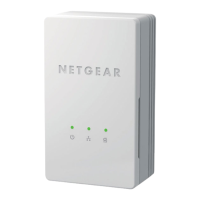
XAV101 Powerline AV
Ethernet Adapter User
Guide

Other manuals for NETGEAR XAV101

Questions and Answers

  • A
    Antonio JohnsonAug 10, 2025
    Why is the Powerline light off on my NETGEAR Adapter?
    • M
      Mary OchoaAug 11, 2025
      The Powerline light might be off on your NETGEAR Adapter because the Powerline AV Ethernet Adapters cannot find each other. Ensure the adapters are plugged into outlets with power and use the same network encryption key. If you didn't change the key, try moving the adapters closer. If the problem started after you changed the network encryption key, reset the adapters to their default settings by pressing the Reset button. If resetting fixes the issue and you still want to change the key, see the XAV101 Powerline AV Ethernet Adapter User Manual for instructions about setting the network encryption key.
  • V
    Vincent HuntAug 21, 2025
    What to do if the Ethernet light is not blinking on my NETGEAR Adapter?
    • D
      Denise Wilson DDSAug 21, 2025
      If the Ethernet light is not blinking on your NETGEAR Adapter, it may be due to no data traffic. Make sure your router and modem are on, and the Ethernet cable is properly connected from the Powerline adapter port to a router LAN port. Also, ensure that a PC connected directly to the router can access the Internet.
  • T
    Terry ColeAug 30, 2025
    How to fix a NETGEAR XAV101 when the power light is off?
    • T
      Thomas ThomasAug 30, 2025
      If the power light is off on your NETGEAR Adapter, make sure that the electrical outlet is supplying power and that the Powerline AV Ethernet Adapter is not plugged into an extension cord, power strip, or surge protector.

NETGEAR XAV101 Specifications

General IconGeneral
BrandNETGEAR
ModelXAV101
CategoryAdapter
LanguageEnglish

Related product manuals