9
GETTING STARTED
The Wireless Internet Keyboard is the best way to enjoy interactive
services (TV Portals, Email, Web) and to take advantage of additional
useful shortcuts.
To get your Wireless Keyboard, visit www.mynew.tv
or go to the Interactive Menu, select
MY PLAYER, GET MORE then WIRELESS KEYBOARD
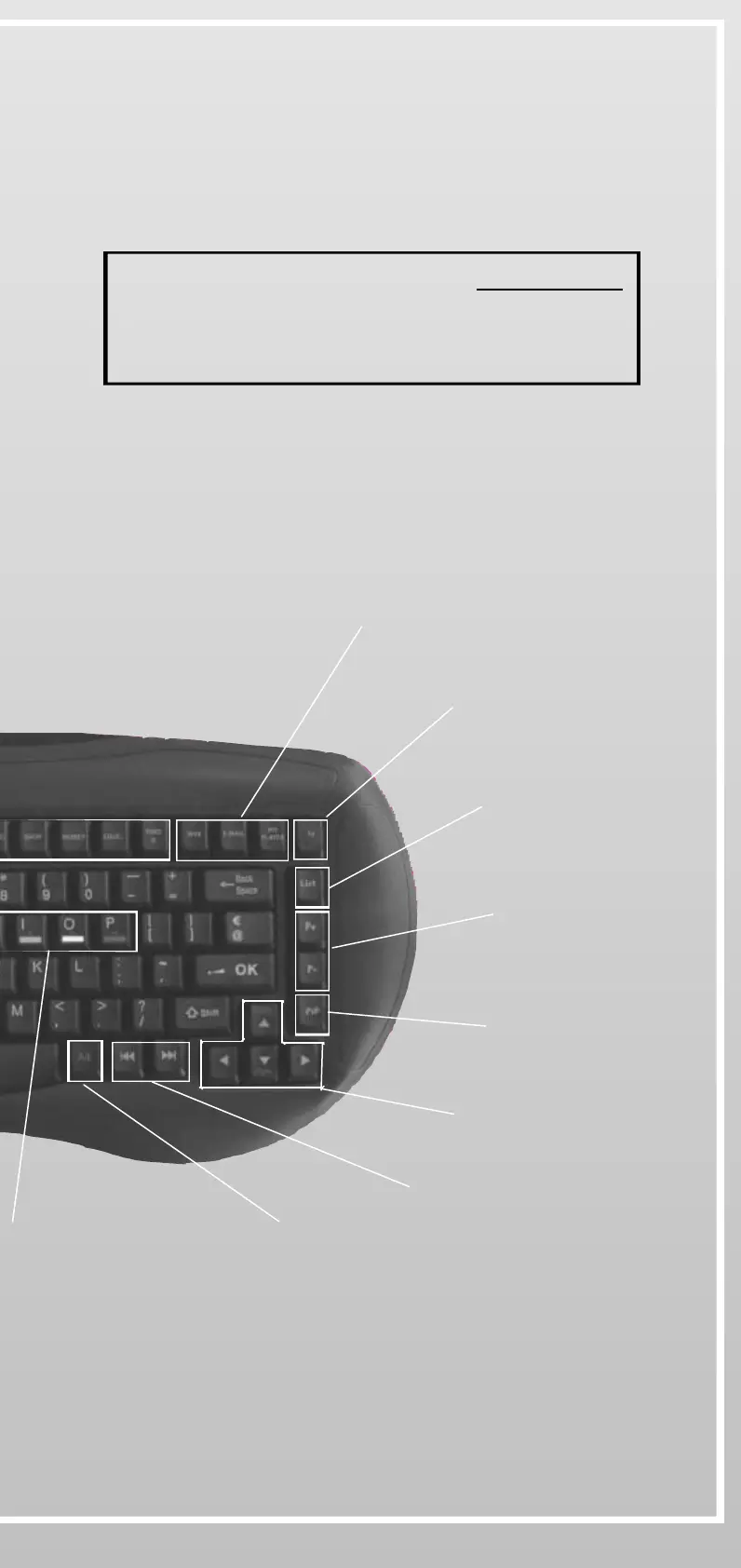
One-click access to Web,
Email and My Player services
Access to TV Channels
Access to the
Channel List
Changes channels
in PiP
PiP On/Off
(Picture-in-picture)
Navigation keys
Page up / Page down
Previous screen/
Next screen
Access to
blue functions


 To Next Page