12
ACCESS TO DIGITAL SERVICES
iPlayer gives you access to all digital services (Television, Radios and
digital Text) available in your area and a What’s On guide displaying the
current and following programmes of the different services.
Digital services are displayed in the Channel List in 2 different colours:
} BLUE for television and Text services
} YELLOW for radios and audio services
1- Digital television and digital radios:
To access to digital television and radio channels, you can either:
• Press to open the Channel List and select your desired channel
• Enter the channel number directly with your Remote Control
• Navigate through the channels with
2- Digital Text:
When available, digital Text may be presented as a channel that you
can select like above but it may also be added to a TV programme by
broadcasters. In this case, digital Text is accessed by pressing on
your Remote Control.
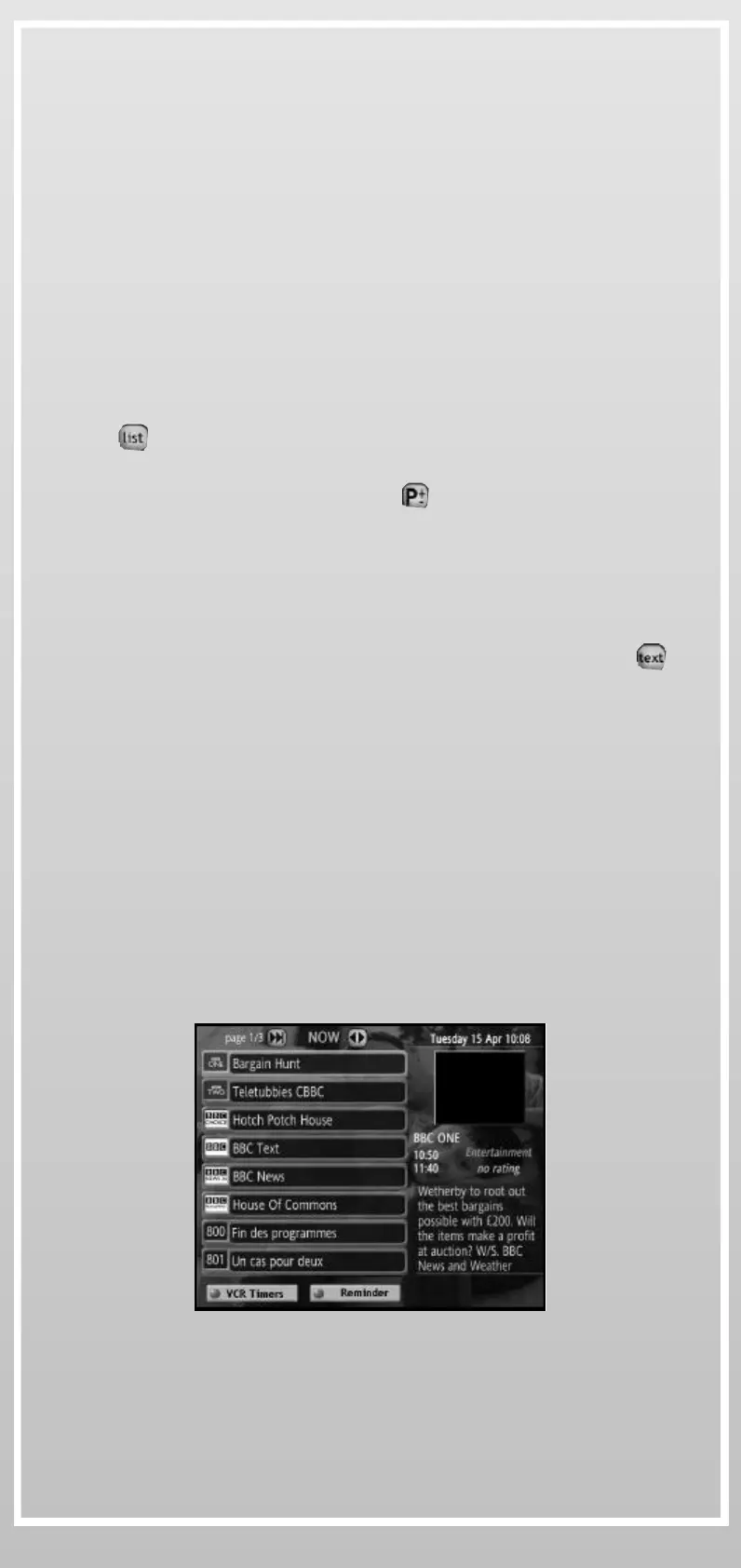
3- What’s On Guide:
What’s On guide displays information about the current and the
following programmes (Now & Next) for every digital service when
available.
• What’s On guide can be accessed from the Channel List or by pressing
“0” on your Remote Control or your Wireless Keyboard, or selected
from the Interactive Menu
• Use the navigation keys to highlight the desired digital service and
switch between Now & Next programme information
} VCR TIMERS: Use this service to program your iPlayer to switch on
and off automatically when your VCR is programmed to record digital
channels. This function does not program your VCR.
} REMINDERS: Use this service to set up an alarm on a coming
programme (NEXT). The reminder will inform you 2 minutes before
the programme starts.
What’s On Guide
PiP


 To Next Page