6
GETTING STARTED
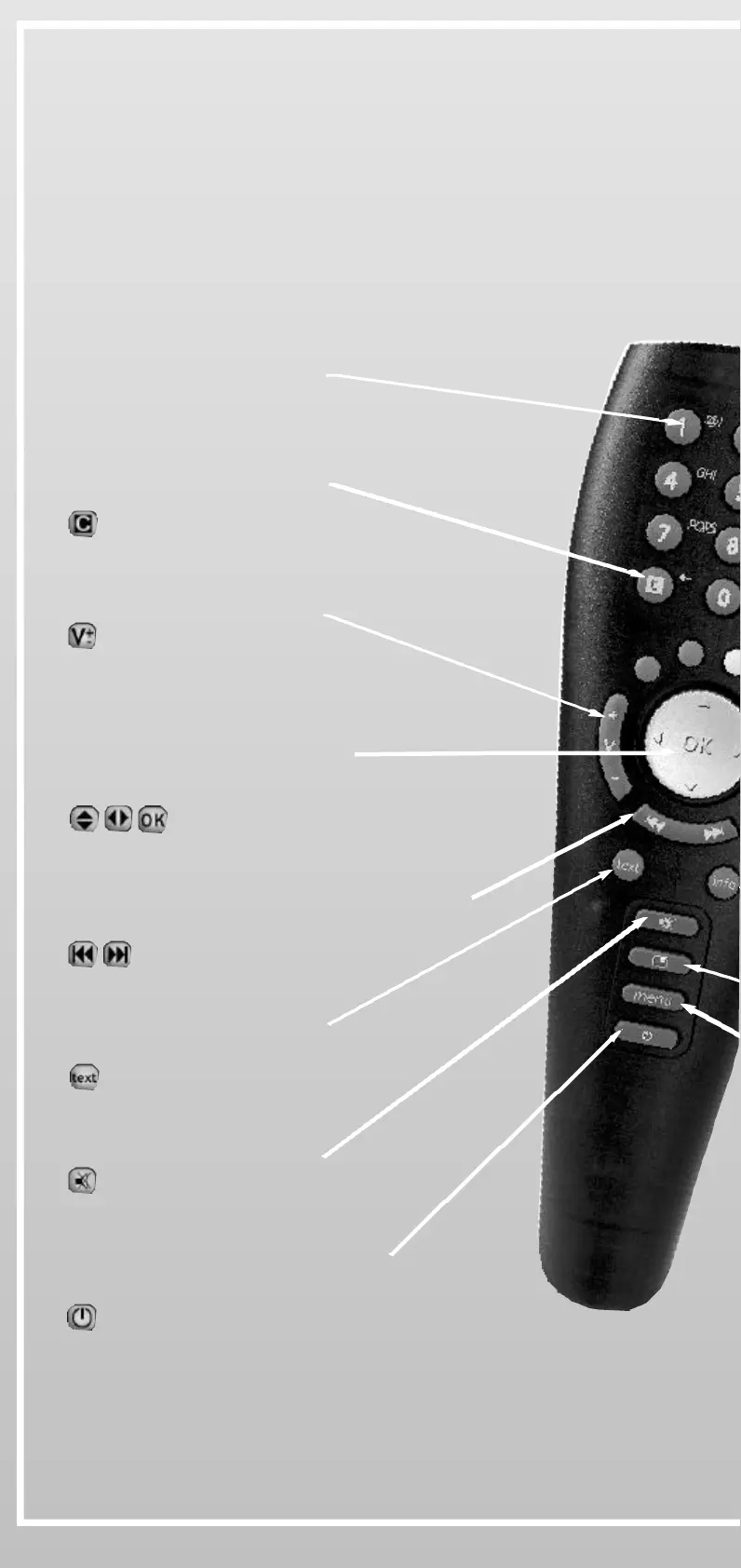
0-9
Selects a channel number
V+ / V-
Changes the volume level
MUTE
Switches the sound on/off
POWER
• Switches iPlayer from standby
• Hangs-up the phone when connected
C (CANCEL)
Cancels current action or
closes menus and pop-ups
PREVIOUS / NEXT
Goes to the previous or the next screen or
channel
TEXT
Launch Digital Text service
(when available)
UP, DOWN, LEFT, RIGHT, OK
• Moves the highlight on menus and
interactive screens
• Press OK at centre to confirm
2- Using the Remote Control:
Before using your Remote Control, make sure the batteries are
correctly installed.
• To test your Remote Control, press any key and check if the red light
is blinking on the front cover of iPlayer


 To Next Page