8
GETTING STARTED
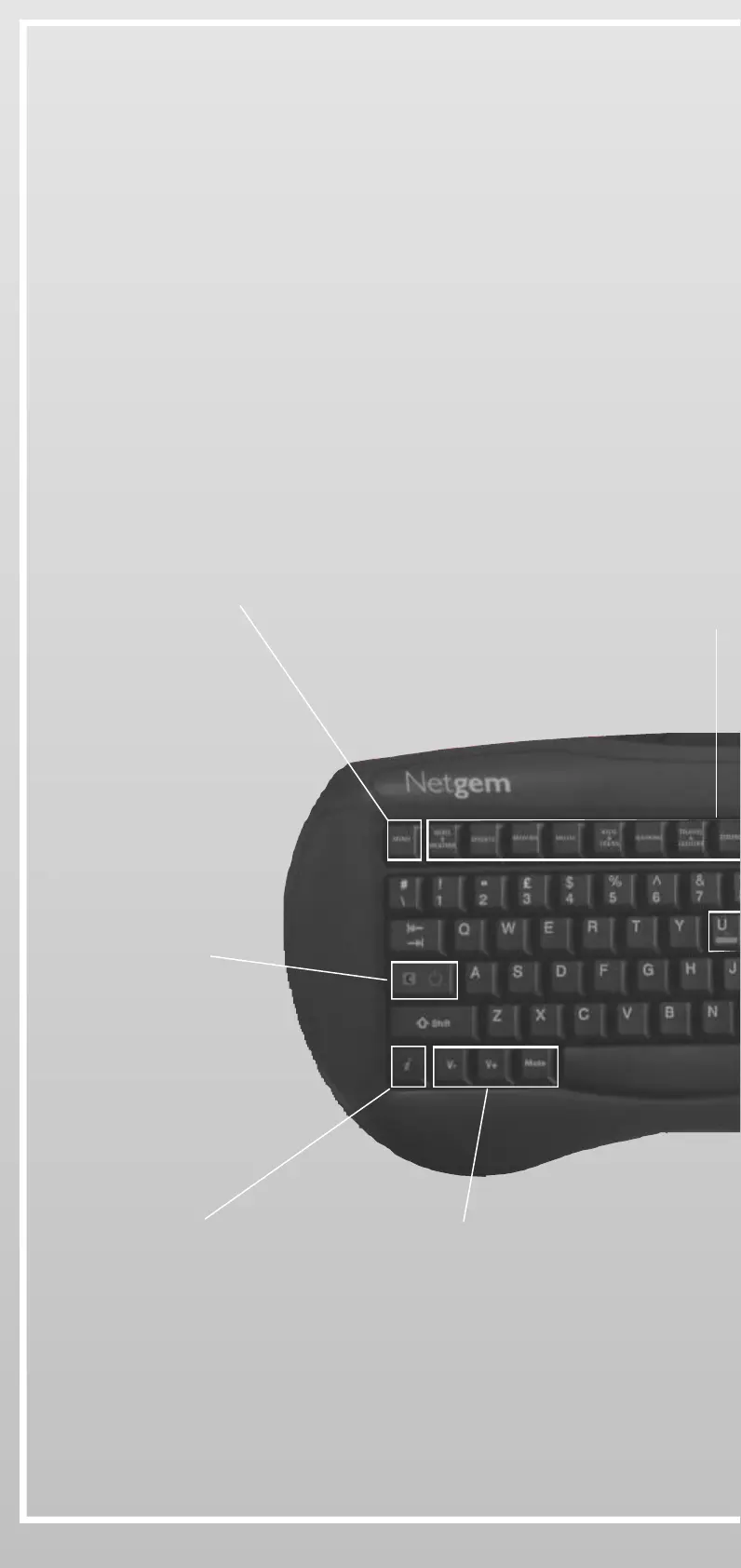
3- Using the optional Wireless Keyboard:
Before using your optional Wireless Keyboard, make sure the batteries
are correctly installed.
• To test your Wireless Keyboard, press any key and check if the red
light is blinking on the front cover of iPlayer
Access to the
Interactive Menu
One-click access to News, Sports,
Gaming, Dining, Kids, Money...
Sound controls
Information
and options
Cancel
Disconnect
iPlayer On/Off


 To Next Page