WF-2113 User Manual
23
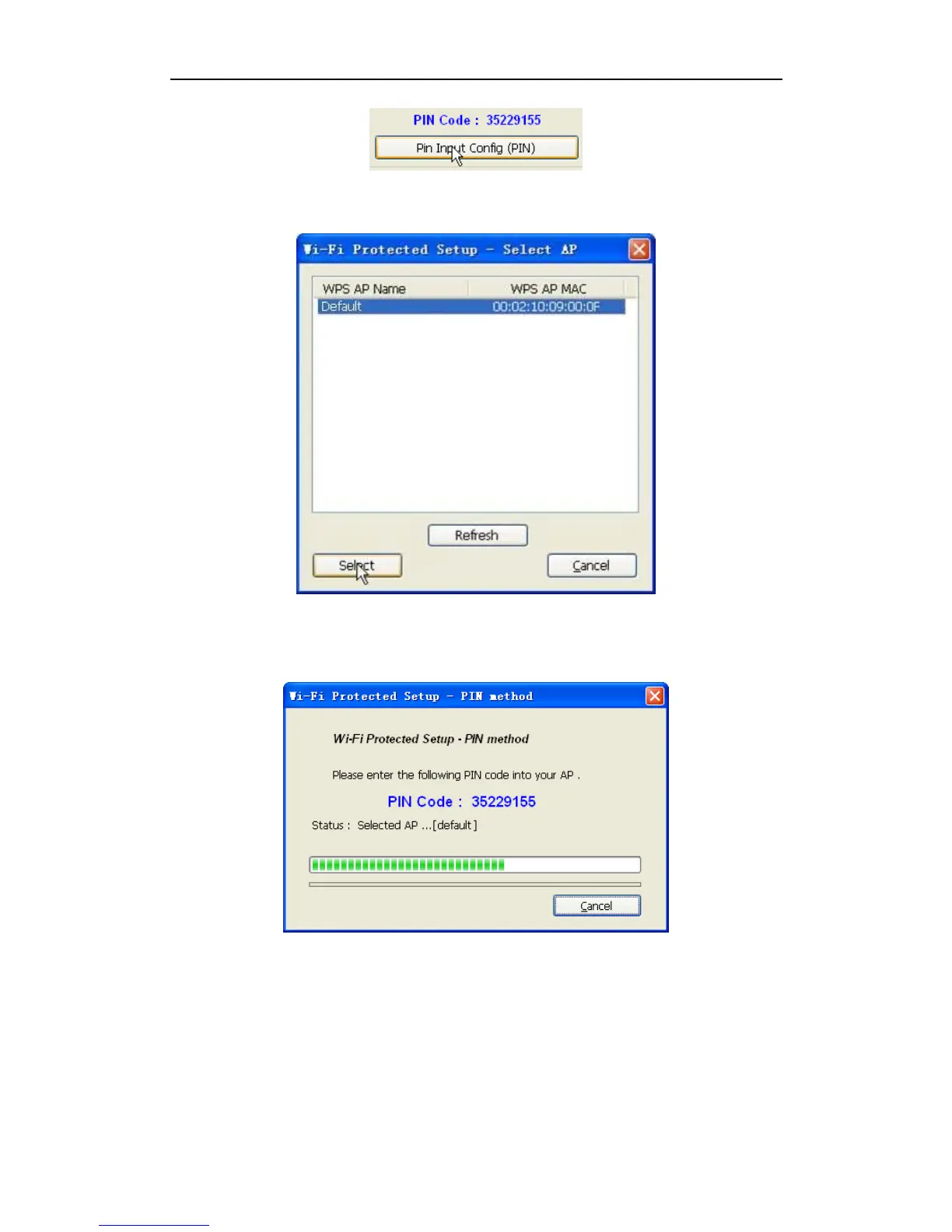
Figure 3-19
¾ Select the AP that you want to connect in the pop-up window, and then click ‘Select’
Figure 3-20
¾ Please wait until the following window appears, the connection between the adapter and
the router will be established automatically.
Figure 3-21
Method 2:
¾ Press the WPS hardware button of the wireless router until the WPS LED flashes
¾ Click the ‘Push button Config (PBC)’ in the Wi-Fi protect setup of the adapter
¾ The safe connection will be established automatically, please wait
Note: If there is more than one AP on the PBC mode when you use the method 2, there will



 To Next Page