USING THE REMOTE:
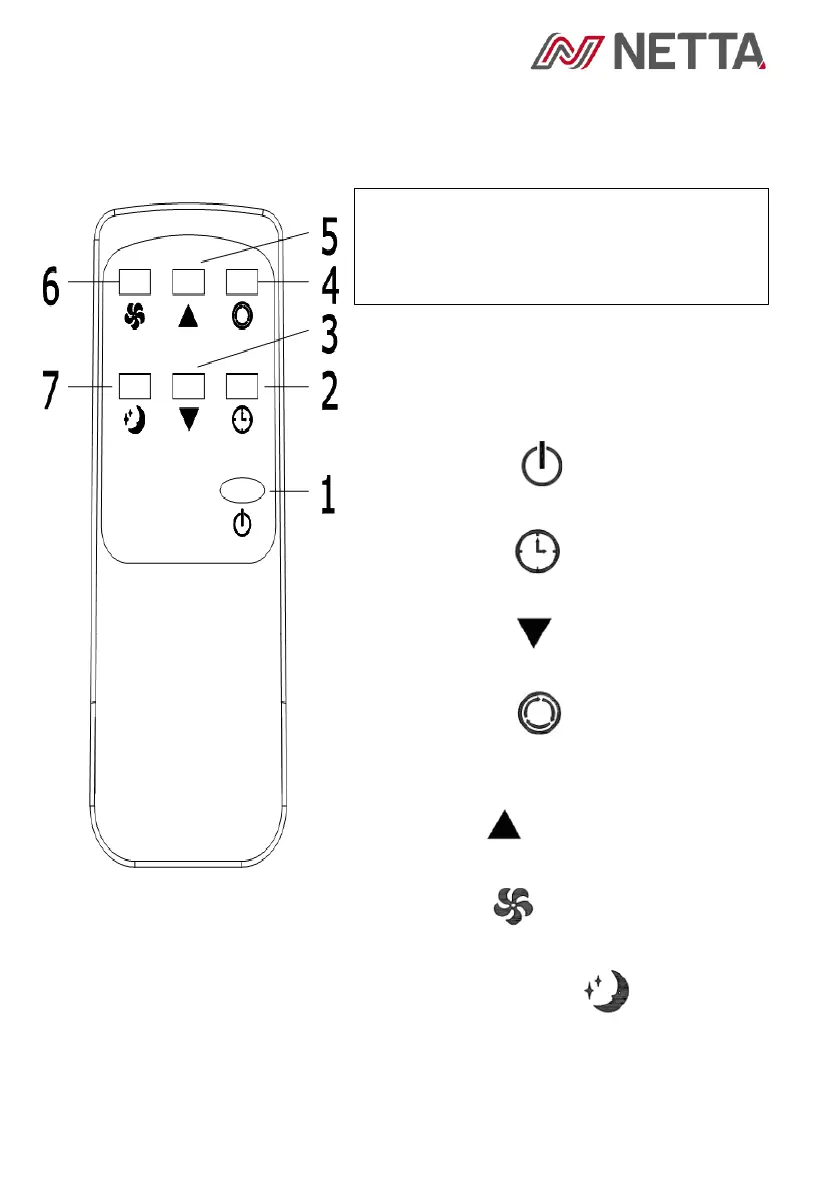
1. Power: Press the key to turn on
or turn off the machine.
2. Timer: press the key to set
timing.
3. Down: press the key to reduce
temperature and timing set value.
4. Mode: press the key to switch
between cooling, fan, dehumidifying
mode.
5. Up: press the key to increase
temperature and timing set value.
6. Fan: press the key to select
high, low wind speed.
7. Sleep Mode: Press the key to
turn on the sleep mode.



 To Next Page