5. OPERATION
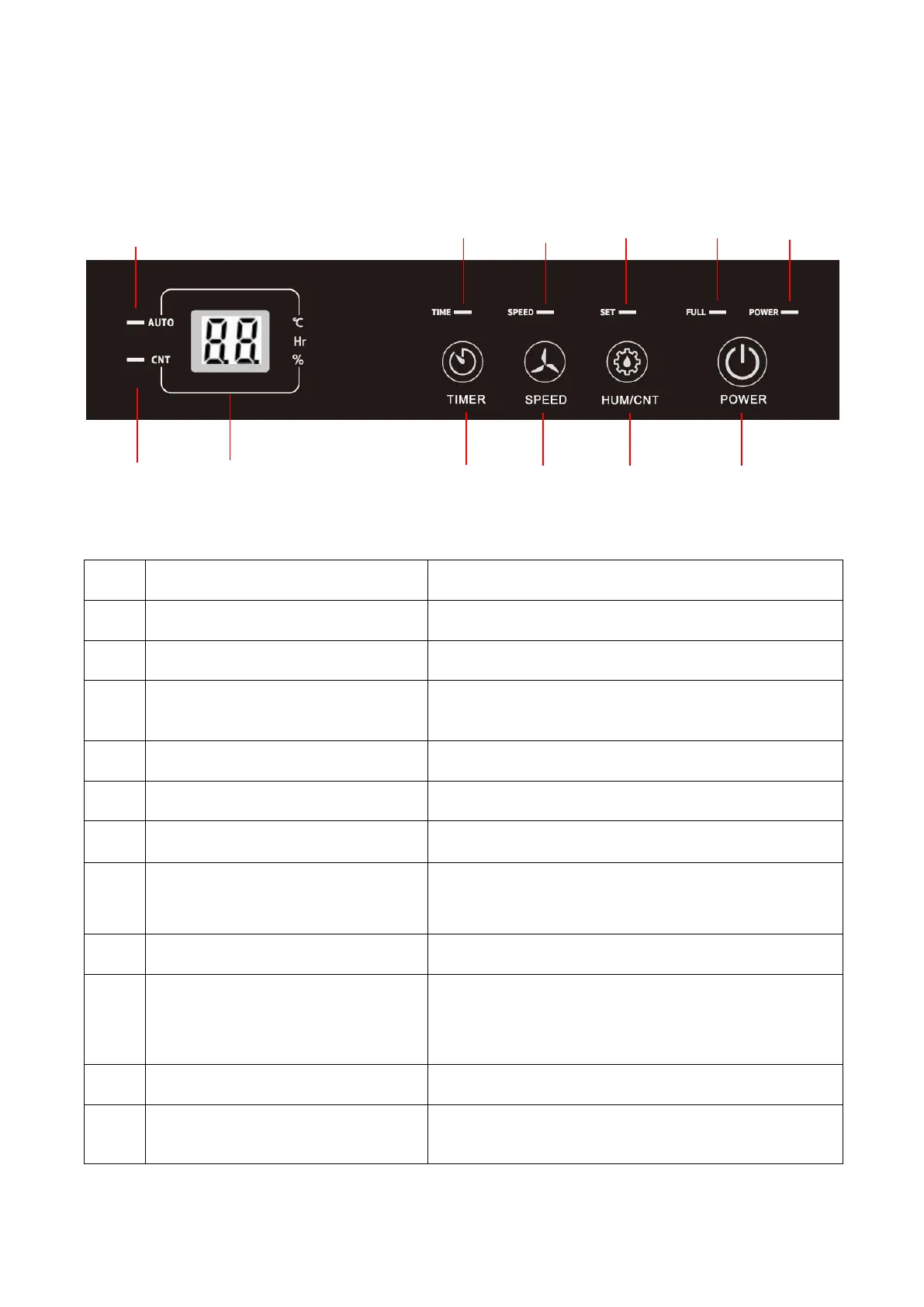
5.1 CONTROL PANEL
FUNCTION KEYS AND INDICATORS
Press once to switch the machine on or off.
Selects humidity set-point or continuous operating.
Press to select fan speed between high and low.
Sets a time for the unit to automatically start or
stop.
Lights up when the unit is power on.
Lights up when water tank is full.
Lights up when setting humidity.
Fan speed LED
(high:orange/low:blue))
Lights up when adjust the fan speed.
Lights up when the Timer function is set.
Displays the current humidity (20-95%) and the
humidity setting (40-80%).
Displays timer setting and temperature.
Lights up when switch to AUTO mode.
Continuous mode LED(orange)
Lights up when switch to Dry function
for continuous
dehumidifying.


 To Next Page