Figure 3-4
This may take a few minutes. After completion, go back to install the application again
as shown in figure 3-1 & 3-2
3.2 Operation Description
3.2.1 Update Program
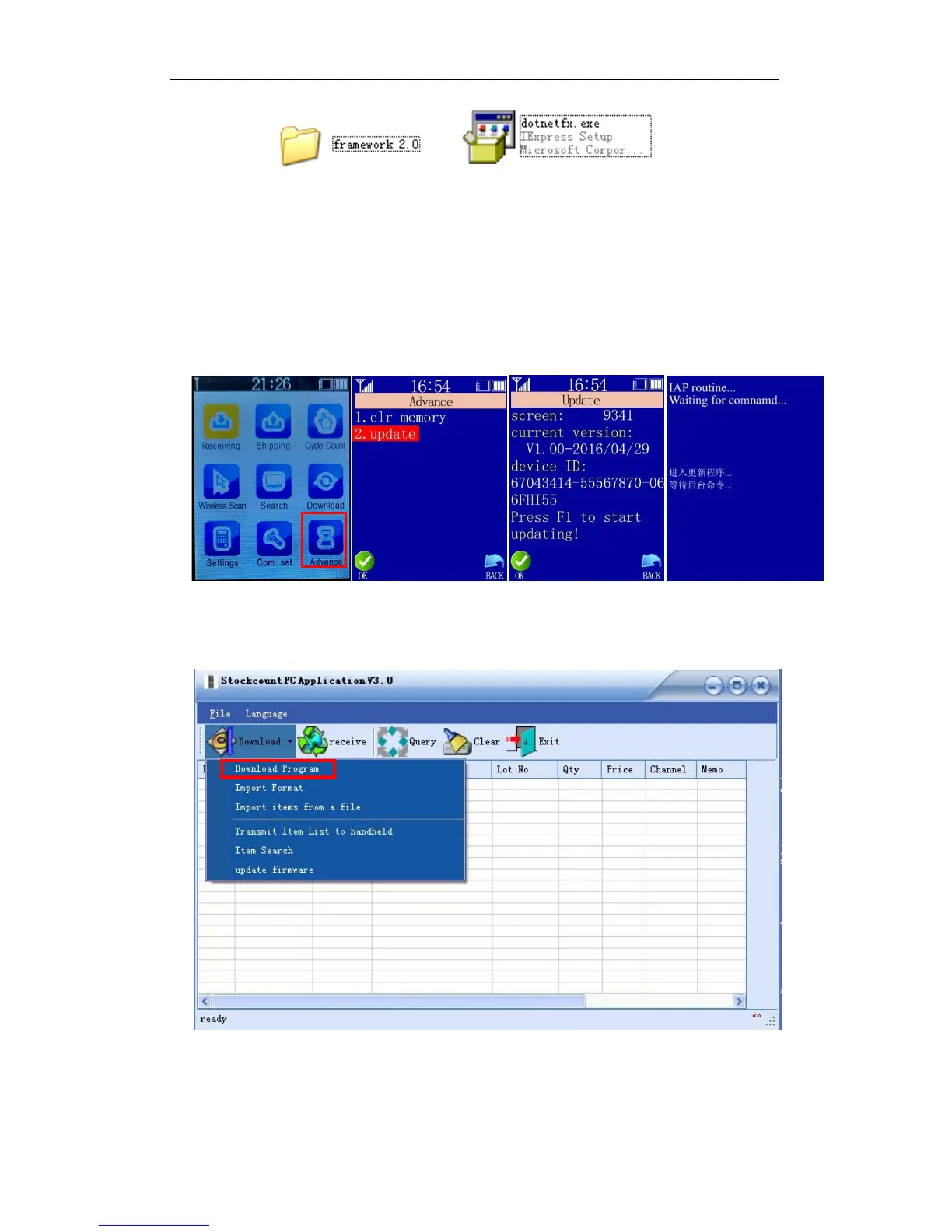
In the Handheld, select “Advance” “update” and press OK into the updating page:
Figure 3-5
Open the PC application, expand the DOWNLOAD drop-down menu and select “Download
Program”:
Figure 3-6
A dialog box pops up. Specify the path of the file to be updated to the Handheld then click
OPEN:


 To Next Page