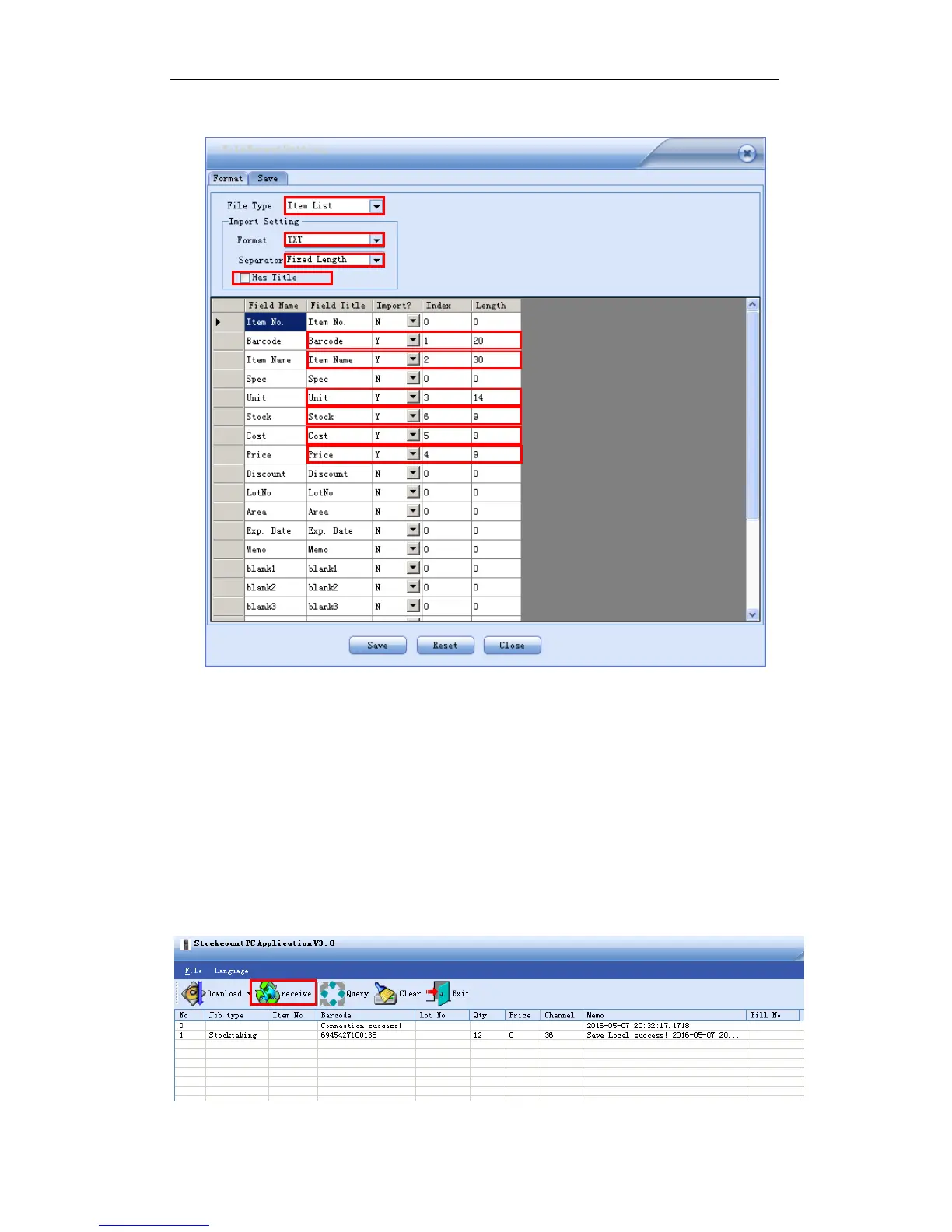
2. format is set as below:
The rest steps please refer to the first example “import an excel file”.
3.2.3 Data Upload
Step 1: connect the handheld and the computer with the USB cable;
Step 2: in the main menu of the handheld, enter any of the options you are going to process
(wireless scanner / receiving / shipping / Cycle Count). In the sub-menu, select “2.
Upload” “unsent” or “sent”, then press F2 to start transmission and the screen says
“linking”;
Step 3: in the PC application, click the RECEIVE button.


 To Next Page