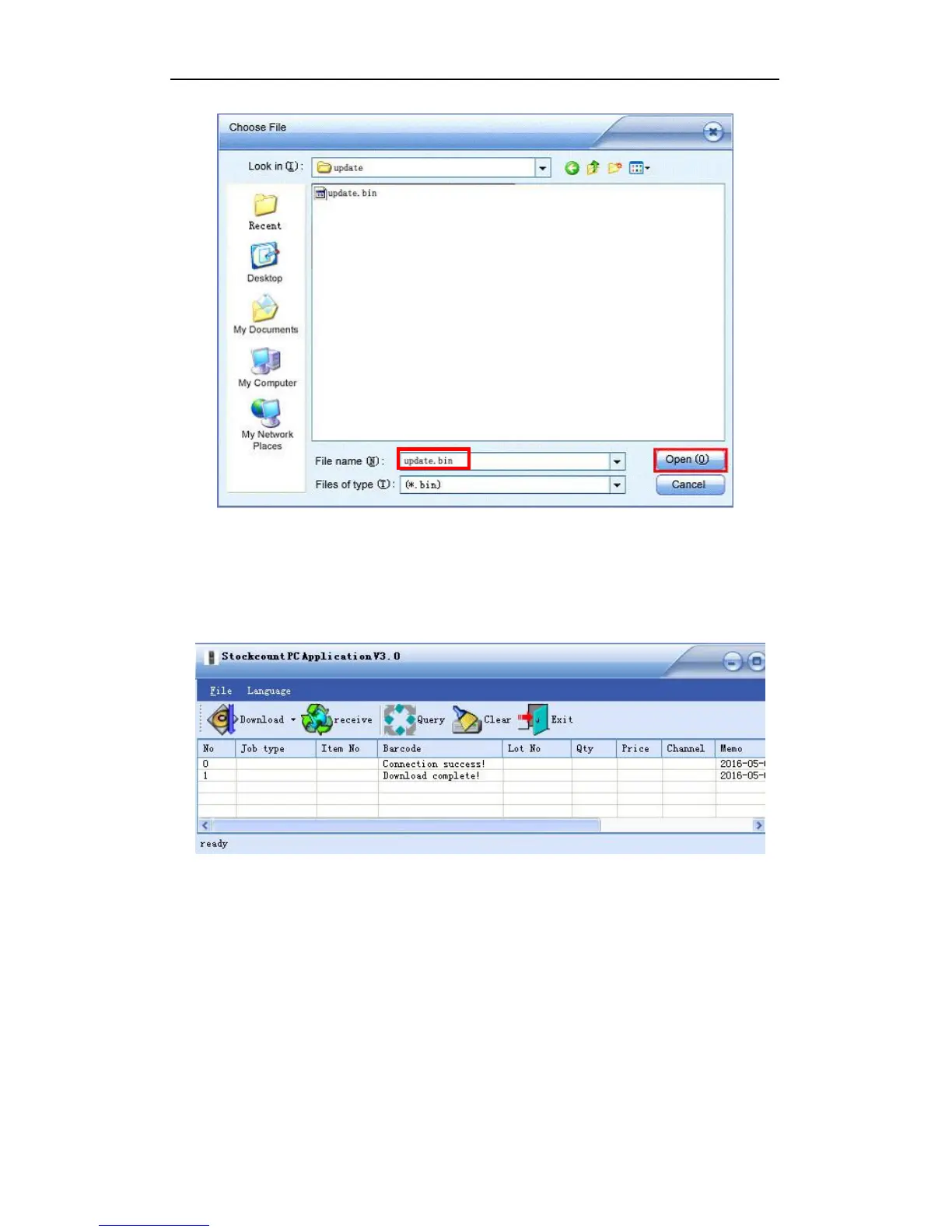
Figure 3-7
Now a hint of “downloading” is shown on the Handheld. When the download completes, the
handheld will reboot automatically. A new program is updated. Meanwhile the PC
application also gives a notification of completion.
Figure 3-8
3.2.2 Download Item File
Simply speaking, it is a process to import the item file into the PC application and then
export it to the handheld.
To import the item file into the PC application, the first and most important thing is to match
its format with the pc application.
Open the PC application, expand the DOWNLOAD drop-down menu and select “Import
Format”:


 To Next Page