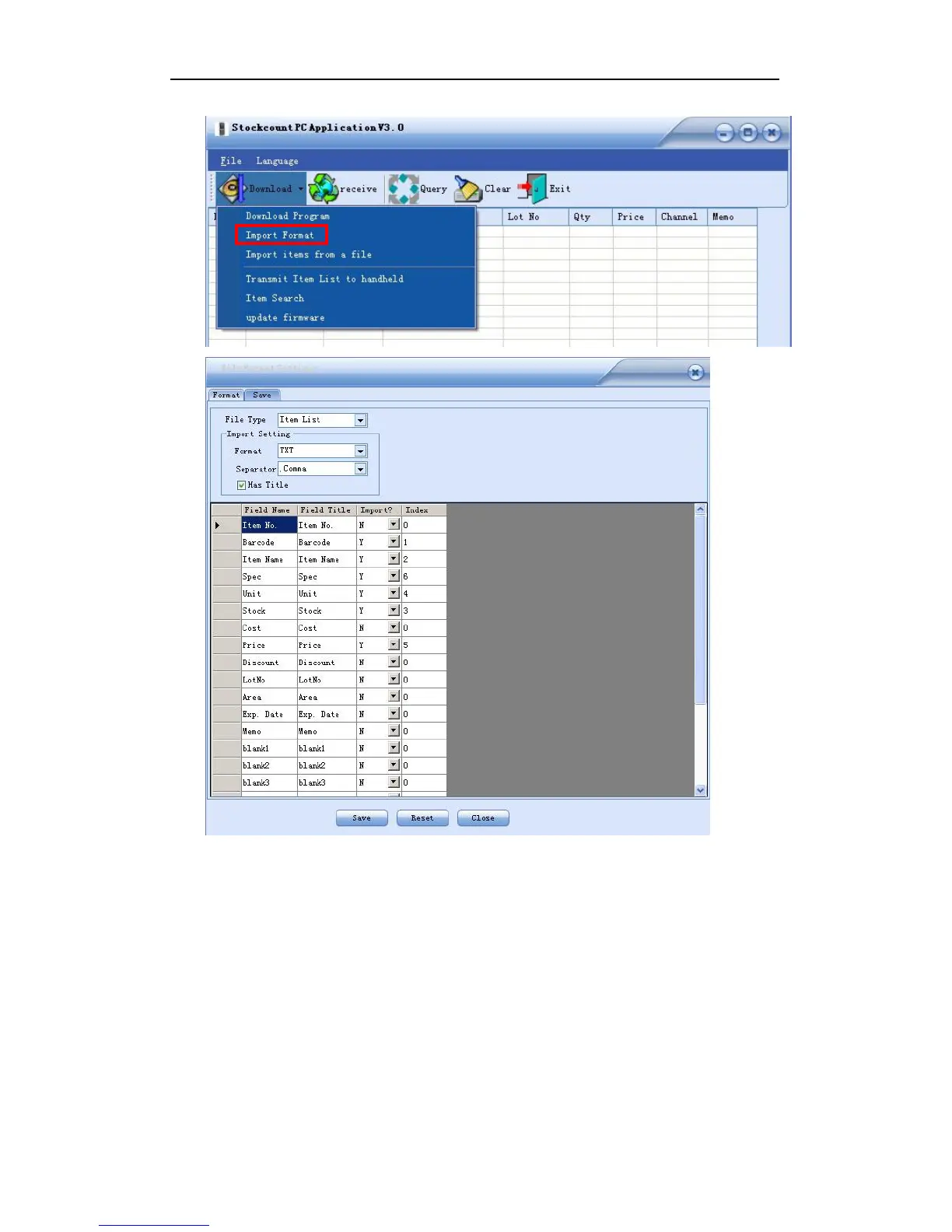
Figure 3-9
Configuration Instruction:
1. File Type: Item List
2. file Format: MS Excel, CSV and TXT format available. Select one according to your item file.
3. Separator: choose one from comma, semicolon, TAB and fix-length or input one according
to your item file, but leave it as it is for an Excel format file.
4. Has Title: check to import a file with field headings.
5. Field Name: default fields to be displayed on the handheld. It can not be changed.
6. Field Title: field name of your item file. You may change it to be the same as your item file.
7. Import: Y for yes to import the field; N for not to import the field
8. Index: corresponding column number of the item file
9. Length: for fix-length file only


 To Next Page