EXAMPLE:
Import an EXCEL file
Step 1: import format configuration
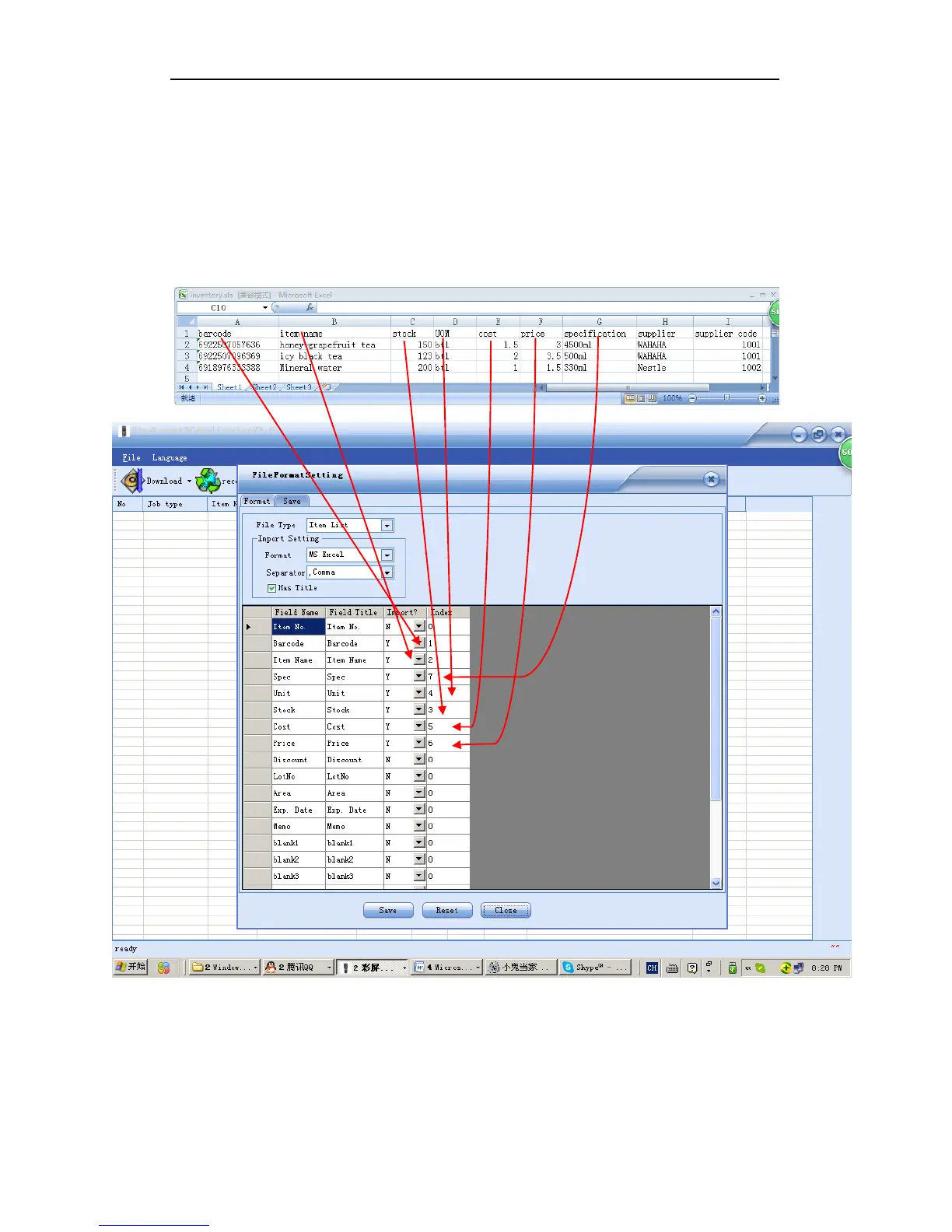
Suppose you have an item file named inventory.xls. There are 9 columns in it, but we need only 7
fields as barcode, item name, unit, stock, cost, price and specification. The import format is set as
below:
Figure 3-10
Step 2: import item file into the PC application
Click SAVE and CLOSE when format is configured. Then on the menu bar, click “import items
from a file” and specify the directory of the inventory.xls:



 To Next Page