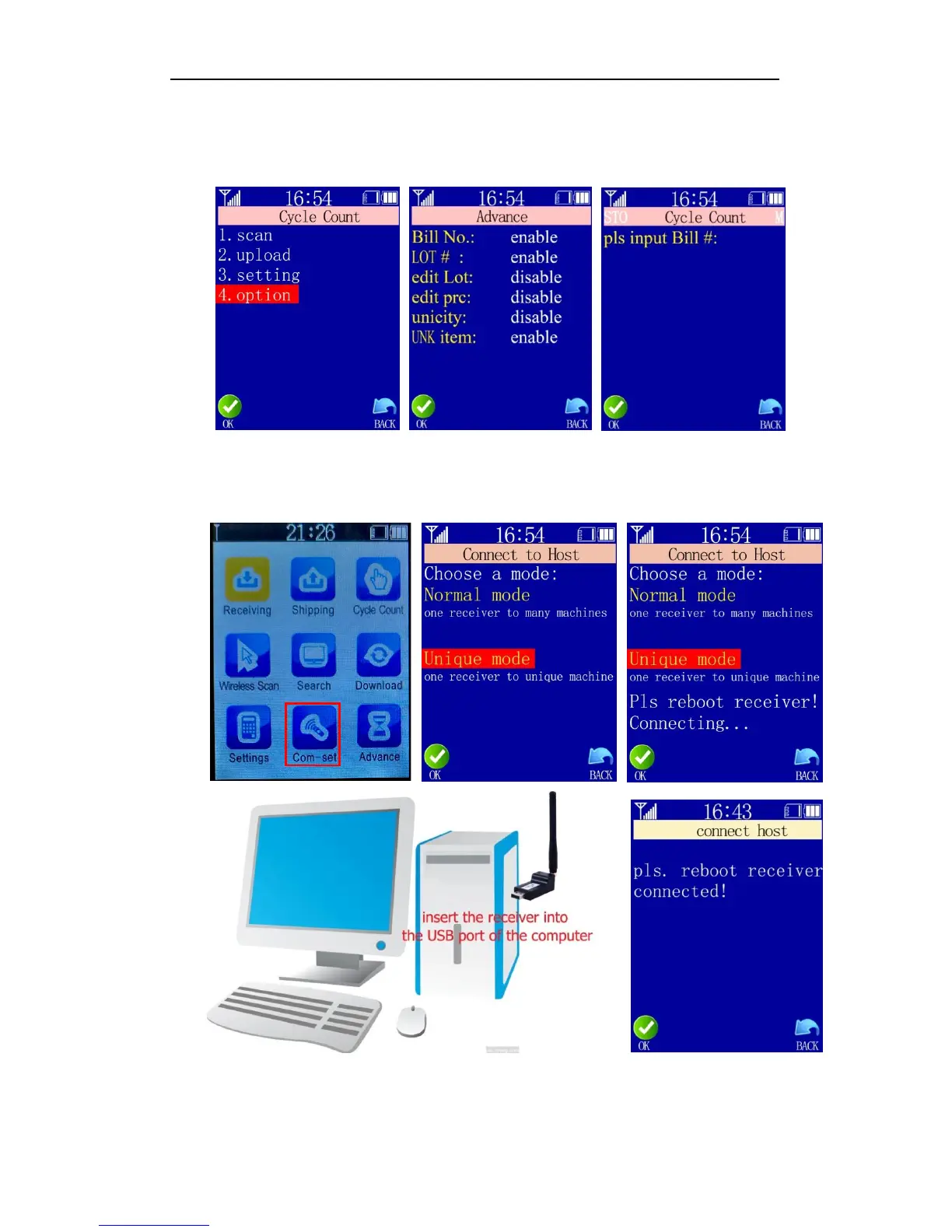
6) UNK item: when it is enabled, the user can decide whether to process the unknown
items or not (new item or item missing in the item file). Otherwise, unknown item is
forbidden.
2.3.3 Wireless Scan
a. Establish communication between the Handheld and the Receiver.
b. create/open a text file on the computer and place the cursor in the blanks;
c. In the handheld main menu, select “Wireless scan” “1.scan”, then press the SCAN


 To Next Page