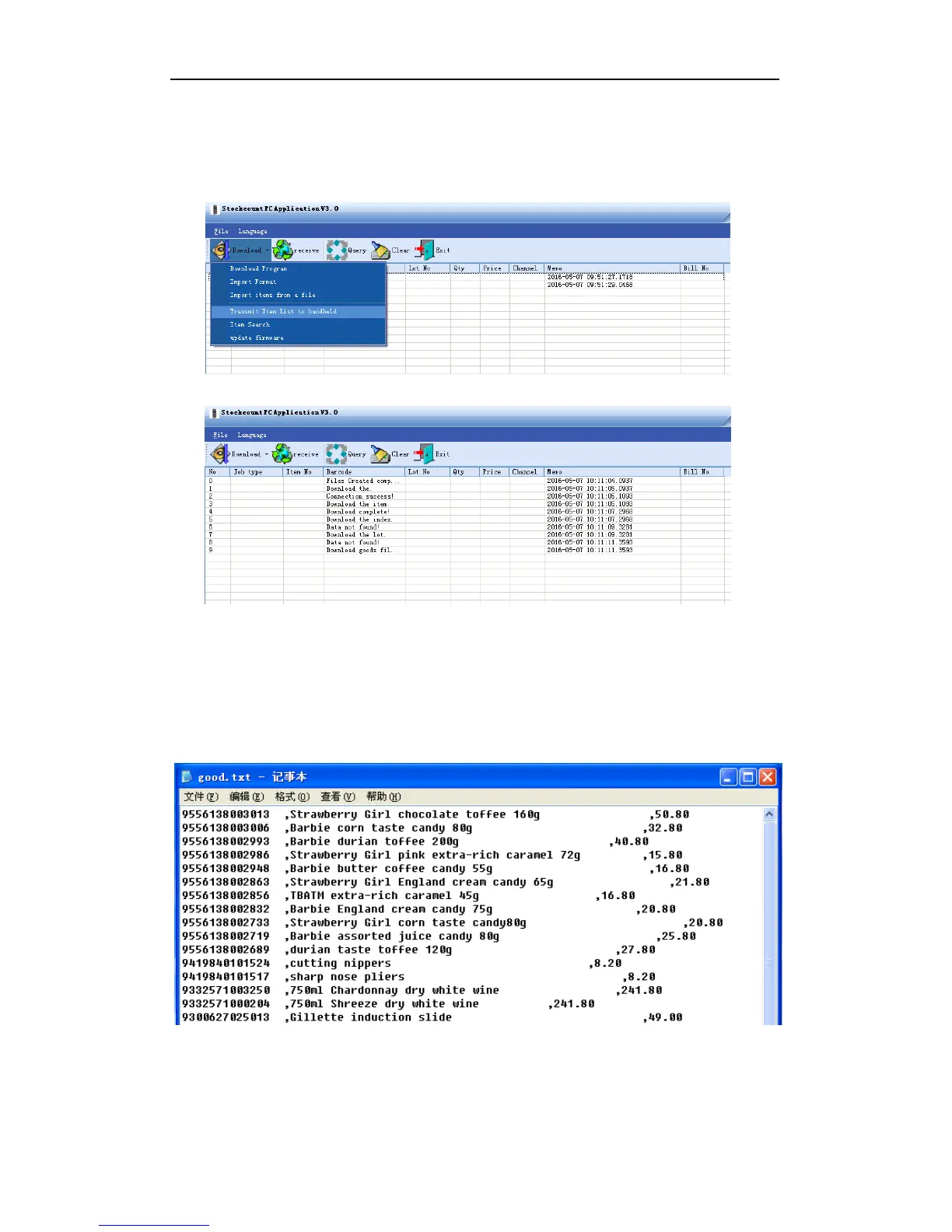
Step 4: download item file to the handheld
To start the download operation, select “Transmit Item List to handheld” from the drop-down
menu of DOWNLOAD. If download has been successfully proceeding, the PC application gives a
notification of success and the handheld screen refreshes automatically.
Figure 3-15
Import a TXT file:
1. The item file is a text file with a comma as the separator. The first column is barcode, the
second item name, the third cost. There is no field name for each column:


 To Next Page