EasyManua.ls Logo

Neumann.Berlin KH 120 II AES67 - User Manual

Neumann.Berlin KH 120 II AES67
39 pages
Print Icon
To Next Page IconTo Next Page
Loading...
georg neumann gmbh · Leipziger str. 112 · 10117 berLin · germany
teL +49 (0)30 / 41 77 24-0 · fax -50 · headoffice@neumann.com · www.neumann.com
pubL. 05/23
592856/a02
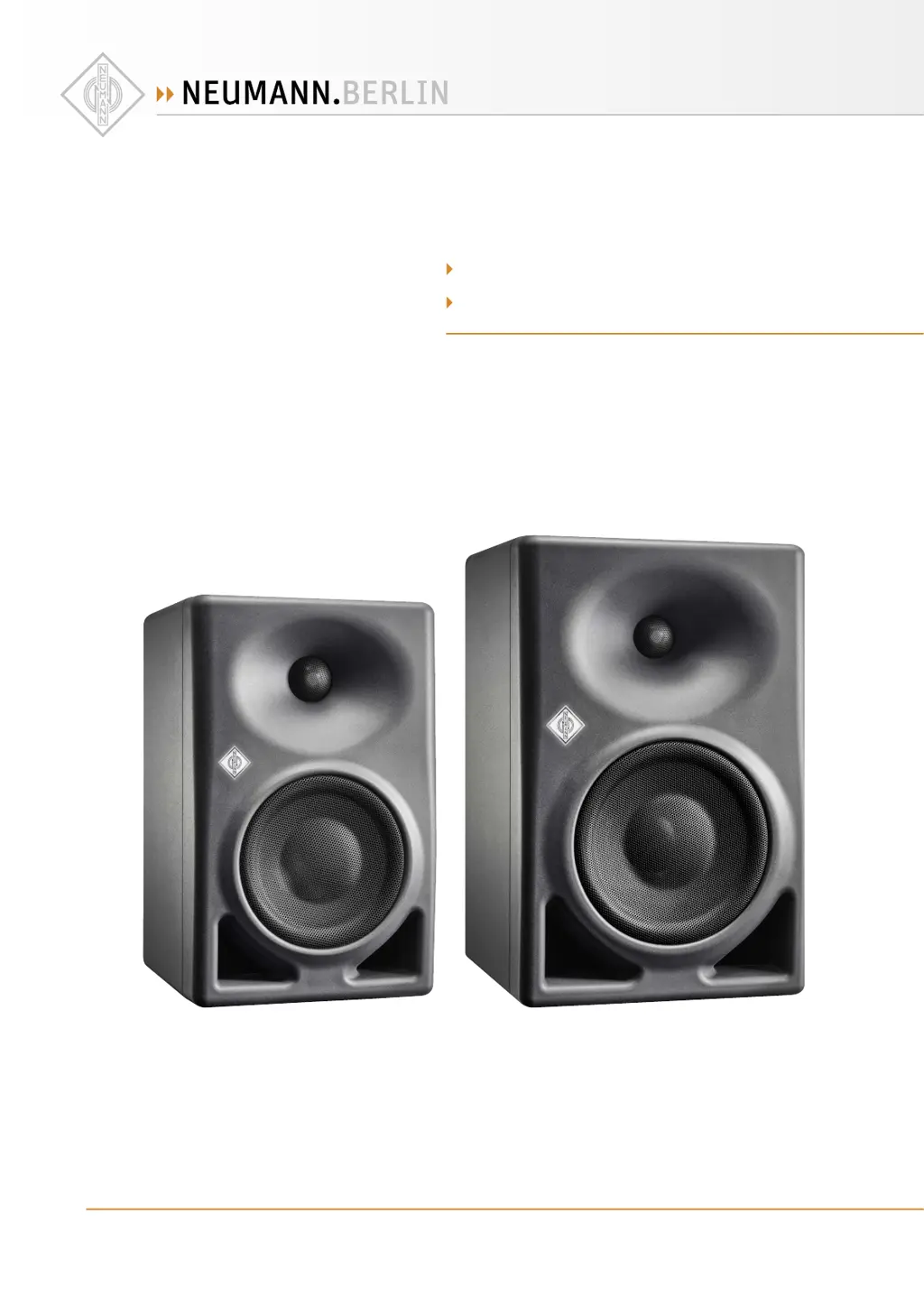
kh 120 ii aes67
kh 150 aes67
Two-way active Loudspeaker
Instruction manuaL

Questions and Answers

  • P
    Patricia RussellAug 7, 2025
    Why are my Neumann.Berlin KH 120 II AES67 buzzing?
    • G
      gilllisaAug 7, 2025
      If your Neumann.Berlin Speakers are buzzing, it could be due to incorrect wiring or poor grounding in the audio cable. First, inspect the cabling, particularly if you're using unbalanced cables. Refer to the cable wiring diagram. Try using gold-plated connectors. Lower the loudspeaker's output level while maximizing the audio source's output level (without clipping). Finally, set the GROUND LIFT switch to the Lift position.
  • T
    Tyler Brooks Jr.Aug 12, 2025
    What to do if standby is too sensitive on Neumann.Berlin KH 120 II AES67?
    • M
      Monica ParkerAug 12, 2025
      If the standby mode on your Neumann.Berlin Speakers is too sensitive or not sensitive enough, the issue might stem from incorrect standby settings or noise in the source signal. Review the standby settings and the signal source.
  • C
    Cindy WilliamsAug 19, 2025
    Why do my Neumann.Berlin KH 120 II AES67 Speakers sound thin?
    • S
      Sara PhillipsAug 19, 2025
      If your Neumann.Berlin Speakers sound 'thin' in the bass, it could be due to incorrect wiring in the audio cable or adapter, or one loudspeaker might be out of phase with the other, causing cancellation in the low frequencies. Check the cabling, especially if unbalanced cabling is in use. Also, verify the settings on your signal source.
  • B
    Brian GonzalesAug 25, 2025
    How to turn on the Neumann.Berlin KH 120 II AES67 Speakers logo?
    • C
      Clarence StricklandAug 26, 2025
      If the Neumann logo on your Neumann.Berlin Speakers is off or not clearly visible, but sound is still present, it's possible that the logo is switched off or dimmed. You can switch on the Neumann logo and switch off the dimming.
  • H
    hilljakeAug 31, 2025
    What to do if Neumann.Berlin Speakers have no sound and the logo is off?
    • A
      Andrea HallAug 31, 2025
      If the Neumann logo is off and no sound is coming from your Neumann.Berlin Speakers, the loudspeaker’s main internal fuse may have blown. Have the product checked by an authorized Neumann service partner, as there is no plug fuse in the device.

Summary

Studio Monitors KH 120 II AES67 and KH 150 AES67

Delivery includes

Lists items included in the loudspeaker package.

About this manual

Explains the manual's scope and references supplementary software.

Product overview: KH 120 II AES67

Product overview: KH 150 AES67

Setting up and connecting the loudspeaker

Preparing the loudspeakers

Instructions for safely placing and preparing the loudspeakers for use.

Preparing the room

Guidance on optimizing the listening environment for accurate sound reproduction.

Positioning the loudspeakers

Connecting audio signals

Connecting analog signals to the loudspeaker

How to connect analog audio sources using XLR or RCA cables.

Connecting digital AES3 id and S;PDIF signals to the loudspeaker

Connecting digital AES67 signals to the loudspeaker

Connecting a network cable for network control

Connecting;disconnecting the loudspeaker to;from the power supply system

Configuring and using the loudspeaker

Switching the loudspeaker on;off

Instructions for powering the loudspeaker on and off, including LED indications.

Functionality of the Neumann logo

Switches on the SETTINGS panel

CONTROL

Toggles between local backplate control and network control modes.

INPUT SELECT

Selects the audio input source (Analog, S/PDIF, AES67).

GROUND LIFT

Resetting the loudspeaker settings

Firmware update

Adapting loudspeakers to the environment using the switches on the backplate

Adjusting the acoustical level

Configuring standby mode

Standby in backplate mode

Standby configuration when using local backplate controls.

Standby in network mode

Standby configuration when using network control via MA 1 software.

Customizing standby behavior

Standby is not sensitive enough

Configuring AES67 network and audio settings

Initial setup

Procedures for the initial setup of the AES67 network interface.

Selecting the control mode and audio input

Choosing between backplate and network control modes for configuration.

Setting up the AES67 network interface

Default IP addresses of the loudspeaker

Information on the loudspeaker's network interface IP addresses for various modes.

Accessing the network interface via a web browser

Steps to access the loudspeaker's web interface for configuration.

Setting up the PTP media clock

Setting up the PTP media clock synchronization

Detailed steps for synchronizing the PTP media clock for AES67 audio networks.

Configuring the PTP media clock profile

Details on editing and adopting PTP media clock profile parameters.

Setting up IP addresses and network redundancy

Saving the current settings as default

Rebooting the loudspeaker

Setting up the connection management mode

Setting up the ANEMAN;Ravenna connection management

Configuration steps for using the ANEMAN/Ravenna connection management protocol.

Setting up NMOS connection management

Configuration steps for using the NMOS connection management protocol.

Routing digital AES67 audio signals to the loudspeaker

Setting up a stereo monitoring system

Example setup for a stereo monitoring system using AES67 loudspeakers and subwoofer.

Routing with RX PATCH

Routing with RX STREAMS

Routing with RX STREAMS using an SDP file

Routing with ANEMAN

Compatibility with DANTE AES67 audio streams

Routing DANTE AES67 with RX PATCH

Routing DANTE AES67 audio streams using the RX PATCH interface.

Routing DANTE AES67 with RX STREAMS

Routing DANTE AES67 audio streams using the RX STREAMS interface.

Routing DANTE AES67 with RX STREAMS using an SDP file

Cleaning and maintaining the loudspeaker

Troubleshooting

Specifications

Acoustical measurements and block diagram

Additional technical data on acoustics and system block diagrams.

Accessories

Lists available mounting hardware and accessories for the loudspeakers.

Installation angles

Neumann.Berlin KH 120 II AES67 Specifications

General IconGeneral
BrandNeumann.Berlin
ModelKH 120 II AES67
CategorySpeakers
LanguageEnglish

Related product manuals