EasyManua.ls Logo

Neumann.Berlin KH 120 II - User Manual

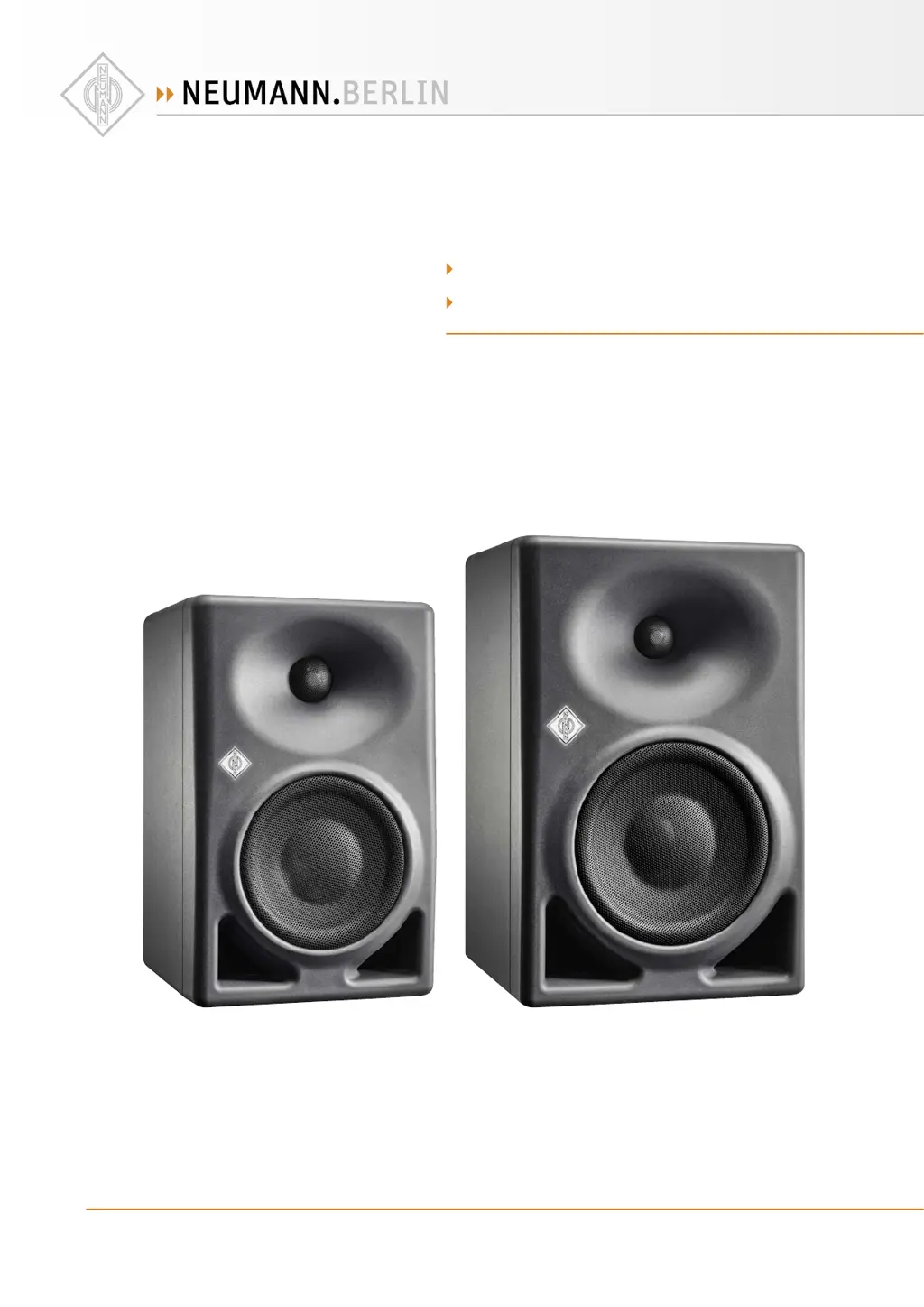
Neumann.Berlin KH 120 II
22 pages
Print Icon
To Next Page IconTo Next Page
Loading...
georg neumann gmbh · Leipziger str. 112 · 10117 berLin · germany
teL +49 (0)30 / 41 77 24-0 · fax -50 · headoffice@neumann.com · www.neumann.com
pubL. 06/22
592855/a01
kh 120 ii
kh 150
Two-way active Loudspeaker
Instruction manuaL

Questions and Answers

Summary

Setting up and connecting the loudspeaker

Preparing the loudspeakers

Instructions for preparing the loudspeakers before setup, including precautions against staining.

Preparing the room

Guidance on arranging the listening environment for optimal acoustics and EMC compatibility.

Positioning the loudspeakers

Distances

Recommended listening distances and wall-distance limitations to avoid frequency dips.

Angular positioning

Guidelines for setting loudspeaker angles and aiming the acoustical axis towards the listening position.

Connecting audio signals

Connecting XLR or RCA cables

Guidance on connecting analog audio signals using XLR or RCA cables and adapters.

Connecting analog signals to the loudspeaker

Instructions for connecting left and right analog audio sources to the XLR input sockets.

Connecting digital signals to the loudspeaker

Connecting AES3 cables

Instructions for connecting digital AES3id or S/PDIF signals to the loudspeaker inputs.

Connecting network cables

Connecting;disconnecting the loudspeaker to;from the power supply system

Steps to connect and disconnect the loudspeaker from the power source safely.

Configuring and using the loudspeaker

Switching the loudspeaker on;off

Procedure for powering the loudspeaker on and off, including logo indications.

Switches on the SETTINGS panel

CONTROL

Description of the CONTROL switch for toggling between backplate and network mode.

INPUT SELECT

Explanation of the INPUT SELECT switch for analog or digital signal input.

Ground Lift and Settings Reset

GROUND LIFT

Functionality of the GROUND LIFT switch to separate XLR input pin 1 from chassis ground.

Resetting the loudspeaker settings

Procedure to reset internal parameters to factory default settings using MA 1 software.

Firmware update

Information on updating the loudspeaker firmware using the MA 1 software.

Adapting loudspeakers to the environment

Acoustical Controls

Explanation of BASS, LOW-MID, and HI switches for frequency response adaptation.

Adjusting the acoustical level

Sound Pressure Level Measurement

Procedure for measuring and setting the sound pressure level at the listening position.

Configuring standby mode

Standby in backplate mode

Settings for automatic standby when using backplate controls.

Standby in network mode

Using MA 1 software to configure or disable automatic standby mode.

Customizing standby behavior

Standby is too sensitive

Troubleshooting steps when standby mode is too sensitive or wakes up unexpectedly.

Standby is not sensitive enough

Troubleshooting steps when standby mode is not sensitive enough or does not wake up.

Troubleshooting

Common Problems and Solutions

Table of common issues like no sound, buzzing, or low bass, with their causes and solutions.

Specifications

Accessories

List of available accessories for mounting and integration.

Neumann.Berlin KH 120 II Specifications

General IconGeneral
TypeActive Studio Monitor
Acoustical PrincipleBass Reflex
Woofer Size5.25 inches
Tweeter Size1 inch
AES67No
Input ConnectorsXLR

Related product manuals