EasyManua.ls Logo

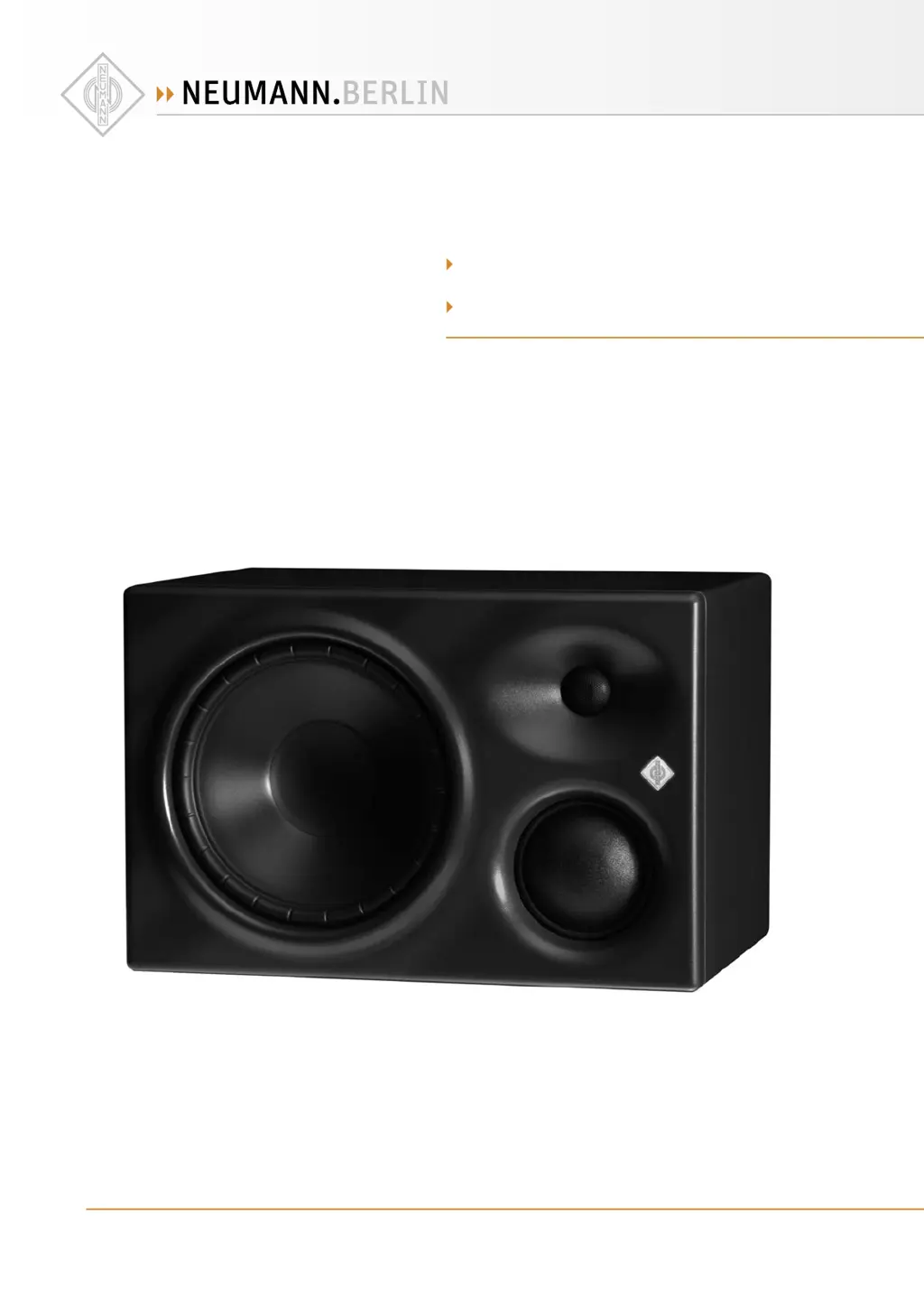
Neumann.Berlin KH 310 A - User Manual

Neumann.Berlin KH 310 A
35 pages
Print Icon
To Next Page IconTo Next Page
Loading...
   ·  .  ·   · 
  () /   - ·  - · @. · ..
KH  A
KH  D
A S 
O M

Questions and Answers

  • Z
    Zachary WrightAug 1, 2025
    What to do if there is hum or buzz coming from my Neumann.Berlin KH 310 Speakers when the audio cable is connected?
    • S
      Steven GarciaAug 1, 2025
      If you are experiencing hum or buzz from your KH 310 speakers when the audio cable is connected, it is likely due to bad cabling or a ground loop in your installation. To resolve this, check all cabling to eliminate the source of the problem. You may also try switching from unbalanced to balanced cabling or using the ground lift switch.
  • H
    Heather HolmesAug 8, 2025
    What to do if the Neumann.Berlin Speakers logo is flashing red but there is no sound?
    • M
      Mr. James PowellAug 8, 2025
      If the Neumann logo is flashing red but there is no sound, it could be because a DIGITAL signal is selected on the SIGNAL SELECT rotary switch but there is no valid audio signal connected to the digital input. Connect a valid signal to the digital input, check the cabling, or set the SIGNAL SELECT rotary switch to ANALOG.
  • S
    Sherry BrownAug 16, 2025
    Why is the Neumann.Berlin KH 310 Speakers logo off or not clearly visible, but sound is still heard?
    • R
      robinsonmaryAug 16, 2025
      If the Neumann logo is off or not clearly visible, but you can still hear sound, it's likely that the Neumann logo is switched off or dimmed. To fix this, switch on the Neumann logo and switch off the dimming.
  • V
    Victoria SteeleAug 25, 2025
    How to fix Neumann.Berlin KH 310 Speakers when the Neumann logo is off and no sound is heard?
    • M
      meyermatthewAug 25, 2025
      If the Neumann logo is off and no sound is heard from the KH 310 speakers, the internal main fuse may have blown. In this case, have the product checked by an authorized Neumann service partner.

Summary

Important Safety Instructions

High Sound Pressure Level Warnings

Warnings about hearing damage from high sound pressure levels.

Magnetic Field Interference

Potential interference with medical devices due to magnetic fields.

Rear Panel Hazard Warnings

Explains symbols and warnings on the product's rear panel.

The KH 310 Studio Monitor

Product Overview

Installing and Connecting the KH 310

Positioning the Loudspeakers

Recommendations for optimal loudspeaker placement in various setups.

Connecting Audio Signals

Connecting Digital Signals to KH 310 D

Connecting Multiple KH 310 D Loudspeakers

Setting the Signal Select Rotary Switch

Mains Power Connection

Configuring and Using the KH 310

Adjusting Frequency Response

Using controls to tailor the loudspeaker's frequency response.

Adjusting Acoustical Level

Setting the correct output level for accurate monitoring.

Cleaning and Maintenance

Troubleshooting

Technical Specifications

Acoustical Controls Effect

Neumann.Berlin KH 310 A Specifications

General IconGeneral
BrandNeumann.Berlin
ModelKH 310 A
CategorySpeakers
LanguageEnglish

Related product manuals