

EasyManua.ls Logo

Neurona OpticHD - User Manual

Neurona OpticHD
11 pages
Print Icon
To Next Page IconTo Next Page
Loading...
OpticHD
HD Video Recording Sunglasses
with
User's Manual
OpticHD
OpticHD™
with
User's Manual
OpticHD™
HD Video Recording Sunglasses
Question and Answer IconNeed help?

Do you have a question about the Neurona OpticHD and is the answer not in the manual?

Summary

Product Overview

Charging the OpticHD Glasses

Powering On;Off and Recording

Wi-Fi Switch Operation

OpticHD Mobile App Installation

Starting the OpticHD Application

Initial steps to connect the OpticHD application to the glasses via Wi-Fi, including network name and password.

Using the OpticHD Mobile Application

OpticHD Application Menu Features

Overview of the application menu features, including storage status, regular settings, language, and version number.

OpticHD Multi-media Menu Management

Information on accessing and managing video files within the mobile application, including playback and deletion.

OpticHD Local Video Menu

OpticHD Application Icons

Connecting Glasses to a Computer

Battery Operation and Charging

Charging Time Estimation

Details on the expected charging time for the OpticHD Glasses using a standard 5V/1A charger.

microSD Card Formatting

Product Specifications

LED and Vibration Alerts

Firmware Update Procedure

Time Setting for Recordings

Question & Answer

Application Wi-Fi Connection Issues

Troubleshooting steps for when the OpticHD application cannot connect over Wi-Fi to the glasses.

Resetting Wi-Fi Name and Password

Steps to reset the Wi-Fi name and password to factory defaults via a text file on the microSD card.

Troubleshooting Power;Recording Issues

Steps for power and recording problems, covering battery, microSD card, and formatting checks.
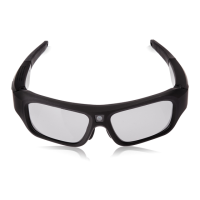
Neurona OpticHD Specifications

General IconGeneral
BrandNeurona
ModelOpticHD
CategoryDVR
LanguageEnglish