EasyManua.ls Logo

Neuton CE 5.2 - User Manual

Neuton CE 5.2
64 pages
Print Icon
To Next Page IconTo Next Page
Loading...
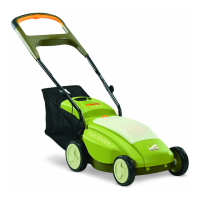
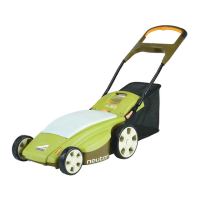
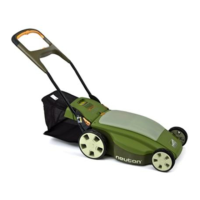
Battery-Powered Mower
Safety & Operating Instructions
Model: CE 5.2
READ AND UNDERSTAND THIS MANUAL AND ALL INSTRUCTIONS BEFORE OPERATING THIS MOWER.

Table of Contents

Questions and Answers

  • I
    imooreSep 14, 2025
    What to do if Neuton Lawn Mower bag is not collecting grass?
    • H
      Henry VazquezSep 14, 2025
      If your Neuton Lawn Mower's rear bagger isn't collecting grass well: * Empty the bagger and clean it if necessary. * Raise the cutting height if the grass is too long or the mower is cutting too low. * Try slowing down your mowing speed. * Clean out any clogs in the mesh holes of the rear bagger. * Ensure the rear bagger is dry before using it again.
  • J
    Jason LewisSep 16, 2025
    Why is my Neuton Lawn Mower so hard to push?
    • J
      Justin CameronSep 16, 2025
      If your Neuton Lawn Mower is hard to push: * The grass may be too high or thick for the current cutting height. Raise the cutting height or narrow your cutting swath. * The wheels may not be rotating freely. Remove the safety key and the battery, turn the mower over, and check the wheels for damage.
  • M
    Mark MathisNov 20, 2025
    How to fix a Neuton CE 5.2 Lawn Mower that won't start?
    • S
      steve03Nov 20, 2025
      If your Neuton Lawn Mower motor won't start, even with the safety key inserted and the control bar depressed, try the following: * Ensure the safety key is properly inserted and the green status indicator light is on. * Check if the white button on the safety key has popped up; if so, depress it to reset. * Verify the battery is correctly installed and fully charged. The green status indicator light should be on. If not, replace or recharge the battery. * Check the cable attachment for a proper connection. * Ensure the mower/auxiliary switch is in the correct position. * Follow the correct starting sequence: slide the orange start knob to the left and squeeze the orange control bar. * Check for blade obstruction. Remove the safety key and battery, turn the mower over, and in...
  • M
    Megan WestNov 25, 2025
    What to do if my Neuton Lawn Mower stops while mowing?
    • J
      Jessica SnyderNov 25, 2025
      If your Neuton Lawn Mower stops while mowing, and it's not because you released the control bar, consider these possibilities: * The battery may be completely discharged. Recharge it or replace it with a fully charged one. * The mower might have been overloaded. Reset the breaker by pushing the white button on the safety key and restart the mower. * The grass could be too high for the current cutting height. Try raising the cutting height or narrowing your cutting path. * The blade, mower deck, or side discharge chute may be clogged. Remove the safety key and battery, turn the mower over, and clean any debris. * The white circuit breaker button in the safety key might not be fully pushed in. Reset it and try again. * If the mower bogs down or stalls in heavy grass, raise the c...

Summary

Introducing the NEUTON Mower CE 5.2

About this Manual

Explains the manual's organization, conventions, and contact information for NEUTON Power Equipment.

Important Safety Considerations

Safety and Information Labels

Describes the warning and information labels found on the NEUTON Mower and Battery.

Protecting Yourself and Those Around You

Details critical safety measures to prevent injuries to operators and bystanders.

Dressing Appropriately

Specifies required personal protective equipment for safe mower operation.

Preparing to Use Your Mower or Trimmer

Outlines essential pre-operation checks and setup procedures for safe use.

Operating Your Mower or Trimmer Safely

Provides critical guidelines for safe operation of the mower and trimmer.

Handling the Battery Safely

Covers essential safety precautions for charging, using, and storing the mower battery.

Setting Up Your NEUTON Mower

NEUTON Mower Package Checklist

Lists all components included in the NEUTON Mower package for verification.

Assembling Your NEUTON Mower

Provides step-by-step instructions for assembling the NEUTON Mower.

Remove the Battery

Instructions for safely removing the battery from the mower.

Charge the Battery Before Your First Use

Details the essential charging procedure for the battery before initial mower operation.

Attach the Lower Handlebar Sections

Guides users on attaching the lower handlebar sections to the mower.

Attach the Upper Handlebar Assembly

Instructions for connecting the upper handlebar assembly to the lower sections.

Attach the Cable to the Handlebar Assembly

Details the process of connecting the cable to the handlebar assembly.

Attach Accessories: Side Discharge, Mulching Plug, Rear Bagger

Explains how to attach the side discharge chute, mulching plug, or rear bagger.

Insert the Battery

Provides instructions for correctly inserting the fully charged battery into the mower.

Operating Your NEUTON Mower

Pre-Start Checks

Essential checks to perform before starting the mower to ensure safe operation.

Adjusting the Cutting Height

Guide on how to adjust the mower's cutting height for optimal lawn care.

Mowing on Slopes

Safety precautions and techniques for mowing on sloped terrain.

Starting the Motor and Engaging the Blade

Step-by-step instructions for safely starting the mower's motor and blade.

Stopping the Motor and Blade

Explains how to safely stop the mower's motor and blade.

When Finished Mowing

Procedures to follow after completing mowing operations.

Mowing and Lawn Care Tips

Provides advice for optimal mowing results and lawn health.

Charging and Caring for the Battery

The Battery

Details the specifications and basic information about the NEUTON Mower battery.

Charging the Battery

Instructions for charging the battery, both in and out of the mower.

Charging the Battery Out of the Mower

Step-by-step guide for charging the battery when it is removed from the mower.

Disconnecting the Charger

Correct procedure for safely disconnecting the battery charger.

Recharging After Each Use

Emphasizes the importance of recharging the battery after every mowing session.

Recharging for Off-Season Storage

Guidance on how to charge the battery for extended storage periods.

Storage Temperature Range

Specifies the ideal temperature range for storing the battery.

Caring for the Battery

Tips and guidelines to extend the battery's lifespan and ensure proper function.

Recycling Your Used Battery

Information on responsible disposal and recycling of used batteries.

Optional Attachments

NEUTON Trimmer Attachment

Information about the NEUTON Trimmer attachment for the mower.

Spare Battery

Benefits of owning and using a spare battery for continuous operation.

Spare Aero Cutting Blade

Advantage of having a spare Aero Cutting Blade for efficient mowing.

Blade Sharpener

Instructions and tips for using the NEUTON Blade Sharpener.

Utility Shelf

Description of the utility shelf and its convenient placement on the handlebar.

Maintaining and Storing Your NEUTON Mower

Servicing Your Mower

General warnings and precautions for performing maintenance on the mower.

Cleaning Your Mower

Procedures for cleaning the mower to ensure peak performance.

Cleaning the Handlebar

Instructions for cleaning and lubricating the mower's handlebar.

Removing and Attaching the Blade

Detailed steps for safely removing and reattaching the mower blade.

Sharpening the Blade

Guide on how to sharpen the mower blade for optimal cutting performance.

Balancing the Blade

Explains the importance of blade balance and how to achieve it.

Storing Your NEUTON Mower

Guidelines for properly storing the mower for short or long periods.

Troubleshooting Tips

Troubleshooting Table

Common problems and their corrective actions for the NEUTON Mower.

Optional MA 3.1 Trimmer

Trimmer Safety and Information Labels

Details safety labels and warnings specific to the NEUTON Trimmer attachment.

Operating Your Trimmer Safely

Provides essential safety guidelines for operating the NEUTON Trimmer.

Trimming on Slopes Safely

Safety precautions for trimming and edging on sloped terrain.

Using the NEUTON Trimmer

Instructions on how to attach and use the NEUTON Trimmer with the mower.

Attaching and Removing the Trimmer

Step-by-step guide for attaching and detaching the trimmer from the mower.

Adjusting the Trimmer Head

How to adjust the trimmer head for trimming or edging operations.

Starting the Trimmer

Instructions for safely starting the trimmer motor.

Stopping the Trimmer

Procedures for safely stopping the trimmer motor.

Advancing the Trimmer Cord

How to advance the trimmer cord, both automatically and manually.

Trimmer Safety Tips

Essential tips for safe and effective operation of the trimmer.

Maintaining and Storing the Trimmer

Guidance on replacing the spool, cleaning, and storing the trimmer.

Replacing the Spool

Step-by-step instructions for replacing the trimmer's spool.

Replacing the Spool Housing

Instructions for replacing the trimmer's spool housing if damaged.

Cleaning the Trimmer

Procedures for cleaning the trimmer to maintain peak performance.

Parts Lists, Schematic Diagrams, and Warranty

NEUTON CE 5.2 Mower Parts List

Comprehensive list of parts for the NEUTON CE 5.2 Mower with part numbers.

NEUTON CE 5.2 Mower Schematic Diagrams

Visual diagrams illustrating the assembly and components of the NEUTON CE 5.2 Mower.

Optional MA 3.1 Trimmer Parts List

List of parts for the optional MA 3.1 Trimmer attachment.

Optional MA 3.1 Trimmer Schematic Diagram

Diagram showing the assembly and parts of the optional MA 3.1 Trimmer.

2-Year Limited Warranty

Warranty Terms and Conditions

Details the warranty coverage, limitations, and owner responsibilities for the mower.

Technical Support Hotline

Contact information and purpose of the NEUTON Power Equipment Technical Support Department.

Daily Checklist for your NEUTON Mower

Battery Check

Ensures the battery is fully charged before each use for optimal performance.

Pre-Use Cleaning and Inspection

Inspect and clean the mower blade and underside before each use.

Unusual Noises or Vibrations

Procedure for handling unusual noises or vibrations; contact support if needed.

Mowing Conditions Check

Guidance on assessing grass height and adjusting mowing strategy.

Neuton CE 5.2 Specifications

General IconGeneral
BrandNeuton
ModelCE 5.2
CategoryLawn Mower
LanguageEnglish

Related product manuals