EasyManua.ls Logo

Neuton CE6.2 - User Manual

Neuton CE6.2
68 pages
Print Icon
To Next Page IconTo Next Page
Loading...
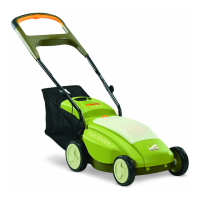
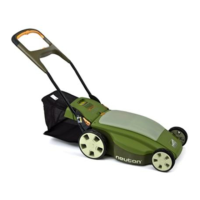
Battery-Powered Mower
w/Optional Attachments
Safety & Operating Instructions
Model: CE6.2
N
EUTON Power Equipment
75 Meigs Road
Vergennes, VT 05491
Toll-Free phone: 1-866-NEUTON1 (638-8661)
Fax: 1-802-877-1213
Website: www.neutonpower.com
E-MAIL: INFO@NEUTONPOWER.COM
READ AND UNDERSTAND THIS MANUAL AND ALL INSTRUCTIONS BEFORE OPERATING THIS MOWER.
UPDATED
MAY 2010

Table of Contents

Questions and Answers

  • E
    Elizabeth ParkerAug 14, 2025
    How to troubleshoot Neuton Lawn Mower when it fails to start?
    • D
      Donna ValenciaAug 14, 2025
      If your Neuton Lawn Mower motor won't start even with the safety key in and the control bar pressed, there are several things to check: * Ensure the safety key is properly inserted and the green status light is on. * See if the white button on the safety key has popped up; if so, depress it to reset. * Verify the battery is correctly installed and fully charged, indicated by the green status light. If not, replace or recharge the battery. * Confirm the power/mode switch is in the right position. * Be sure to slide the orange start knob left and squeeze the orange control bar in the correct starting sequence. * Check for obstructions by removing the safety key and battery, turning the mower over, and ensuring the blade spins freely.
  • C
    Carolyn NelsonAug 17, 2025
    Why does my Neuton CE6.2 battery lose charge quickly?
    • E
      Elizabeth RichardsonAug 17, 2025
      If the battery on your Neuton Lawn Mower drains quickly, consider these factors: * Make sure the battery was fully charged before you started mowing. Charge the battery if necessary. * The grass may be too high or thick for the current cutting height. Try raising the cutting height or narrowing your cutting path. * The battery might be nearing the end of its lifespan. Batteries typically need replacing after about five years.
  • A
    Ashley GreerAug 21, 2025
    What to do if the Battery LED does not turn RED when the Neuton CE6.2 Lawn Mower Charger is connected?
    • D
      david28Aug 21, 2025
      If the battery LED on your Neuton Lawn Mower doesn't turn red when the charger is connected: * Unplug the battery charger from both the wall outlet and the battery. Check the charger for any visible damage to the body and cord. If you see any damage, stop using it immediately, as a damaged charger can cause a short circuit and potential fire. * Inspect the charger receptacle on the battery for any visible damage or debris. If there's debris, carefully remove it, avoiding metallic, damp, or flammable objects that could cause a fire or explosion. If you notice damage to the receptacle, stop using it. Use a vacuum with a non-metallic nozzle to remove debris. Avoid using excessive force when inserting the charger connector to prevent damage.
  • C
    Carl FisherAug 27, 2025
    Why is my Neuton CE6.2 cutting poorly or losing power?
    • M
      Michael BensonAug 28, 2025
      If your Neuton Lawn Mower is running but not cutting well, or if you notice a power loss, try the following: * Ensure the battery was fully charged before you started mowing. Charge it if needed. * Inspect the blade for dullness, bending, looseness, or damage. Remove the safety key and battery, turn the mower over, and check the blade's condition. Sharpen, tighten, or replace it as necessary. * The grass might be too high or thick for the current cutting height. Increase the cutting height or reduce the width of your mowing path.
  • D
    denniswilliamsAug 31, 2025
    How to fix excessive vibration or noise in Neuton CE6.2?
    • M
      Mary FloydAug 31, 2025
      If your Neuton Lawn Mower is vibrating excessively or making unusual noises: * Check if the blade is loose. Remove the safety key and battery, turn the mower over, and ensure the blade is securely attached. * Inspect the blade for imbalance, bending, or damage. Remove the safety key and battery, turn the mower over, remove the blade, and check its condition. Replace the blade if necessary.
  • D
    Dr. Lisa AllisonSep 3, 2025
    Why is my Neuton CE6.2 Lawn Mower hard to push?
    • W
      Wanda CantrellSep 4, 2025
      If your Neuton Lawn Mower is difficult to push, here's what you can check: * The grass might be too high or thick for the current cutting height. Raise the cutting height or narrow your cutting path. * The wheels might not be turning freely. Remove the safety key and battery, turn the mower over, and inspect the wheels for any damage.
  • P
    Philip SantiagoSep 7, 2025
    What to do if Neuton Lawn Mower rear bagger is collecting grass poorly?
    • N
      Nicholas ClaytonSep 7, 2025
      If the rear bagger on your Neuton Lawn Mower isn't collecting grass effectively: * The rear bagger might be full. Empty the bagger and clean it if needed. * The grass may be too long, or the mower is cutting too low. Raise the cutting height. * You might be moving too fast. Slow down your pace. * The mesh holes in the rear bagger could be clogged. Clean them out. * The rear bagger might be wet. Allow it to dry completely before using it again.
  • T
    tiffany64Sep 10, 2025
    Why doesn't the Neuton CE6.2 Lawn Mower Battery Charger LED come on?
    • R
      Robin ParkerSep 10, 2025
      If the battery charger LED for your Neuton Lawn Mower doesn't light up when plugged into a 110V outlet: * Unplug the charger from the wall and the battery. Check the charger for any visible damage to its body and cord. If you see any damage, stop using it immediately to prevent short circuits and potential fire hazards. * Make sure the 110V wall outlet is working by plugging in a lamp or another electrical device.
  • P
    Paul BakerNov 23, 2025
    What to do if my Neuton CE6.2 Lawn Mower stops while mowing?
    • P
      Peter RogersNov 23, 2025
      If your Neuton Lawn Mower stops while you're mowing (and you haven't released the control bar), consider these possibilities: * The battery may be completely discharged. Try fully recharging it or swapping it with a fully charged one. * The mower might be overloaded, causing the circuit breaker in the safety key to trip. If the status indicator light is off, reset the breaker by pushing the white button on the safety key and restart the mower. * The grass could be too high for the current cutting height. Adjust the cutting height or reduce the width of your cut. * Debris might be clogging the blade, mower deck, or side discharge chute. Remove the safety key and battery, then turn the mower over to clean any blockages. * Ensure the white circuit breaker button in the safety key i...

Summary

Introducing the NEUTON Mower CE6.2

About this Manual

Explains the manual's structure, conventions, and contact information for the manufacturer.

Conventions used in this Manual

Details the meaning of warning, caution, notice, and tip indicators used throughout the document.

Important Safety Considerations

Safety and Information Labels

Identifies and describes the various safety and operating instruction labels affixed to the mower.

Protecting Yourself and Those around You

Provides essential safety guidelines to prevent injury to the operator and bystanders.

Dressing Appropriately

Outlines recommended clothing and protective gear for safe mower operation.

Preparing to Use Your Mower or Trimmer

Lists crucial pre-operation checks and safety precautions before starting.

Operating Your Mower or Trimmer Safely

Covers safe operating procedures, including stopping, handling, and general safety rules.

Handling the Battery Safely

Details critical safety instructions for charging, storing, and handling the mower's battery.

Setting Up Your NEUTON Mower

NEUTON Mower Package Checklist

Lists all components included in the mower package for user verification.

Assembling Your NEUTON Mower

Provides step-by-step instructions for the initial assembly and setup of the mower.

Operating Your NEUTON Mower

Controls and Features

Describes the function of the mower's various controls and indicators for operation.

Pre-Start Checks

Lists essential checks to perform before starting the mower to ensure safe operation.

Adjusting the Cutting Height

Explains how to adjust the mower's cutting height for optimal grass cutting.

Mowing on Slopes

Provides safety guidelines and best practices for mowing on sloped terrain.

Starting the Motor and Engaging the Blade

Details the procedure for safely starting the mower's motor and engaging the cutting blade.

Stopping the Motor and Blade

Outlines the correct procedure for stopping the mower's motor and blade.

Mowing and Lawn Care Tips

Offers practical advice for efficient mowing and maintaining lawn health.

Charging and Caring for the Battery

The Battery

Provides basic information about the mower's 36-volt, 10-amp-hour sealed lead-acid battery.

Charging the Battery

Explains essential guidelines and precautions for charging the mower's battery.

Charging with the Battery out of the Mower

Details the process for charging the battery when it is removed from the mower.

Disconnecting the Charger

Specifies the correct procedure for safely disconnecting the battery charger.

Recharging after each use of the Mower

Emphasizes the importance of recharging the battery after every use for optimal performance.

Recharging to Full Charge for Off-Season Storage

Instructs on fully charging the battery before storing the mower for extended periods.

Caring for the Battery

Offers tips to extend the lifespan and maintain the performance of the battery.

Recycling your Used Battery

Provides guidance on the responsible disposal and recycling of used batteries.

Optional Attachments

NEUTON Trimmer

Introduces the optional trimmer attachment and its versatility.

Striper Roller

Describes the optional striper roller for creating lawn patterns.

Spare Battery

Highlights the benefits of owning and using a spare battery for extended mowing.

Spare Aero Cutting Blade

Explains the advantage of having a spare cutting blade for efficient mowing.

Blade Sharpener

Details how to use the optional hand-held sharpener for mower blades.

Servicing and Storing Your NEUTON Mower

Servicing Your Mower

Lists general safety precautions and guidelines for servicing the mower.

Cleaning Your Mower

Provides instructions and supplies needed for periodic cleaning of the mower.

Cleaning the Handlebar

Explains how to clean and lubricate the mower's handlebar.

Removing and Attaching the Blade

Details the procedure for safely removing and attaching the mower blade.

Sharpening the Blade

Guides the user through the process of sharpening the mower blade.

Balancing the Blade

Explains how to balance the blade to prevent excessive vibration and motor damage.

Storing Your NEUTON Mower

Provides essential guidelines for storing the mower properly for short or long periods.

Troubleshooting Tips

Troubleshooting Table

Lists common mower problems and their corresponding corrective actions for easy diagnosis.

Optional MA 3.6 Trimmer and MA 5.6 Striper Roller

Safety and Information Labels

Identifies safety labels specific to the trimmer attachment.

Operating Your Trimmer Safely

Covers general safety guidelines for operating the trimmer attachment.

Trimming on Slopes Safely

Provides safety advice for using the trimmer on sloped terrain.

Using the NEUTON Trimmer

Explains how to attach and use the NEUTON Trimmer attachment.

Attaching, Removing and Using the Trimmer

Details the steps for attaching and removing the trimmer from the mower.

Adjusting the Trimmer Head

Explains how to adjust the trimmer head for edging or trimming.

Starting the Trimmer

Provides instructions for starting the trimmer motor.

Stopping the Trimmer

Details the procedure for stopping the trimmer motor.

Advancing the Cord

Explains how the trimmer cord advances and how to manually advance it.

Safety Tips for using the Trimmer

Offers practical tips for safe and effective use of the trimmer.

Maintaining and Storing the NEUTON Trimmer

Guides on cleaning, storing, and basic maintenance of the trimmer.

Replacing the Spool

Instructions on how to replace the trimmer spool when the cord runs out.

Replacing the Spool Housing

Details how to replace the trimmer's spool housing if it is damaged.

Cleaning the Trimmer

Provides instructions for cleaning the trimmer attachment.

Attaching and Using the Striper Roller

Explains how to attach and use the optional striper roller.

Parts Lists, Schematic Diagrams, and Warranty

Parts List - NEUTON CE6.2 Mower

Comprehensive list of all parts for the NEUTON CE6.2 Mower with part numbers.

Schematic Diagrams - NEUTON CE6.2 Mower

Visual diagrams illustrating the assembly and layout of the NEUTON CE6.2 Mower parts.

Parts List - Optional MA 3.6 Trimmer

List of parts specific to the optional MA 3.6 Trimmer attachment.

Schematic Diagram - Optional MA 3.6 Trimmer

Visual diagram showing the assembly of the optional MA 3.6 Trimmer.

2-Year Limited Warranty

Terms and Conditions

Outlines the terms, conditions, and duration of the limited warranty for the mower and accessories.

Technical Support Hotline

Provides contact information and details about Neuton Power Equipment's technical support services.

Daily Checklist for your NEUTON Mower

Neuton CE6.2 Specifications

General IconGeneral
BrandNeuton
ModelCE6.2
CategoryLawn Mower
LanguageEnglish

Related product manuals