4081 User Manual Issue 3
AD/DA / Firewire Card (optional)
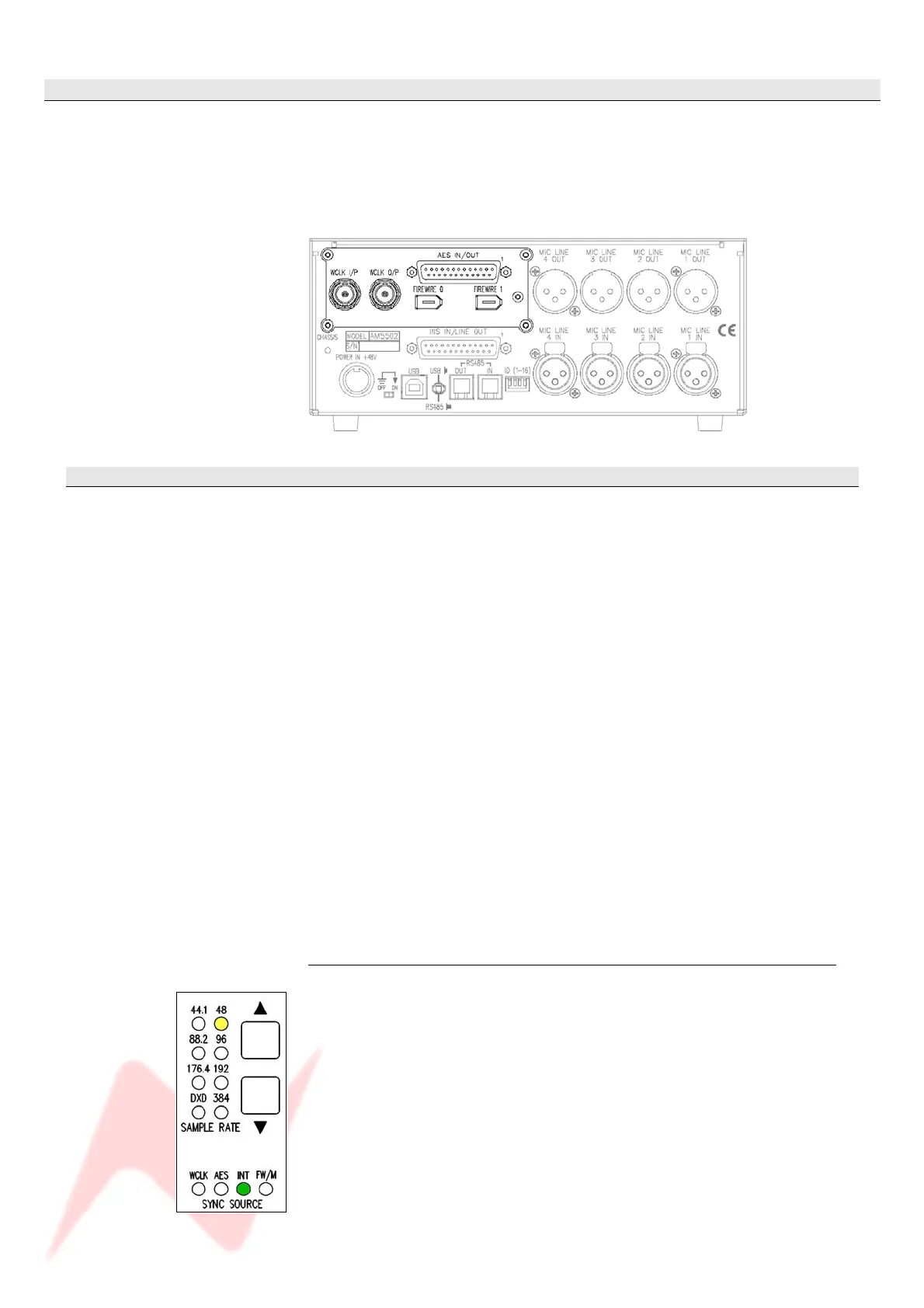
The 4081 FireWire expansion board provides a digital interface for the
4081, both to FireWire and AES/EBU, and has two modes of operation as
described below.
If this digital board is not fitted, then the Sample Rate and Sync Source
leds on the front of the unit will not light or function.
Standalone mode (with no FireWire connected)
This mode is designed for operation with ProTools, or any other digital
system which uses AES/EBU as its digital I/O interface.
Essentially, it provides 4 mono ADC channels (from the 4081) to AES/EBU
over two stereo AES/EBU ports, and is compatible with sample rates up to
192kHz on each of these AES/EBU ports (true stereo single wire 192kHz
operation).
As an added feature, it also has two stereo AES/EBU ports to four DAC
channels which can be used for monitoring.
Again, these can run at up to 192kHz (true stereo single wire 192kHz
operation).
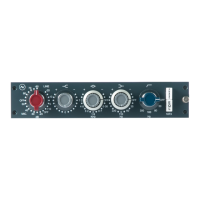
Control of the sample frequency and syncronisation source in standalone
mode is done entirely through the front panel buttons.
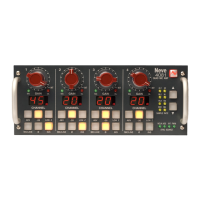
As a general rule, any flashing led on the digital panel shown below
indicates that the unit is not locked to the selected sample rate or source.
If this happens, please check that the sample rate selected on the 4081
matches that which is being supplied, either by AES, Wordclock or
FireWire.
Solid leds indicate the unit is locked to the selected source at the chosen
rate.
Setting the sync source in standalone mode
In standalone mode, the FireWire expansion board can lock to internal,
AES/EBU, or TTL wordclock, at sample rates from 44.1kHz to 192kHz.
Press both buttons together to step through the sync sources
(Wordclock, AES & Internal).
• A solid green led means the unit has locked to the selected sync
source.
• A flashing led indicates it cannot find the selected sync source, so
please check that the selected sync source is connected.
- 7 -


 To Next Page